
Public Service Ads (PSA) and Blank Ads in AdSense: Causes and Fixes
Seeing blank ad spaces or public service ads in AdSense? In the early days of AdSense, when Google could not find a matching ad for a page, it showed a public service ad (PSA) for a charity instead, and publishers earned nothing from it. Google stopped showing PSAs years ago. Today an unfilled ad slot simply stays empty or collapses. The causes and fixes are much the same, though, so here is how to deal with unfilled AdSense ads in 2026.

Quick answer: AdSense no longer shows public service ads. When no ad is available, the slot is left unfilled. To get more ads, publish substantial content on clear topics, make sure Google’s ad crawler can access your pages, check the Policy center for restrictions, avoid over-blocking advertisers, and hide unfilled slots with CSS so your pages never look broken.
Table of Contents
What were public service ads?
PSAs were non-paying ads for charities and causes that appeared when AdSense could not match an ad to your page. They paid nothing per click and often looked out of place, such as one big text ad filling a 160×600 banner. AdSense later replaced PSAs with options for alternate ads or colours, and then with today’s unfilled-ad behaviour.
Why AdSense ad slots stay empty
- New or thin pages: Google needs enough text to understand a page. Very short pages may get few ads.
- Crawler blocked: robots.txt or a login wall stops the AdSense crawler (Mediapartners-Google) from reading your pages.
- Policy restrictions: pages with sensitive or prohibited content get limited or no ads. Check the Policy center in AdSense.
- Low demand: some countries, topics or times of year have fewer advertisers.
- Too many blocks: blocking many categories or advertisers in Brand safety leaves fewer ads to show.
- Invalid traffic or new account checks can limit ad serving for a while.
How to get fewer unfilled ads
- Write substantial, focused content. Clear titles, headings and well-written articles help Google match relevant ads. Keyword stuffing does not help.
- Let the AdSense crawler in. If your robots.txt blocks bots, allow it:
User-agent: Mediapartners-Google Disallow: - Check the Policy center and fix any flagged pages.
- Review blocking controls and unblock categories that are not truly harmful to your brand.
- Use fewer, better ad units. The old limit of three ad units is gone, but more slots than advertisers just means more blanks.
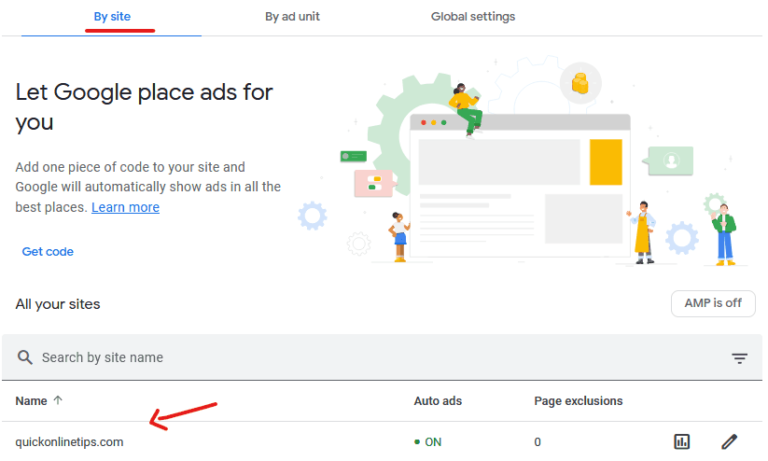
- Use responsive units and Auto ads so Google can pick formats that fill. See using AdSense Auto ads.
- Be patient with new pages. Ads can take a day or two to become well targeted.
Hide unfilled ad slots
AdSense marks unfilled ads with data-ad-status="unfilled", so you can hide them with one line of CSS. See our full guide to hide unfilled AdSense ad spaces:
ins.adsbygoogle[data-ad-status="unfilled"] { display: none !important; }What changed since 2005
- PSAs, alternate ads and the Ad Preview Tool for Internet Explorer are gone.
- Framed page settings and session ID worries are no longer relevant for most sites.
- Responsive ads and Auto ads now handle sizing and formats automatically.
Avoid the classic AdSense mistakes, and learn which topics attract the highest paying AdSense keywords.
How to check fill rate
In your AdSense reports, compare ad requests with impressions, or look at the coverage figure, to see what share of ad requests were filled. A low fill rate on certain pages points to content or policy issues; a low rate across the whole site points to traffic quality, location or blocking settings. Track it for a few weeks after each change rather than judging from a single day.
FAQ
Does AdSense still show public service ads?
No. Unfilled slots now stay blank or collapse instead of showing PSAs.
Do I earn anything from unfilled ad slots?
No. Only filled ads earn revenue.
Why are ads blank only on some pages?
Those pages may be thin, recently published, or restricted by policy. Check them in the Policy center.
Get our free weekly email: new tech guides and tools, no spam.
New and updated tech guides, a free tool worth bookmarking and one useful pick, once a week. No spam, unsubscribe anytime.
One email a week. Unsubscribe anytime. See our privacy policy.



Thanx for help..!!
Finally i have removed PSA Ads..!!
How did you specifically remove PSA Ads Pallav? Hope you can answer this question. Thanks.
freind i have register to adsense from my blog…and i am getting psa from last 3 days can anyone suggest what i need to do to get actual ads..plzz help me freinds..
An old poacher makes the best gamekeeper.
nice thx.. its comes in my site some time but i wil do that tric which u say
I have never met these ads before.
Hi I have always had these ads. I don’t know what to do. I think my content is appropriate for my audience but still psas.
how about Adjacking triks, is that ok?
“…Google TOS do not allow placing more than 3 ad units on a page…” is this still valid?
I just wonder why all my Adsense shows PSA today. I put them on 5 sites and all are showing PSA ads. Is it a kind signal something wrong with my account, or something wrong with Adsense system
thanks … good info
AdSense Revenue Sharing
Page360.net’s Scoop is a Digg-like with a 100% AdSense Revenue Sharing program. Please note that we are not sponsored by or directly affiliated with Google.
This is how to promote a blog or website by using a social bookmarking service while earning money at the same time!
Good luck!
Hi..
I have the same problem..
Im managing 7 Blogs. I placed my add on those blogs.
but all of them shows public service ads…
this is not efected by the blog but the adsense account….
pls hep me..
thanks in advance
hi,
i have 5 blogs and the other blogs are fine with the ads being
allright except for this one blog http://kidspics4u.blogspot.com where
the ads
that are being shown are the public service ads.how come?
what is worng?can anyone here help me out??
thahks in advance!
Please tell me how do i remove my public service ads on my site.
Dose Adsence tolerate other associated advertising in the same page/site ?
Cool advice… Any chance you can have a look at my site. I have tried targeting but still getting none reletive ads…
how i can choose an alternative ads
is there r any tool to find highest paid sponsors
thanks for article
I only saw PSA’s on my site for the first 24-48 hours. After that it has had good ads that were very close to the content I was posting about. Thank you for the tips.
I don’t know why. I just saw a public service ad one time only on my site while I was trying to bring it up. After that, never show up again so far. Maybe I am just lucky.
I don’t see too many PSA ads, thankfully. But you’re right, it does force you to have a more content rich site and not add a bunch of fluff, because readers and Google WILL know!
can help me to get rid of PSA. my site creates dynamic pages everytime.
hi, i am getting all my site PSA, is ealier it was working fine, now i change the site design, after that i am getting…..
Good article. What are the sources to get an alternate ad URL?
What was happened when ads that show not related with the content? I’ve made alo of change but still it show not relevant ads on my site..
Thanks a lot – great info. I was missing the meta tags. I tried that sandbox tool (great find!), and for one of my sites it loaded up on results. But the site I’m having problems with (minnesotasky.com), it came up with nothing. I put together some scripts to do constantly updated time lapse animations, and thought I’d put up a page to share some of the results, and throw in a little current weather info to boot. (And why not an ad at the bottom :P ). Unfortunately, because it’s mostly images, I think it has a hard time. I was hoping to overcome that with your suggestion of descriptive meta tags, but if the sandbox tool still didn’t come up with any hits, I may just be SOL. I’ll give it a few days to see if it fixes itself. If not, I’ll just run ad free. Thanks for putting this guide together – exactly what I was looking for.