
10 Best Free Contact Form Services and Generators (2026)
Every website needs a way for visitors to get in touch, but publishing your email address openly invites spam. A contact form solves that: visitors type their message into a form, and it arrives in your inbox without your address being exposed. Here are the 10 best free contact form services and generators in 2026, for WordPress, static HTML sites and website builders.

Quick answer: On WordPress, use Contact Form 7 or WPForms Lite. For any other website, the easiest free contact form builders are Google Forms, Jotform and Tally. Developers with static sites can use Formspree or Netlify Forms.
Table of Contents
Best free contact form plugins for WordPress
1. Contact Form 7
Contact Form 7 is one of the most installed WordPress plugins ever. It’s completely free, flexible and supports CAPTCHA, Akismet spam filtering and file uploads. You build forms with simple tags, so it suits users who don’t mind a little code.
2. WPForms Lite
WPForms Lite has a drag-and-drop builder and ready-made templates, so you can add a contact form in minutes without code. The paid version adds payments, surveys and integrations.
3. Fluent Forms
Fluent Forms is a fast, lightweight drag-and-drop form builder with a generous free version, including conditional logic and spam protection.
Best free online contact form builders
4. Google Forms
Google Forms is completely free with no response limits. Responses go to a Google Sheet, and you can get an email for each new submission. Embed the form on any website with its iframe code.
5. Jotform
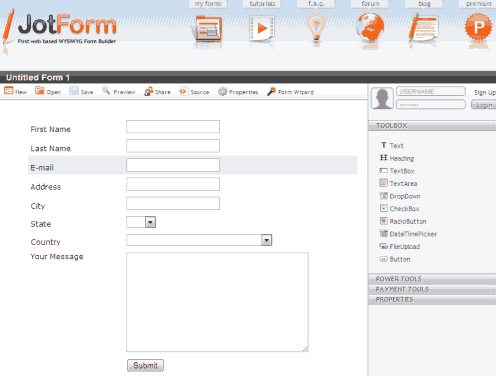
Jotform offers thousands of templates and a powerful drag-and-drop builder. The free plan includes a limited number of forms and monthly submissions, which is plenty for most small sites.
6. Tally
Tally works like a document editor: type your questions and they become a form. Its free plan allows unlimited forms and submissions, which is unusually generous.
7. Typeform
Typeform shows one question at a time in a friendly, conversational style. The free plan has a small monthly response limit, so it’s best for low-volume sites.
8. Wufoo
Wufoo, one of the oldest online form builders and now part of SurveyMonkey, still offers a free plan with a few forms and a limited number of entries.
Free contact forms for static HTML sites
9. Formspree
Formspree lets you add a working contact form to any HTML page by pointing the form’s action at a Formspree address. No server code needed. The free plan covers a modest number of submissions each month.
<form action="https://formspree.io/f/your-form-id" method="POST">
  <input type="email" name="email" placeholder="Your email" required>
  <textarea name="message" placeholder="Your message" required></textarea>
  <button type="submit">Send</button>
</form>
10. Netlify Forms
If your site is hosted on Netlify, add a netlify attribute to your HTML form and Netlify Forms collects submissions for you, with a free monthly allowance.
How to stop contact form spam
- Add a CAPTCHA. Google reCAPTCHA or the free, privacy-friendly Cloudflare Turnstile block most bots without annoying visitors.
- Use a honeypot field. A hidden field that only bots fill in. Many form plugins include this.
- Turn on spam filtering like Akismet or your plugin’s built-in protection.
- Don’t ask for more than you need. Name, email and message is enough for a contact form.
Prefer a simple email link? See how we set up our own contact page.
What about the forms in our 2011 list?
Our original list included Kontactr, Freedback, Foxyform, an AJAX contact form script and Visitor Contact. Contact forms have moved on since then, with better spam protection and mobile-friendly designs, so we’ve replaced those older services with actively developed tools. Contact Form 7, Jotform and Wufoo were on the original list and are still going strong.
Frequently asked questions
What is the best free contact form for WordPress?
Contact Form 7 is the most popular free option, while WPForms Lite is easier for beginners thanks to its drag-and-drop builder.
Can I add a contact form without a plugin?
Yes. Embed a Google Form, Jotform or Tally form, or use Formspree with a simple HTML form.
Why am I not receiving contact form emails?
Emails from WordPress forms are often blocked or sent to spam. Set up an SMTP plugin to send mail through a proper email service, and check your spam folder.
Get our free weekly email: new tech guides and tools, no spam.
New and updated tech guides, a free tool worth bookmarking and one useful pick, once a week. No spam, unsubscribe anytime.
One email a week. Unsubscribe anytime. See our privacy policy.




I would like to point out the free contact form + the free lead management software for WordPress Users, …this is the link to the WordPress.org download page.
Julian – Formstack has social integrations that will let your contact form send a message directly to Twitter/Facebook.
I love foxyform, Good compilation Chandra, BTW is it possible to have a form with upload option,i actually have a project for where people can send their resume without knowing the email ID.
all the plugins not work properly…….
You also missed hosted contact forms at cloudcontactforms.com…
You missed 123ContactForm from your list. Works with Facebook, WordPress & Blogger and our free users numbers skyrocketed in 2010.
I find another website for SMS contact form.
http://www.smsner.com, hope this helps.
I used some of the ones you mentioned here, thanks for providing the list :). However, I found out than my forms were being submitted through the form providers website. I don’t feel comfortable about having my visitors details sent to other websites before I get the email. Anyway, after a few days of looking around I ended up using the form available at https://www.freecontactform.com/ I personally think it’s the easiest one to use. Just thought I would come back and share this with you guys.
Thanks again. Samo
As I know php forms service sends to our twitter. But it doesn’t free
This one is loaded with features:
Fast Secure Contact Form
Includes a CAPTCHA and Akismet spam prevention support. Additionally, the program has a multi-form feature, optional extra fields, and an option to redirect visitors to any URL after the message is sent. Packed with settings and features. (there is also a WordPress plugin version, this download is for is the PHP Script version that does NOT require or use WordPress)
is there any contact form that sends to our twitter/facebook ?
thanks
You should use the widgets available through the twitter and facebook developer api’s. Just search for twitter dev or facebook developer.
I would also suggest checking out Formstack. They have a free service that gives you 3 forms but can be easily upgraded to more if you need it. http://www.formstack.com