
Design Favicons for Google
Recently Google changed their favicon, the small logo that appears in the browser location bar, bookmarks and browser tabs. Its seems a large proportion of the blogosphere did not like the favicon and now Google is running a contest for you to help them design Google favicons.
They have already tried (external site, opens in new tab) a lot of favicons –
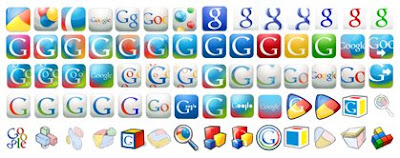
Test you designing skills and Create a Google favicon using the following guidelines – 16 pixel x 16 pixel image, in .png, .gif, or .ico of size 5 KB with 32 bit alpha transparency.
They suggest some ideas that might work for you.
* Make the shape and profile visible.
* Incorporate some or all of the letters in “Google.”
* Utilize the primary colors that are used in the Google logo.
* Avoid being product specific.
* Be timeless.
Submit the favicon idea by June 20, 2008 and your favicon could be visible on billions of pageviews on Google properties. Try Favicon from Pics (external site, opens in new tab) or Favicon Generator (external site, opens in new tab) to convert your images to favicons and get started, but remember the guidelines. You can also try a professional icon editor and icon software like Microangelo (external site, opens in new tab) to create original stunning favicons.
Subscribe to our weekly tech newsletter
🎁 Free 100 Tech Terms ebook when you subscribe. Unsubscribe anytime. Privacy

It can be tricky to talk about regardless of whether this really is excellent, however only time will tell, as with most good design.
You can draw favicons online -> http://www.rw-designer.com/online_icon_maker.php