How to Download Free Kindle Books Legally (2026)
In July 2009 I was browsing the Kindle bestseller list and noticed many popular ebooks selling for $0.00, from Chris Anderson’s Free to Sherlock Holmes and Pride and Prejudice. Free ebooks are even easier to find today. Here’s how to get free Kindle books legally in 2026 on a Kindle, phone or computer.

Quick answer: Open the Kindle Store and look at the Top 100 Free chart, or search for a classic and filter by price. Thousands of public domain classics cost nothing, Prime members get a rotating Prime Reading library, and you can borrow ebooks from many public libraries. You can also download free EPUBs from Project Gutenberg or Standard Ebooks and send them to your Kindle with Send to Kindle.
Table of Contents
8 legal sources of free Kindle books
1. Kindle Store Top 100 Free
Amazon’s bestseller pages have a Top 100 Free tab for every category. Many are promotions from authors and publishers, so grab them while they’re free.
2. Free classics
Public domain books like Jane Austen, Arthur Conan Doyle and Jules Verne are free in the Kindle Store. Search the title and check the Kindle edition price.
3. Prime Reading
Amazon Prime includes a rotating selection of ebooks, magazines and comics you can read at no extra cost.
4. Project Gutenberg
Project Gutenberg (external site, opens in new tab) offers over 70,000 free public domain ebooks in Kindle-friendly formats.
5. Standard Ebooks
Standard Ebooks (external site, opens in new tab) publishes carefully formatted, free editions of classics that look better than most free versions.
6. Your public library
In the US, the Libby app (external site, opens in new tab) lets you borrow library ebooks and send many straight to your Kindle. Libraries elsewhere offer similar apps.
7. Open Library
The Internet Archive’s Open Library (external site, opens in new tab) lends digital copies of many books for free.
8. Author newsletters and BookBub
Services like BookBub email daily deals, including free Kindle books in genres you choose.
How to send free ebooks to your Kindle
- Download the book as an EPUB (or PDF).
- Use the Send to Kindle web page or app, or email it to your Kindle’s address from an approved email.
- The book appears in your Kindle library on all devices.
Note: Amazon no longer accepts MOBI files through Send to Kindle; use EPUB instead.
Avoid pirated ebooks
Sites offering free downloads of new bestsellers are usually pirated and can carry malware. Stick to the sources above.
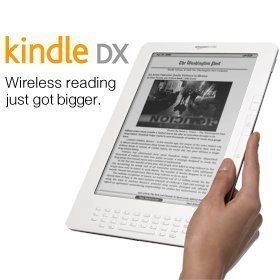
Kindle history on QuickOnlineTips: the Kindle DX preorder and Kindle MatchBook free ebooks.
FAQ
Do I need a Kindle device to read free Kindle books?
No. Use the free Kindle app on Android, iPhone, PC or Mac, or Kindle Cloud Reader in a browser.
Are free Kindle books really free?
Yes. Books listed at $0.00 cost nothing and stay in your library after the promotion ends.
Is Kindle Unlimited free?
No, it’s a paid monthly subscription, though Amazon often offers free trials.
Subscribe to our weekly tech newsletter
New tech guides, free tools and 2-minute fixes, once a week.
🎁 100 Tech Terms ebook comes free with every subscription.
Unsubscribe anytime. See our privacy policy.