Gandhiji Font: Download Status and Best Free Alternatives
Looking for the Gandhiji font? The Gandhiji font is a typeface inspired by Mahatma Gandhi’s iconic round spectacles. It was created by the typographers at ad agency Leo Burnett India in 2010 to mark Gandhi’s 141st birth anniversary, first in Devanagari and later in English, with the message of helping a young nation see the Mahatma’s vision. We shared the download in 2011, but the official Gandhiji font download is no longer available. Here is the story of the font, and the best free alternatives for Gandhi Jayanti designs in 2026.

Quick answer: The original Gandhiji font by Leo Burnett is no longer offered for download, and copies on random font sites may be unofficial or unsafe. For Gandhi Jayanti posters and social posts, use free Google Fonts with Devanagari support such as Tiro Devanagari Hindi, Mukta, Hind or Noto Sans Devanagari, and add a round-spectacles illustration to echo the Gandhiji font idea.
Table of Contents
What is the Gandhiji font?
The letters of the Gandhiji font were built from the shape of Gandhi’s famous round, wire-rimmed glasses, so each character looks like it is drawn with circles and thin lines. The idea was symbolic: to help people “see” Gandhi’s vision through his own spectacles. Leo Burnett showed the fonts at a typography exhibition and in this video:
Can you still download the Gandhiji font?
Not officially. The download page we linked to in 2011 was taken down, which is why we added a “no longer available” note years ago. If you find the font on a free font site, be careful: check the licence, scan the file, and avoid sites that push installers or extra software.
Best free alternatives to the Gandhiji font
- Tiro Devanagari Hindi (external site, opens in new tab): an elegant, traditional Hindi font that suits quotes and posters.
- Mukta (external site, opens in new tab): a clean, modern font for Hindi and English, great for social media graphics.
- Hind (external site, opens in new tab): simple and very readable in both scripts.
- Noto Sans Devanagari (external site, opens in new tab): a safe choice that matches Noto fonts for many Indian languages.
All Google Fonts are free for personal and commercial use under open licences.
How to get the Gandhiji font look in your designs
- Pick a clean, rounded font from the list above.
- Add a simple line drawing of round spectacles above or around the text. Many free icon libraries have a “glasses” icon.
- Use a white or khadi-cream background with black or charcoal text for a simple, Gandhian feel.
- Add a quote, such as “Be the change you wish to see in the world”, and the date, 2 October, for Gandhi Jayanti.
- Design it in a free tool such as Canva (external site, opens in new tab), which supports Google Fonts and Hindi text.
How to install a font on your computer
- Windows: download the .ttf or .otf file, right-click it and choose Install.
- Mac: double-click the font file and click Install Font in Font Book.
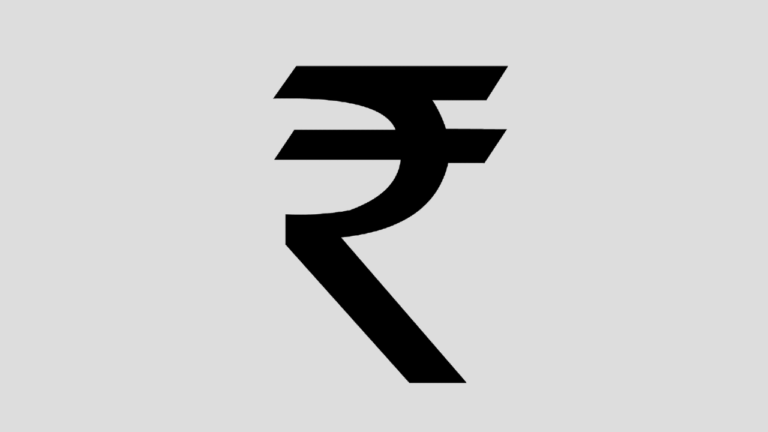
Need the Indian rupee symbol in your designs too? See how to get the rupee font and type the rupee symbol.
FAQ
Who created the Gandhiji font?
Typographers at Leo Burnett India, for Gandhi’s 141st birth anniversary in 2010.
Is the Gandhiji font free?
It was offered free when launched, but the official download is no longer available.
Which font is best for Gandhi Jayanti posters?
Tiro Devanagari Hindi for a classic look, or Mukta and Hind for a clean, modern look.
Can I use Google Fonts commercially?
Yes. Google Fonts are released under open licences that allow commercial use.
Subscribe to our weekly tech newsletter
New tech guides, free tools and 2-minute fixes, once a week.
🎁 100 Tech Terms ebook comes free with every subscription.
Unsubscribe anytime. See our privacy policy.