SIM Swap Scam: How It Works, Warning Signs and How to Protect Your Phone Number
A SIM swap scam is when a criminal gets your mobile number moved to a SIM card or eSIM they control, so every call, text and one-time passcode meant for you lands on their phone instead. Cyber police in Mumbai and across Maharashtra have been warning about SIM hijack and eSIM swap frauds that empty bank accounts within minutes, and the same trick is used against phone users in the US. This guide explains how the scam works, the warning signs, the free carrier locks that stop it, and exactly what to do in the first hour if it happens to you.

Quick answer: Turn on your carrier’s free SIM lock and port-out protection today (AT&T Wireless Account Lock, Verizon SIM Protection and Number Lock, T-Mobile SIM Protection and Port Out Protection), set a strong account PIN, and move your important accounts from SMS codes to an authenticator app or passkey. Never share an OTP or click a link to “upgrade to eSIM”. If your phone suddenly loses all signal for no reason, call your carrier from another phone and alert your bank at once.
Table of Contents
How a SIM swap scam works
Your phone number, not your phone, is the prize. Banks, email providers and many apps send login codes and password-reset links by text, so whoever controls your number can often get into your accounts. Criminals take it over in a few common ways:
- Impersonating you to the carrier. They collect your name, date of birth, address and ID details from data leaks, social media or a “bank” call, then contact your carrier or visit a store with forged or stolen documents, claim the phone was lost or upgraded, and ask for a new SIM.
- The eSIM “upgrade” trick. Maharashtra Cyber describes calls, texts and WhatsApp messages from fake telecom or bank staff who say your SIM must be upgraded to eSIM. They send an activation link, then ask for the OTP to “complete” it. Once you share that code, your number moves to their device.
- Port-out fraud. Instead of a new SIM, the scammer moves your number to a different carrier using your account details or transfer PIN.
As soon as the swap goes through, your own SIM stops working. The criminal then requests OTPs, resets your email and banking passwords, approves payments, and moves the money out quickly, often through mule accounts or wallets.
Warning signs of a SIM swap
- Your phone suddenly shows no service in a place where it normally works, and your carrier reports no outage. This can be the only sign, so treat it as urgent.
- A text or email from your carrier about a SIM change, new device or number transfer you didn’t ask for.
- OTPs, password-reset messages or bank alerts you didn’t trigger.
- Calls or texts from someone pushing you to share a code, “verify KYC” or activate an eSIM.
- Logins to your email or social accounts from devices or places you don’t recognise.
- Debits, UPI payments or card charges you didn’t make.
- Friends say they got odd messages or calls “from you”.
Some of these signs overlap with malware. If your service works normally but the phone acts strangely, see our checklist on how to know if your phone is hacked.
How to protect your phone number from a SIM swap
1. Turn on your carrier’s SIM and port-out locks (US)
All three big US carriers now offer free locks that block SIM changes and number transfers until you switch them off yourself.
| Carrier | What to turn on | Where |
|---|---|---|
| AT&T | Wireless Account Lock (external site, opens in new tab): blocks SIM swaps, number transfers, device purchases and billing changes | Toggle in the myAT&T app (account owner, or someone with secondary online access) |
| Verizon | SIM Protection and Number Lock (external site, opens in new tab): SIM Protection blocks SIM swaps, upgrades and bring-your-own-device activations; Number Lock stops anyone generating a Number Transfer PIN | My Verizon app: Me > Edit profile and settings > Security, then switch each one on per line |
| T-Mobile | SIM Protection and Port Out Protection (external site, opens in new tab), plus an Account PIN/Passcode | T-Life app: Manage > gear icon > Security > SIM Protection; Port Out Protection under Manage > See Plans > Manage add-ons (add it to each line) |
A few details worth knowing:
- Verizon: when you turn SIM Protection off for a real upgrade, a delay applies before the change can go through, so switch it back on afterwards.
- T-Mobile: authorized users can add SIM Protection, but only the primary account holder can remove it. Prepaid customers set it from My Profile on T-Mobile.com. The Account PIN/Passcode must be 6 to 15 digits and can’t be sequential, repeated, or match your number, account number, SSN or date of birth.
- AT&T: it is free and you can lock and unlock it any time. If you lock a family account, a family member who wants a new phone will need you to unlock it first.
- Other carriers: look for “SIM lock”, “port-out protection”, “number lock” or “account PIN” in your carrier’s app, or ask support to add a PIN that is required for any SIM change.
2. Know your protections in India (Jio, Airtel, Vi)
- A built-in porting delay: under TRAI’s number portability rules, you can’t get a porting code (UPC) until seven days after a SIM swap or replacement. That stops a criminal from swapping your SIM and instantly moving the number to another operator, but it doesn’t stop the swap itself.
- Get SIM and eSIM changes done only yourself, through your operator’s official app, website or store. Treat any call or message asking you to “upgrade” to eSIM as a scam: the police advice is never to share an OTP for a SIM upgrade or eSIM activation, and never to click SIM or eSIM activation links sent by SMS, email or WhatsApp.
- Never share KYC details (Aadhaar, PAN, date of birth) over a phone call or WhatsApp, and be wary of unsolicited credit card or loan offers that ask for them; the police link many SIM hijacks to these “offers”.
- Verify any call by hanging up and calling the number on the operator’s or bank’s official website, not a number the caller gives you.
- If you were tricked into dialling a code, dial ##002# to cancel call forwarding, which some fraudsters also use to catch your OTP calls.
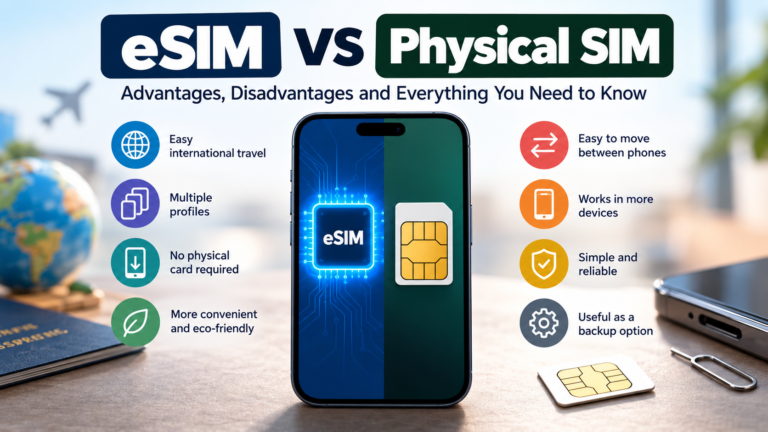
Choosing between a physical SIM and an eSIM? Our eSIM vs physical SIM guide for India covers how each one works with Jio, Airtel and Vi.
3. Stop relying on text-message codes
A SIM lock makes the swap harder; moving off SMS makes it far less useful even if it happens. For your email, bank, payment apps and social accounts, switch two-factor login from SMS to an authenticator app or a passkey wherever the service allows it, and remove your phone number as a recovery option where a safer one is offered. Our roundup of the best authenticator apps compares the free options and how to move codes to a new phone.
4. Make yourself a harder target
- Keep your date of birth, phone number and address off public profiles. Scammers use them to pass carrier checks.
- Use a unique password and app-based 2FA for your carrier account itself.
- Treat any urgent call, text or email asking for a code, PIN or password as a scam. Verizon, for one, says it will never ask for your password, PIN, Social Security number or payment details.
- Turn on transaction alerts in your banking apps so you see unusual debits immediately.
- Freeze your credit and lock down the rest of your identity using the steps in our guide on how to protect yourself from identity theft.
What to do in the first hour after a SIM swap
Speed matters: the scammer is usually moving money while you are still wondering why your phone has no signal.
- Call your carrier from another phone or over Wi-Fi. Say you suspect a SIM swap or unauthorized port-out. Ask them to block the fraudulent SIM, restore the number to your SIM and add a lock or PIN. Verizon customers can dial *611 or 1-800-922-0204; for other carriers, use the support number on their official site.
- Call your bank and card issuers. Ask them to block or freeze transactions and online access until you regain control. In India, ask the bank to block UPI and card transactions on the linked accounts.
- Secure your email first, then banking, payments and social media: change passwords from a device you trust, sign out all other sessions, and switch 2FA away from SMS.
- Report it. In India, call the national cybercrime helpline 1930 or file a complaint at cybercrime.gov.in (external site, opens in new tab); reporting fast gives the best chance of freezing stolen money. In the US, report identity theft at IdentityTheft.gov (external site, opens in new tab) for a recovery plan, and report money lost online to the FBI at ic3.gov (external site, opens in new tab).
- Warn family and friends that messages from your number may be fake, and don’t let them send money or codes “to you”.
- Re-verify your apps on your restored SIM, starting with WhatsApp. If someone took over your WhatsApp too, follow our guide on recovering a hacked WhatsApp account.
- Keep checking bank statements and your credit report for new accounts or charges over the next few weeks.
SIM swap vs port-out fraud vs call forwarding scam
| Scam | What happens | Your SIM | Best defence |
|---|---|---|---|
| SIM swap | Your number is moved to a new SIM or eSIM on the same carrier | Stops working | Carrier SIM lock, account PIN, never share OTPs |
| Port-out fraud | Your number is moved to a different carrier | Stops working | Port-out protection or number lock, transfer PIN kept private |
| Call forwarding scam | You are tricked into dialling a code that forwards your calls (and OTP calls) to the scammer | Keeps working | Never dial codes a caller gives you; cancel with ##002# |
FAQ
Can someone SIM swap you with just your phone number?
Usually not with the number alone. They also need enough personal details to fool the carrier, or need you to hand over an OTP or click an activation link. That is why keeping your details private and never sharing codes stops most attempts.
Can a SIM swap happen with an eSIM?
Yes. Maharashtra police have warned about an eSIM version in which scammers convince you to “upgrade” to eSIM and ask for the activation OTP, which lets them move your number to their device. An eSIM is not safer by itself; your carrier lock and your refusal to share codes are what protect you.
How do I know if my SIM has been swapped?
The clearest sign is that your phone suddenly loses service with no outage in your area, especially if you also get a carrier message about a SIM or device change, or OTPs and bank alerts you didn’t request. Call your carrier from another phone straight away.
Does a carrier PIN stop SIM swapping?
It helps a lot, because the carrier should refuse a SIM change without it. A dedicated SIM lock or port-out protection is stronger still, since it blocks the change until you switch it off yourself.
Will my bank refund money lost to a SIM swap?
That depends on your bank and how quickly you report it. Report it to the bank and the police (1930 in India) as fast as possible, keep every reference number, and follow up in writing.
Subscribe to our weekly tech newsletter
New tech guides, free tools and 2-minute fixes, once a week.
🎁 100 Tech Terms ebook comes free with every subscription.
Unsubscribe anytime. See our privacy policy.