
How to Add an ‘Edit All Comments’ Link to WordPress Posts
How do you moderate all the comments on one post quickly? Normally you go to the WordPress dashboard, find the post in the list, click its comment count, and only then see every comment on that post. Or you click the small Edit link beside each comment, one at a time. We added an edit all comments link to our WordPress posts instead: a button on each post, visible only to admins and editors, that opens the moderation screen for that post’s comments in one click. Here’s the updated code.
Quick answer: Add this to your child theme’s single.php (or content template) inside the loop: if ( current_user_can( 'moderate_comments' ) ) { echo '<a href="' . esc_url( admin_url( 'edit-comments.php?p=' . get_the_ID() ) ) . '">Edit All Comments</a>'; }. Only users who can moderate comments see the link, and it opens the comments screen filtered to that post.
Table of Contents
The slow way to edit all comments on a post
Normally you go to Posts > All Posts, find the post and click the comment count bubble:

That opens the Comments screen showing only that post’s comments, where you can approve, reply, edit, trash or mark them as spam, and moderate comments quickly in bulk:

The trick below takes you straight there from the post itself.
Add an edit all comments link to your posts
This is what we see on our posts when logged in. Normal visitors don’t see these buttons:
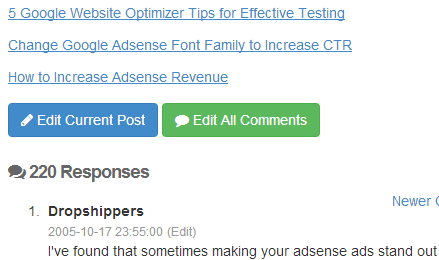
Add this code to your child theme’s single.php or template-parts/content-single.php, inside the loop, where you want the buttons to appear:
<?php if ( current_user_can( 'edit_post', get_the_ID() ) ) : ?>
  <a class="btn btn-sm btn-secondary" href="<?php echo esc_url( get_edit_post_link() ); ?>">Edit Current Post</a>
<?php endif; ?>

<?php if ( current_user_can( 'moderate_comments' ) ) : ?>
  <a class="btn btn-sm btn-secondary"
     href="<?php echo esc_url( admin_url( 'edit-comments.php?p=' . get_the_ID() ) ); ?>"
     target="_blank" rel="noopener">Edit All Comments</a>
<?php endif; ?>
How it works:
current_user_can( 'edit_post', get_the_ID() )shows the Edit Current Post link only to people allowed to edit this post.current_user_can( 'moderate_comments' )shows Edit All Comments only to administrators and editors.admin_url( 'edit-comments.php?p=ID' )builds the link to the Comments screen filtered to this post, and works on any site without hard-coding your domain.
Fixing our old code: the 2014 version of this snippet used is_user_logged_in() || current_user_can( 'edit_post' ). The || meant any logged-in user, including subscribers, could see the links. They couldn’t do anything with them, but the check above is correct and cleaner. It also uses admin_url() instead of a hard-coded wp-admin address.
Where to put the code
- Classic themes:
single.php, or the template part your theme uses for single posts, just below the post content or above the comments. - Block themes: add the code to a small plugin or your child theme’s
functions.phpwith a filter onthe_contentthat appends the links whenis_singular()is true.
Need to add a template file? Here’s how to add PHP files to a WordPress theme without FTP.
Other quick ways
- The WordPress admin bar already shows Edit Post when you’re viewing a post, and a comments icon with the number awaiting moderation.
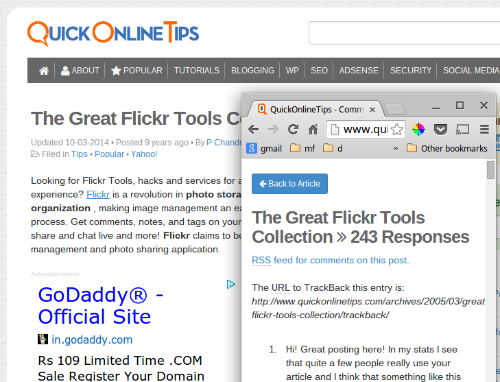
- If you show comments on a separate page, put the edit link there too.
We styled our buttons with Bootstrap and icons from Font Awesome, but plain links work just as well.
Frequently asked questions
Can visitors see the edit links?
No. The capability checks mean only logged-in users with permission to edit posts or moderate comments see them.
Will this work with caching plugins?
Yes. Caching plugins normally serve uncached pages to logged-in users, so admins see the links while visitors get the cached page without them.
Can authors moderate comments on their own posts?
Authors can see comments on their own posts in the dashboard, but by default only editors and administrators have the moderate_comments capability.
Get our free weekly email: new tech guides and tools, no spam.
New and updated tech guides, a free tool worth bookmarking and one useful pick, once a week. No spam, unsubscribe anytime.
One email a week. Unsubscribe anytime. See our privacy policy.


It’s help me thankx for the post thumbs up for writer i will keep visiting for new staff great web :)
Very handy and saves my time editing comments. Thanks for this tutorial.
Hello dude, what code or plugins you’re using, incredible load speed of ur site?