
Core Web Vitals in 2026: What They Are and How to Optimize Them for SEO
Core Web Vitals are Google’s three measures of real-world page experience: how fast your main content loads, how quickly the page responds when people tap or click, and how stable the layout is. They’re part of Google’s page experience signals, so it’s worth checking and improving them to optimize Core Web Vitals for SEO. Here’s what each metric means in 2026, how we checked and fixed ours, and the tools to use.
Quick answer: Core Web Vitals are Largest Contentful Paint (LCP), which should be 2.5 seconds or less; Interaction to Next Paint (INP), which should be 200 milliseconds or less; and Cumulative Layout Shift (CLS), which should be 0.1 or less. Check them in the Core Web Vitals report in Google Search Console and in PageSpeed Insights. Google measures them at the 75th percentile of real visits.
Table of Contents
The three Core Web Vitals in 2026
| Metric | What it measures | Good | Poor |
|---|---|---|---|
| Largest Contentful Paint (LCP) | Loading: when the main image or text block appears | ≤ 2.5 s | > 4 s |
| Interaction to Next Paint (INP) | Responsiveness: how fast the page reacts to taps, clicks and key presses | ≤ 200 ms | > 500 ms |
| Cumulative Layout Shift (CLS) | Visual stability: how much the layout jumps around while loading | ≤ 0.1 | > 0.25 |
When we first wrote this post, the responsiveness metric was First Input Delay (FID). Google replaced FID with Interaction to Next Paint in March 2024. INP is stricter, because it looks at every interaction during a visit, not just the first one. Google’s Web Vitals guide has the full details.
How to check your Core Web Vitals
1. Google Search Console
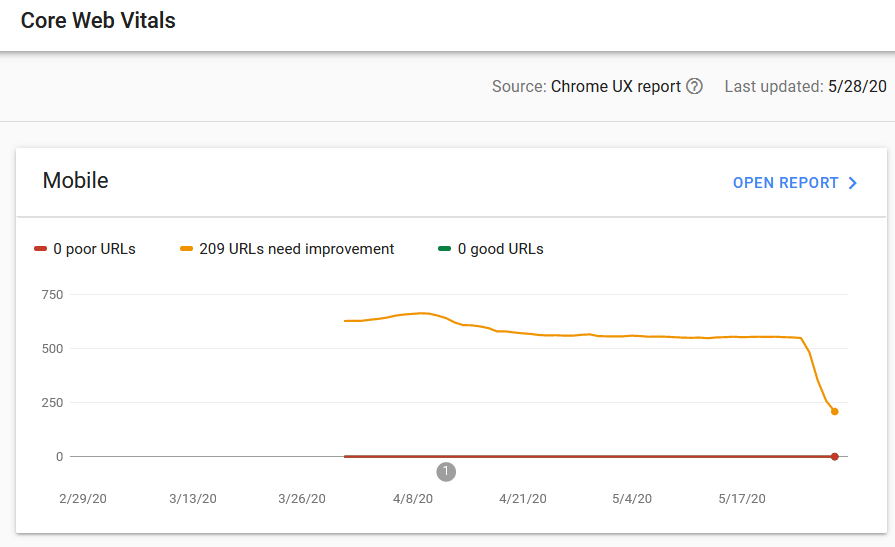
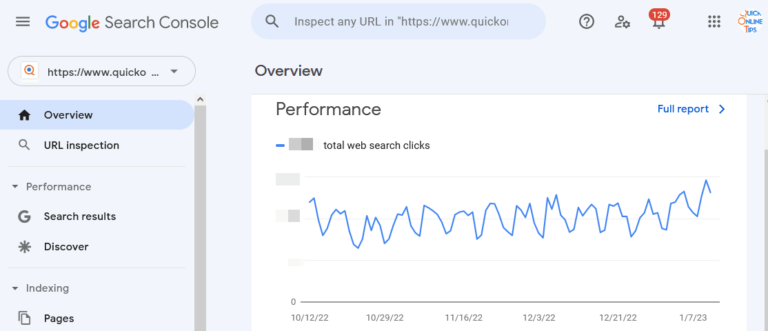
The Core Web Vitals report in Google Search Console (under Experience) groups your URLs into Good, Needs improvement and Poor, separately for mobile and desktop. It uses real-user data from the Chrome UX Report, so it shows what visitors actually experience.
This is how our report looked when the feature launched:
And how it looked after our fixes:
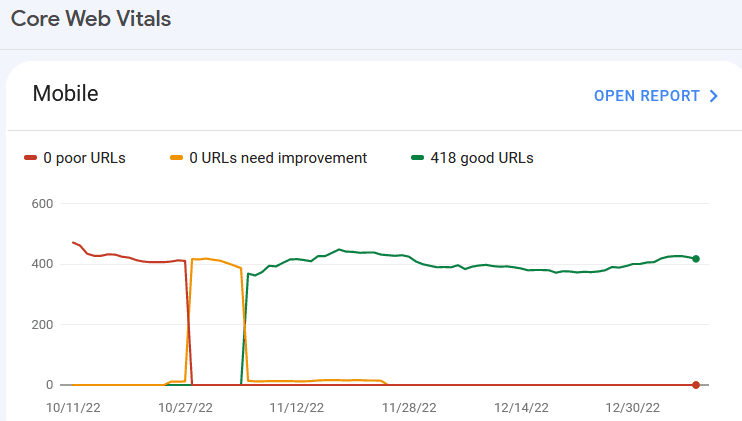
After fixing an issue, click Validate fix. Google then monitors the URLs for about 28 days, because the data is based on real visits. Our “needs improvement” URLs steadily moved into “Good” during validation.
2. PageSpeed Insights
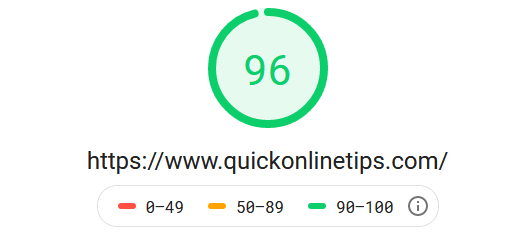
PageSpeed Insights shows real-user Core Web Vitals for a single URL and for your whole site (the Origin view), plus a lab test with suggestions. Our origin summary first said our site did not pass the Core Web Vitals assessment:

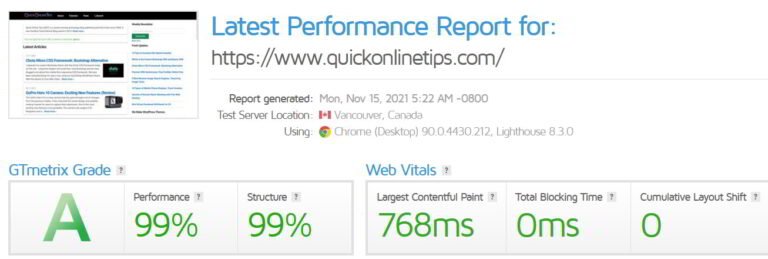
Other page speed testing tools such as WebPageTest and GTmetrix also report these metrics now, and they’re part of many free Google SEO tools for site audits.
3. Lighthouse in Chrome
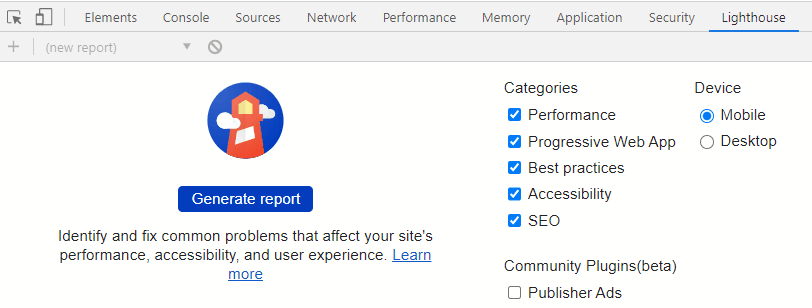
For a quick lab test of any page, open it in Chrome, right-click and choose Inspect > Lighthouse > Analyze page load. Lighthouse can’t measure INP directly (it needs real interactions), so it reports Total Blocking Time as a guide instead.
How we improved our Core Web Vitals
These changes moved our site from failing to passing:
- Lazy loaded images below the fold, but not the main image at the top (that one should load immediately for a good LCP). See how to lazy load images.
- Used much lighter CSS, switching to the Chota CSS framework, and worked on ways to load CSS faster.
- Set width and height on every image and ad slot, so the page doesn’t jump as they load. That fixes most CLS problems.
- Cut heavy JavaScript and plugins. Fewer scripts mean faster responses to taps, which improves INP.
- Added page caching and a CDN to cut server response time, which speeds up LCP.
Do Core Web Vitals affect SEO?
Yes, but modestly. Google uses Core Web Vitals as part of its page experience signals, and site speed has been a ranking factor for years. However, Google says great content still matters most, and good page experience won’t make a weak page rank. Think of Core Web Vitals as a tie-breaker, and as a way to keep visitors happy: faster, stable pages get lower bounce rates and more page views.
Frequently asked questions
What replaced First Input Delay?
Interaction to Next Paint (INP) replaced First Input Delay as a Core Web Vital in March 2024.
Why does PageSpeed Insights say “no data” for my page?
Real-user data needs enough Chrome visits. Pages with low traffic only show lab data. Check the Origin view, or the Search Console report, instead.
How long does it take for Core Web Vitals to update?
The field data is a rolling 28-day average, so improvements take up to four weeks to show fully in Search Console and PageSpeed Insights.
Get our free weekly email: new tech guides and tools, no spam.
New and updated tech guides, a free tool worth bookmarking and one useful pick, once a week. No spam, unsubscribe anytime.
One email a week. Unsubscribe anytime. See our privacy policy.



Thanks for this information. Please I wanted to ask how you people normally get gogle updates???