Best Free Word Processors: 9 Microsoft Word Alternatives (Google Docs, LibreOffice and More)
Looking for a free word processor that can stand in for Microsoft Word? You have more good choices than ever. Google Docs and Word for the web run in any browser at no cost, LibreOffice Writer is a full desktop word processor you never pay for, and Mac, iPhone and iPad owners already have Apple Pages. Below are the 9 best free Microsoft Word alternatives, what each one does well, where it falls short, and which to pick for your device.

Quick answer:
- Best online: Google Docs (free with a Google account, works offline too).
- Closest to Word for free: Word for the web (free with a Microsoft account, saves to OneDrive).
- Best free desktop app: LibreOffice Writer for Windows, Mac and Linux, no account needed.
- Mac, iPhone and iPad: Apple Pages, which comes with every new Apple device.
Table of Contents
Free word processors compared
| Word processor | Best for | Free plan | Platforms |
|---|---|---|---|
| Google Docs | Online writing and sharing | Free personal use, 15 GB Google storage | Web, Android, iPhone, iPad |
| Word for the web | Real Word formatting | Free with a Microsoft account, 5 GB OneDrive | Web, Android, iPhone, iPad |
| LibreOffice Writer | Full offline desktop app | Free, open source, no account | Windows, Mac, Linux |
| Apple Pages | Apple device owners | Free on new Apple devices | Mac, iPhone, iPad, web (iCloud) |
| ONLYOFFICE Desktop Editors | Offline editing plus mobile apps | Free, open source desktop apps | Windows, Mac, Linux, Android, iOS |
| WPS Office | All-in-one suite with PDF tools | Free version with ads, about 1 GB cloud | Windows, Mac, Linux, Android, iOS |
| Zoho Writer | Online documents and forms | Free for individuals and teams | Web, desktop and mobile apps |
| FreeOffice TextMaker | Desktop suite for home and business | Free for home and business use | Windows, Mac, Linux |
| Apache OpenOffice Writer | Simple everyday documents | Free, open source | Windows, Mac, Linux |
1. Google Docs: best free online word processor
Google Docs (external site, opens in new tab) is the free word processor most people already have, because it comes with every Google account. You write in the browser, your work saves automatically to Google Drive, and you can share a link so others can comment or edit at the same time.
- Free plan: free for personal use, with 15 GB of Google Drive storage.
- Word files: Google says you can edit Microsoft Word files online without converting them.
- Offline: you can open, create and edit Docs without an internet connection.
- Phones: free Google Docs apps for Android and iPhone/iPad.
Watch out for: complex Word layouts may not look exactly the same, and you need a Google account. Google Docs is also the answer to “does Google have a free word processor?”
2. Word for the web: free Microsoft Word in your browser
Yes, there is a free version of Microsoft Word. Microsoft 365 for the web (external site, opens in new tab) gives you free access to Word, Excel and PowerPoint in a browser when you sign in with a free Microsoft account. Because it is Microsoft’s own Word, it is the natural choice for .docx files from school or work.
- Free plan: free with a Microsoft account, with 5 GB of OneDrive cloud storage.
- Where files live: Microsoft says files must be saved in and shared from OneDrive.
- Phones: free mobile versions for iOS and Android.
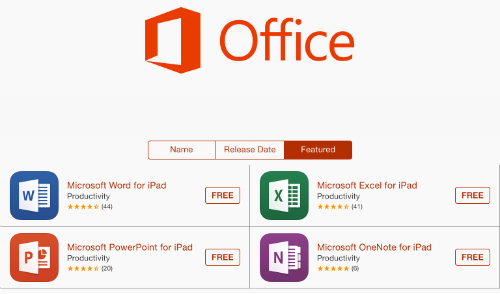
Watch out for: it runs in a browser, so you need an internet connection. If you use an iPad, see what you can do in Microsoft Office on iPad for free.
Google Docs vs Microsoft Word: which free option is better?
For most people the choice between Google Docs and Microsoft Word comes down to who you share files with:
- Pick Google Docs if you work with friends, classmates or a team that uses Google accounts, want the simplest live collaboration, or need to work offline in a browser.
- Pick Word for the web if your school, office or clients send .docx files and you need them to look exactly right, or you already keep files in OneDrive.
Both are free, both save automatically, and both have phone apps. Many people use both: Docs for their own writing, Word for the web for files they get from others.
3. LibreOffice Writer: best free desktop word processor
LibreOffice (external site, opens in new tab) is a free and open source office suite, and Writer is its word processor. It installs on your computer, works offline and needs no account.
- Free plan: free and open source.
- Platforms: Windows, macOS and Linux.
- Word files: LibreOffice’s help pages say it can open and save Microsoft Office formats, including .doc and .docx, and you can set Word format as the default save format in the Load/Save – General options.
Watch out for: very complex Word documents may not convert perfectly, so check the layout before you send a file back. It is our pick if you want a real desktop app on Windows. For more free desktop swaps, see our list of free Windows software alternatives.
4. Apple Pages: best free word processor for Mac, iPhone and iPad
Apple Pages (external site, opens in new tab) comes with every new Mac, iPhone and iPad, so Apple users already own a capable free word processor.
- Free plan: Apple says Pages, Keynote and Numbers are included with every new iPhone, Mac and iPad. An optional Apple Creator Studio subscription unlocks extra premium content and intelligent features; the core app stays free.
- Word files: Pages can export documents to Word, PDF and other formats.
- Web: you can create and edit documents in a web browser with Pages for iCloud.
Watch out for: the desktop and mobile apps are only for Apple devices, and you need to export to .docx before sending a file to Word users.
5. ONLYOFFICE Desktop Editors: free offline editors with mobile apps
ONLYOFFICE (external site, opens in new tab) offers free desktop editors for documents, spreadsheets, slides and PDFs, with free mobile apps too.
- Free plan: the desktop apps are free and open source (AGPLv3 licence).
- Platforms: Windows, macOS and Linux, plus Android and iOS apps.
- Offline: you can work offline or connect the app to your cloud storage.
6. WPS Office: free all-in-one suite
WPS Office (external site, opens in new tab) bundles a word processor (Writer), spreadsheet, presentations and PDF tools in one free download, with apps on every major platform.
- Free plan: $0 with no card needed. WPS says ads and upsells may appear in the free version, free cloud storage is about 1 GB, and free AI use has daily limits.
- Platforms: Windows, macOS, Linux, Android and iOS.
- Word files: opens, edits and saves .docx files for everyday work; WPS itself advises testing complex files before switching fully.
Watch out for: the ads, and advanced PDF tools and extra templates need the paid plan.
7. Zoho Writer: free online writer with forms and sign-off tools
Zoho Writer (external site, opens in new tab) is a browser-based word processor that is free for both individuals and organizations. It is a good Google Docs alternative if you would rather not use a Google account.
- Free plan: no limit on the number of documents; Word (.docx) files up to 50 MB can be imported.
- Extras: the free tier includes a monthly allowance of credits for mail merge, fillable forms and e-signature collection.
- Apps: desktop and mobile apps and browser extensions are listed as free to use.
Watch out for: Zoho points to its separate WorkDrive plans for storage.
8. FreeOffice TextMaker: free for home and business
SoftMaker FreeOffice (external site, opens in new tab) includes TextMaker, a word processor, along with PlanMaker (spreadsheets) and Presentations. It is free for personal and business use.
- Platforms: desktop downloads for Windows, Mac and Linux; for phones and tablets, SoftMaker offers separate free SoftMaker Office apps for Android and iOS.
- Word files: SoftMaker says its programs are compatible with their Microsoft Office counterparts.
Watch out for: FreeOffice itself is desktop only; on a phone you need the separate SoftMaker Office app.
9. Apache OpenOffice Writer: simple and familiar
Apache OpenOffice (external site, opens in new tab) is a free, open source suite whose Writer app covers letters, reports and other everyday documents. It runs on Windows, Linux and macOS.
Our take: both OpenOffice and LibreOffice are free, but LibreOffice documents its Word (.docx) support clearly, so try LibreOffice first and keep OpenOffice for when you already know it.
Free word processors for phones, tablets and Chromebooks
- Android phones and tablets: Google Docs, Microsoft’s free Word mobile app, WPS Office and ONLYOFFICE all have free apps.
- iPhone and iPad: Apple Pages is already there; Google Docs and Word are free downloads too.
- Chromebook: Google Docs is the natural pick and works offline; Word for the web and Zoho Writer run in Chrome as well.
- No download at all: Google Docs, Word for the web, Zoho Writer and Pages for iCloud all run in a browser.
How to choose the right free word processor
- You trade files with Word users all day: Word for the web first, LibreOffice Writer or ONLYOFFICE as an offline backup.
- You want to share and co-edit: Google Docs (or Zoho Writer without a Google account).
- You want a desktop app with no account: LibreOffice Writer.
- You use only Apple devices: Apple Pages.
- You want one free app for documents and PDFs: WPS Office or ONLYOFFICE.
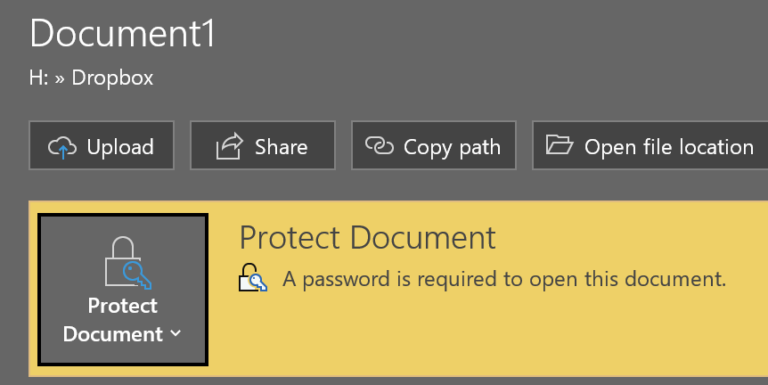
Tip: if a document has to stay private, protect it before you share it. Here is how to password protect a Word document. And if you like working in a browser, our list of free web apps that replace desktop software has more ideas.
Frequently asked questions
Is there a free version of Microsoft Word?
Yes. Word for the web is free with a Microsoft account and runs in your browser, and Microsoft offers free mobile versions of Word for iOS and Android. Files are saved in OneDrive.
What can I use instead of Microsoft Word for free?
Google Docs, LibreOffice Writer, Apple Pages, ONLYOFFICE, WPS Office, Zoho Writer and FreeOffice TextMaker are all free. Most of them open or export Word documents, though complex layouts may need small fixes.
What is the best free word processor for Windows 11?
LibreOffice Writer is our pick for a free desktop word processor on Windows: it is free, open source, works offline and opens and saves .docx files. If you prefer working online, use Word for the web or Google Docs.
Is LibreOffice really free?
Yes. LibreOffice is free and open source software for Windows, macOS and Linux.
Can I use a free word processor offline?
Yes. LibreOffice Writer, ONLYOFFICE, WPS Office, FreeOffice and Apple Pages are installed apps that work offline, and Google Docs also lets you create and edit documents without an internet connection.
Subscribe to our weekly tech newsletter
Free: 100 Tech Terms ebook (worth $2.99)
Unsubscribe anytime. Privacy