
AdSense Ad Colors: The Link Hover Test and Ad Styles Today
AdSense ad colors used to be something publishers tweaked by hand, and Google kept testing new looks on top of them. Back in 2011 we spotted AdSense testing a link hover background colour on text ads. This updated article shows what that test looked like, what changed since, and how ad colours and styles work in AdSense today.
Quick answer: In 2011 Google AdSense tested a light background colour that appeared behind each text ad as you hovered over it. Tests like this were how AdSense tried new ad styles before making them standard. Today most sites use responsive or Auto ads, where Google optimises the look, and only some ad types, such as in-article ads, still let you set fonts and colours yourself.
Table of Contents
The 2011 AdSense link hover background test
Google AdSense was testing a change in link background colours on mouse hover. We had 336×280 ad units on our pages with a white background, and a light green background appeared as you moused over each ad. The clickable area was still the ad title and display URL, and hovering over the title also revealed the destination URL over the ad text.

When you hovered over the next ad, the highlight moved with you to that link.

The effect clearly helped the ads stand out, which is exactly why Google tested it.
How AdSense tested new ad styles
AdSense has always run experiments on small groups of sites. If a variation worked it became a standard feature, otherwise it quietly disappeared. Over the years we spotted many of these tests on QOT, including twitter ad units, 2×2 ads, favicons, no titles, checkout icons, titles in italics, multiple languages, no Ads by Google and interactive keywords.
How AdSense ad colors work in 2026
The days of picking a border, title and URL colour for every unit are mostly gone. Here is how it works now:
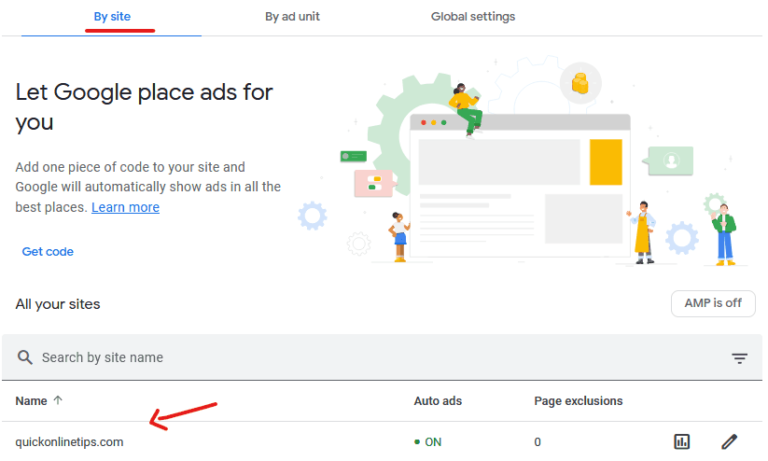
- Auto ads: Google chooses placements and formats and styles the ads automatically. See our guide to AdSense Auto ads.
- Display ad units: responsive display units are designed by Google to fit your page, so there is little to adjust.
- In-article ads: these still have a Style section where you can choose the font, title colour, description colour and background colour, or leave Google optimised style switched on so Google adjusts colours and fonts for you.
Tips for picking ad colours
- Match the ad font to your site so ads look part of the page, but keep them clearly labelled as ads, as AdSense policies require.
- Never style ads to look like your navigation or download buttons; that can be seen as encouraging accidental clicks.
- If you are unsure, leave Google optimised style on. Google tests colours across many sites, just as it did with the hover test.
- Check how ads look in dark mode and on mobile, where most visits now come from.
Also see how to hide unfilled AdSense ad spaces and how to turn off AdSense shopping links. Official help lives in the AdSense Help Center.
FAQ
Can I change AdSense ad colors?
For some ad types, yes. In-article ad units have a Style section for fonts and colours. Auto ads and responsive display units are styled by Google.
Did the AdSense hover background become standard?
It was one of many experiments. AdSense formats have changed so much since 2011 that the old text ad look has largely been replaced by responsive and Auto ads.
Do ad colours affect AdSense earnings?
Ads that blend with your design can perform better, but results vary by site. Letting Google optimise the style is the simplest option.
Is it allowed to make ads look like site content?
Ads can match your fonts, but they must not mislead users into clicking. Keep ads clearly distinct from navigation and buttons.
Get our free weekly email: new tech guides and tools, no spam.
New and updated tech guides, a free tool worth bookmarking and one useful pick, once a week. No spam, unsubscribe anytime.
One email a week. Unsubscribe anytime. See our privacy policy.



This is really nice, I was looking this the same thing to do at my site.
Theses changes will be help full for blogs and site owners to earn more money because it will increase CTR of ads
This is cool . Now we can set ads hover as navigation hover of the blog .How to enable this .you have not shate the way to do this for our blog
This seems to be fantastic. I hope Google Activate this in the future.
This little mouse hover effect looks really nice, and should increase the ctr. I have not seen it on my blog though!
Pretty nice change … But it isn’t implemented as of now, I can’t seem any changes neither on QOT nor my own blog