
How to Use an Apple Keyboard on a Windows PC (Key Mapping + Setup)
Can you use an Apple keyboard on Windows? Yes, and it works better than you might expect. In 2009 we replaced our Windows keyboard with a wired Apple keyboard, plugged it into our Windows PC and it worked instantly, with no software. Today’s Apple Magic Keyboard also works with Windows 11 and 10, as long as you know which keys do what. Here’s how to set up an Apple keyboard on Windows and remap the missing keys.
Quick answer: Plug a wired Apple keyboard into USB, or pair a Magic Keyboard through Settings → Bluetooth & devices → Add device. The Command (⌘) key works as the Windows key and Option works as Alt. For Print Screen, use Windows + Shift + S, and use Microsoft PowerToys to remap any other keys.
Table of Contents
Apple keyboard on Windows: key mapping
| Apple key | Works as on Windows |
|---|---|
| Command (⌘) | Windows key |
| Option (⌥) | Alt |
| Control | Ctrl |
| Delete | Backspace |
| fn + Delete | Delete (forward delete, may need Boot Camp drivers) |
| F13 (full-size keyboards) | Often Print Screen with Apple drivers |
| Eject or Lock key | No function by default |
The biggest adjustment is shortcuts: on Windows, copy and paste are still Ctrl+C and Ctrl+V, not ⌘C and ⌘V, because Command acts as the Windows key.
How to connect an Apple keyboard on Windows
Wired Apple keyboard
Plug it into any USB port. Windows recognises it as a standard keyboard and it works immediately.
Magic Keyboard (Bluetooth)
- Turn the keyboard on with the switch on its edge.
- On your PC, open Settings → Bluetooth & devices → Add device → Bluetooth.
- Select Magic Keyboard. If Windows shows a PIN, type it on the Apple keyboard and press Enter.
You can also connect a Magic Keyboard with its USB-C or Lightning cable; it charges and, on many PCs, works as a wired keyboard too. The Touch ID button on newer Magic Keyboards only works with Apple silicon Macs, so on Windows it’s just a lock key with no function.
How to remap Apple keyboard keys on Windows
- Microsoft PowerToys: install Microsoft’s free PowerToys and use Keyboard Manager to swap keys, for example to make Command act as Ctrl so ⌘C copies like on a Mac, or to turn F13 into Print Screen.
- Boot Camp drivers: Apple’s Windows drivers for Intel Macs include keyboard support for function keys, brightness and media keys. Some users install them on regular PCs, though Apple doesn’t support this.
- Magic Utilities: the paid Magic Utilities app adds full support for function keys, media keys and battery level on Windows.
Missing keys and how to replace them
- Print Screen: press Windows + Shift + S (Command + Shift + S on the Apple keyboard) to open Snipping Tool.
- Home, End, Page Up and Page Down: present on full-size Apple keyboards. On compact ones, use fn + arrow keys (with Apple drivers) or remap keys in PowerToys.
- Num Lock, Scroll Lock and Pause: rarely needed; remap with PowerToys if you use them.
Our experience: wired Apple keyboard on a Windows PC
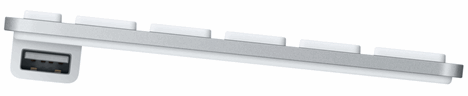
We bought the full-size wired Apple keyboard with numeric keypad in 2009, even though Apple only listed Mac OS X as supported. We preferred it over the wireless model because it had the numeric keypad, full-size arrow keys, the Home/End/Page column, no batteries to replace and two USB ports on the sides for a mouse and flash drive.
There was no CD or software in the box. We plugged it into our Windows Vista PC and it started working instantly. The Command key worked as the Windows key and F5 and F11 behaved normally. F13 to F19 and the Eject key did nothing, and we missed Print Screen, Scroll Lock, Pause and Num Lock, but the slim aluminium keys were a joy to type on. Apple stopped selling that wired keyboard in 2017; the Magic Keyboard with Numeric Keypad is its modern replacement.
Pair it with an Apple mouse for the full look; see how to use an Apple Magic Mouse on Windows.
Frequently asked questions
Does the Apple Magic Keyboard work with Windows 11?
Yes. It pairs over Bluetooth or connects by cable and works as a normal keyboard. Some special keys need extra software.
Which key is the Windows key on an Apple keyboard?
The Command (⌘) key acts as the Windows key.
How do I take a screenshot on Windows with an Apple keyboard?
Press Command + Shift + S, which Windows reads as Windows + Shift + S, to open the Snipping Tool.
Disclosure: As an Amazon Associate, QuickOnlineTips earns from qualifying purchases.
Stuck on a gift? Try our free Gift Idea GeneratorIdeas for anyone by age, job, interests and budget, with Amazon.com and Amazon.in linksFind gifts →Get our free weekly email: new tech guides and tools, no spam.
New and updated tech guides, a free tool worth bookmarking and one useful pick, once a week. No spam, unsubscribe anytime.
One email a week. Unsubscribe anytime. See our privacy policy.


Every comment is favorable. But nobody highlights whether it can enter into the bios of a motherboard or not ? It is very essential for dual booting computer or changing the setup of bios.Sharing anybody’s experience on this will be appreciated.
“The separation of the keys ensured I had much less typos too. ” Shame it won’t reduce your grammatical errors as well. You should have written “… many fewer typos…”
not to be the voice of logic here, but you say you marvel at the design of and craftsmanship of an apple keyboard, yet you are trying to hook it up to a windows machine…. in the words of Adam Savage, “Your problem is obvious!” It is the equivalent of putting 24″ chrome rims on a primer gray minivan (don’t laugh, where i live it is a surprisingly common occurrence, and yes they also consider “primer” a color). I guess the most amazing part is that you used a friends iMac and all you took from that experience was the keyboard…. hmmmm
I always want to buy the Apple keyboard as like that you said. been trying to type it at the retail store and really like it, they keyboard is almost the same like Sony laptop’s keyboard. But I always worry that it will not work on the PC (am using the Windows 7). After googling and reading your post, I will go and get one soon!!!!
Regarding the “Printscreen” fucntion, for sure it is a downside for me, but I can use the “snipping” tools on Windows 7. simply solve the problem
I can’t get cntrl-alt-delete to function on Mac keyboard to unlock my desk top – any suggestions?
it’s also very good keyboard for games!
it feels great playing with this keyboard
I too bought a apple wired keyboard an mouse, the quality, is great. I never want another desktop again.
But i note for anyone who want’s to buy this. the layout is not 100% the same as a windows keyboard ( apple(windows) key and altkey are switched, but you can correct this in te registry), and with some computers(motherboards,bios) it wil not work during boot, so you will not be able to make changes to the bios e.g.
I also bought an Apple Keyboard with Numaric Keypad yesterday. Worked perfectly, true that you need to map some keys, but that is quickly sorted. I’m typing this using the new keyboard.
It’s true that it’s quite a high-price item. I bought it at a price around THB.2500.
Hey idk if you guys talked about this, but i have a mac os x and i was wonderinig, would any kind keyboards work for it other then an apple of couse? if not then what other kind? -Grant
Any keyboards should work on the Mac I think. Plug in USB and see.
Wow, this was perfect! I really, really want this keypad!!! So much better for typing and very sleek. Thanks!
You can also print screen by using the on screen keyboard. type “osk” into the search field in the windows menu on 7 or XP and you’ll see it
I bought this keyboard too. I love miss some of the keys, but it is awesome. I did figurer out what the Num-lock is. It is the “clear” key on the numeric pad. What I’d really like to get to work is the Function keys to work when you press the “fn” key.
Having trouble connecting my belkin bluetooth with my apple wireless keyboard on windows 7 ultimate. was able to connect with XP but not windows 7 ultimate. would appreciate the information if available. Thanks
I in love with Apple wireless or wired short keyboard. But I am running in Win 7 OS. I see someone comment it works on Win 7 but some failed. Can any one advise the definate anwswer can Win 7 support this wire keyboard?
my friend gave me an older apple keyboard, and when i hit the left arrow key, it types in j and everything else is all messed up and doesnt type what button i have pressed.. ex: if i press the a key, it might space or do something else.. can anybody help me with this problem? and yes, i am using a pc. thanks
Got a new iMac 21.5″, base model, with the numeric USB keyboard. Out of the box, the keyboard is from Mars, or China. The iMac setup routine asks for an email address. When I pressed shift-2, I got “, rather than @. I later found that several of the shifted keys are mapped wrong. In Keyboard Viewer, the keys on either side of the space bar have characters that appear to be Chinese. Keyboard option is set to US English.
comments?
the same.
get my wired keyboard.
pluged it to my mac and it works without any soft install.
pluged to my pc and it works too.
nice.
:)
Awesome. I was looking to buy one for long, and today I did. I got the wireless one, it is indeed awesome. Worth a buy. I am using it on PC right now, and it connected effortlessly. Yes, some keys are missing, but that will be adjusted by Sharpkeys. If you see it once, its hard to NOT buy it.
i spilt a drink on my logitec keyboard and am now using the minature wired mac keyboard. There is no delete button and i need to get into my BIOS setup to install a new harddrive. Windows doesnt recognise the fn key, also i have tried to change the backspace button to delete with sharp keys but it does not seem to work on startup, little help would be great
I’ve had the thin aluminum Apple keyboard for about a year and it’s far & away the best keyboard I’ve ever used. You only depress the keys 1/8″ and the resistance is spot-on. Makes typing on regular keyboard feel like you’re pushing the keys a full inch.
Worked in XP right out of the box. Tried installing the bootcamp driver and get a ‘no apple keyboard found’ error (it’s at http://www.insanelymac.com – you have to register to get it). The media keys don’t work (for me) in XP or 7 but surprisingly have full functionality in Linux.
I have the keyboard now and it works on my laptop vista im typing with it now all i want to sort out is the multimedia keys so they work its the only thing i can not get sorted ive been at t for almost an hour now im getting a bit annoyed can someone help me please
I’m on Windows XP w/ my wired apple keyboard. Love it. But I found that you can’t do one thing:
You can’t Control + Delete to delete a whole previous word.
Oddly, the Control + Shift + back arrow does work to highlight the previous whole world.
Anyone have any creative ideas to fix this?
Alright, I got the I home apple mac keyboard with ipod adaptor attatched and I can’t seem to download the software properly on my laptop. It has windows 7 pre instalded. Can anyone help me? Don’t want to give away my $110.00 brand new keyboard! Help!
I had my iMac in dual boot with BOOTCAMP and
the keyboard not only is working, but all the
media buttons are mapped already!
All you need to do is to install the boot camp
program that comes with the Leopard/Snow L.
DVD.
Cheers
this website has GREAT Windows Keyboards that i use for my Macbook and My Home Mac setup.
I Switched to a MINI!!
Awesome. For those, who cannot affort real mac keyboard there is an alternative: Genius LuxeMate i200, USB keyboard with Apple design ^^ looks almost the same and it has all Win-keyboard features =)
Works pretty good. Is F10 not working for anything else?
Yea, I used SharpKeys 3.0 as well. It works great even in Windows 7 x64. It’ll let you map PrtScrn to the Apple keyboard key of your choice…same with any other Windows key.
I also bought the Mac keyboard a little while back. There is a nice little app called SharpKeys that you can use to remap the some of the unused Mac Keyboard keys to the standard keyboard keys.
Why didn’t I think of this before? I ran out and got the wired version of this gem as soon as I read about it. Plugged it into my Vista machine and Windows recognized it right away. Didn’t even have to load any drivers. What a beautiful keyboard and it looks good too.
Thanks Steve Jobs…now I know why Mac users brag all the time!
Hi
When i am using keyboard to keying the text is coming wron
if i pes a its comes a4 if i type q2w3 pls explain how to solve this problem
Apple+Shift+3 is screenshot
Apple +shift+4 you can click and drag a cropped screenshot
For anybody who wants to use the pause, mute, volume buttons etc, you might wanna try SharpKeys. You can remap f7-f12 to work as media keys. Works great for me.
I have just bought the wired Mac keyboard without the numeric keypad (due to smaller size, as I also have the one with the numeric keypad at home). However, the one key I need to be able to use with my Windows laptop (running XP) is the ‘Delete’ key. Although ‘Delete’ is supposed to be replaced by the ‘fn’ and ‘backspace’ key combination this combination does not have the same functionality under Windows, so CTRL ALT FN Backspace does not enable me to reboot my machine or go into WIndows TaskManager I.e.it is not Ctrl ALt Delete. Any ideas anyone ?
I really don’t understand. Do you want ctrl-alt-del or just the delete key? I used AutoHotkey to remap ctrl-alt-backspace to ctrl-alt-del, which works great, but i can’t seem to find out how to remap the eject key to delete, since there is no such key in windows.
here’s my 2cents worth. I have been using the apple keyboard since May 2008 and I love it. The way around the the missing keys is to have the onscreen keyboard running (Vista) select the 102 keyboard and viola all the keys are layout out just like a windows keyboard print screen and everything.
hey .. tats awesome tat you are using the apple keyboard for your PC. I just bought one last Saturday for my PC. it cost me Rs 2500/- in Bangalore. It works gr8.
As you mentioned the 3 right hand corner keys are missing of course.
As I figured it out that if I have multiple OS as dual boot or triple boot, I cant select which OS to go. That means BIOS doesn’t detect MAC keyboard as a generic PC keyboard. And also I have to wait 30 secs to enter in to my Vista Ultimate as I cant enter in to it.Keyboard doesn’t detect.
So I just wandering do you have any idea of rectifying it .. ???
I would highly appreciate your positive feedback.
cheers
hari, are you by any chance connecting the keyboard through the extension cable that came with it? With the extension cable connected, the keyboard would not work during bios boot. Try connecting it directly to the usb port instead, it should work.
mine is connected to a usb hub instead of the extension cable, and it works perfectly during BIOS boot sequence.
I bought the full MAC keyboard today. Best typing experience I ever had – the low profile is probably great for preventing Repetitive Strain Injury too.
I used a piece of freeware – Sharpkeys to remap the funtion keys and swap the windows key with the command key.
Only keys I haven’t been able to change so far are the Eject key and the FN key as Sharpkeys doesn’t recognise them. Anyone know how to map these keys?
Ineed help here. I bought imac20 but i do not know how to use the f-function of the keyboard.
example..when i’m playing online games and i need to press F1 for some game features like using my character skill, but it does a different job.it decreasing the contrast of the monitor…i need to know how to use the F-functions…hoping for your help guys…thanks
Click FN + F1
I bought this keyboard too. I love miss some of the keys, but it is awesome. I did figurer out what the Num-lock is. It is the “clear” key on the numeric pad. What I’d really like to get to work is the Function keys to work when you press the “fn” key.
i ment to say “I love this but it is missing some of the keys.”
If you like the apple keyboard,just image using on a mac instead of a PC!!!
hey mike..
I appreciate your recomendation for migrating to PC. I am a web/graphics designer from Bangalore. I am a die hard PC fan but I am quite amazed by the MAC OS. I use MAC at my workplace and PC at my home. Probably tats why I bought my MAC keyboard for my PC.. :)
Well I wont debate on MAC/PC(Why and Why not).
But I feel today both the systems have something unique to offer you if you can optimize best for your work. Then at the end you will be the winner.
I am also facing the prob of having a Mac at work and a PC at home.
Ideally i would like to run a mac keyboard on my home PC that allows me to use the same shortcut keys as you would while on a mac.
Is it possible to assign keys to a mac keyboard while plugged into a pc?
e.g. assign Ctrl to the Mac key.
I am typing this on a wired mac keyboard (w/out the # keys). I just purchased it today. I have the mac keyboard/mouse hooked up to a Belkin switch that currently switches between 2 XP PCs. I just plugged them in & they worked instantly without any new driver downloads. Next I am going to get a Mac mointor & if that works well, I’ll add a Mac mini to the switch & I’ll have the best of both worlds. Mac has the best designed equipment of any other company I have seen. Even the mouse works better. I love the scroll wheel.
I have an apple keyboard on my apple mac. I use a windows virual machine on the Apple. But when I’m in windows, the enter key on the numlock does not want to work.
Any Ideas?
Hi there. so … i have this keyboard .. and i am happy to report that it works great on a pc with vista as well .. as I am using it on my dell laptop just now.. :). the only thing I would change at the keyboard.. is the usb ports that won’t work with my ipod/iphone/usb sticks (tryed with 3 different ones..) .. apart from that.. what can i say.. it’s perfect.. :)..
The “clear” button for me is the “Numlock” key,
Haven’t bought one, yet, but a friend wants one, and has a birthday coming up… anyway.
For the special function keys, you might want to look into Boot Camp. I’m not 100% sure that it’s what you need, but it looks promising from what I see. Made special just for the Windows usage of the Apple keyboard:
https://support.apple.com/en-us/HT202676
hi guys who are using a mac keyboard with windows, need some advice here. Is there any way to make the “play” and volume control buttons work? has anyone found a way to make it work yet?
That is something that I miss too. The keyboard shows the icons, but I guess you need some custom key options for that to work.
You can use a program called sharpkeys to edit the functions of the keys on the keyboard
I wonder if the drivers from bootcamp will help with those keys functions. I have a Macbook and the drivers enable eject and volume keys in windows.
Open the Bootcamp control panel in Windows and under the Keyboard tab, check the box that allows the Function keys to have their regular feature with the “fn” key.
Then hold down fn and press F10 for mute, F11 for volume down, etc.
Oddly enough, I’ve been doing the opposite – hooked up a PC keyboard to my Macbook. It is only a temporary setup until I get a proper Apple wireless desktop….
Regarding compatibility, I would expect it to work well, also considering that Macs run Windows in Bootcamp.
My experience of OS X on a Windows keyboard is slightly worse, as Win/Ctrl/Alt keys are respectively Cmd/Ctrl/Opt on OSX (still useable).
I too bought a apple keyboard recently . I was very much impressed with the feel after i tried it at an apple store when I got my macbook.
Sad thing is that when i tried to buy the wired keyboard in india none of the shops including apple dealers had it .. I went to local computer market ..
Got one for Rs.2400 with apple warranty .. They keyboard just rocks..
I also bought the Mac keyboard from an official Apple reseller in Delhi. They had a lot of these keyboards. Price was Rs 2400 plus taxes.
From where did you bought it? I want to buy one, can you tell me the correct address?
And do that keyboard work on a PC (Windows)???