
How to Increase AdSense CTR: 12 Tips That Still Work in 2026
Everyone who runs ads wants to increase AdSense CTR, the share of visitors who click your ads. We first wrote these tips in 2005. Twenty years later most of the basics still hold, but one big thing changed: since 2024 Google AdSense pays mainly per impression, not per click. So in 2026 a better CTR still helps, but only as part of a bigger goal, which is earning more from every page view without annoying readers.
Quick answer: To increase AdSense CTR, put responsive ads where readers actually look (just below the title, inside the content and in the sidebar), turn on Auto ads with anchor and side rail formats, write useful pages that attract relevant ads, block low-quality ad categories, and test one change at a time in AdSense Experiments. Never ask for clicks or disguise ads.
Table of Contents
Does AdSense CTR still matter in 2026?
Yes, but less than it used to. In early 2024 Google AdSense moved publishers to impression-based payments, so you earn from ads that are viewed, not only from ads that are clicked. Advertisers who bid per click still pay per click, so a healthy CTR keeps those buyers competing for your space and pushes your RPM (revenue per thousand page views) up. Watch page RPM as your main number and use CTR as a supporting signal.
How to increase AdSense CTR: 12 tips that still work
Content and targeting
- Write content-rich pages. Ads match the topic of the page. A detailed guide gives Google far more to work with than a three-line post, and attracts advertisers who pay more.
- Target topics with commercial intent. Pages about software, finance, travel or products bring ads readers genuinely want to click. Our list of highest paying AdSense keywords shows which niches pay most.
- Use section targeting. Wrap your main article in the section-targeting tags so Google reads the post, not your menus and footer.
- Do not leave blank space. Old-style public service ads are gone. Today an unfilled slot can collapse, and you can hide unfilled AdSense ad spaces so pages never look broken.
Ad placement
- Place one ad near the top. An ad just under the title or after the first paragraph is seen by almost every visitor. Do not push the content below the fold, though; Google’s page layout rules penalise that.
- Put ads inside the content. In-article ads between paragraphs usually beat sidebar ads, because the reader’s eyes are already there. Our guide to inserting AdSense ads between WordPress posts shows how.
- Use responsive ad units. Most visits come from phones. Responsive ads fit every screen, while fixed sizes may not show at all on mobile.
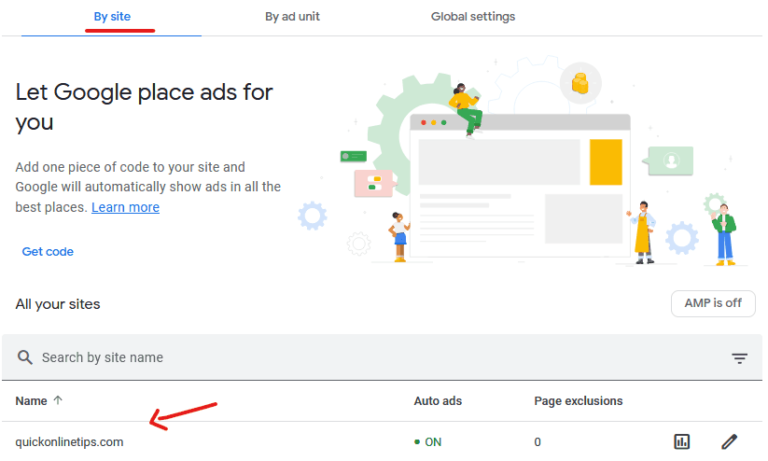
- Turn on Auto ads formats. Anchor ads, vignettes and AdSense side rails ads add viewable impressions without touching your theme. See our guide to using AdSense Auto ads.
- Leave white space around ads. Ads crammed against images or buttons look cluttered and invite accidental clicks, which Google discounts anyway.
Testing and quality
- Block low-quality ads. In Brand safety you can block sensitive categories and specific advertisers that look spammy. Better ads earn more clicks.
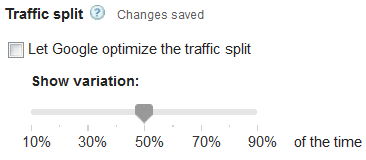
- Test with AdSense Experiments. Run one experiment at a time, for example ad balance or blocking controls, and let Google split the traffic for you.
- Make pages fast. A slow page means the reader scrolls past before ads load. Check your Core Web Vitals and lazy load images.
What not to do
- Never ask for clicks or click your own ads. It is the fastest way to lose your account.
- Do not disguise ads as navigation or download buttons. Labels must be “Advertisements” or “Sponsored links” only.
- Do not overload pages. Too many ads lowers RPM, slows the page and drives readers away. Avoid these common AdSense mistakes.
What is a good AdSense CTR?
There is no official number. Many content sites see a page CTR somewhere around 0.5% to 2%, and it varies widely by niche, device and traffic source. Search visitors who arrive with a question usually click more than social media visitors. Compare your CTR against your own past results, not against someone else’s screenshot.
FAQ
Is AdSense pay per click or per impression now?
Since early 2024 AdSense pays publishers for impressions for most ads. Advertisers can still buy on a cost-per-click basis, so clicks continue to influence what you earn.
Why is my AdSense CTR so low?
Common reasons are ads placed far down the page, fixed-size units that do not show on mobile, a thin page with little text, or a large share of social traffic. Fix placement first.
Can I increase CTR by changing ad colours?
Text ad colour controls are mostly gone, because Google now optimises ad styles automatically. Placement and content matter far more.
Get our free weekly email: new tech guides and tools, no spam.
New and updated tech guides, a free tool worth bookmarking and one useful pick, once a week. No spam, unsubscribe anytime.
One email a week. Unsubscribe anytime. See our privacy policy.




Hey Chandra,
This is really informative however it also depends on the blog or the niche. It is always advisable to try different alternative keeping the main picture listed above in mind which can help in a better CTR.
Can you also share the Ads which do get a lot of click?
Thanks
Nic
Thank you for your Information. However, based on my experience as a blogger, I have noticed a high CTR on downloads niche blog and a very low CTR on a blogging niche blog. But the CPC is more on blogging niche and less on downloads and tech niche.
Some people are saying, using fewer ads will increase the revenue. I am not sure about it when Google itself providing the facility. Since my inception of the blog, I have placed ads in the same place by utilizing all the ad space, even I know my blog is eligible for matched content ads. If you don’t have content and have ads placed ..it’s hard to earn, if you have content and even if you don’t place ads correctly, your income may be little less…
Anyways, after reading your post I changed few things on my blog. Those are very useful in increasing my CTR. Now I am getting CTR 3% to 4%. That feels good to me.
That’s quite true. One month before I just started my Google Adsense journey, at The first I am confused little bit. after I starting to read articles about increasing Google Adsense earning and How to increase Adsense CTR. Here I got one the best article, which improves my CTR 3% to 4% by these best methods to increase my Adsense earnings.
Good! Not bad work for increase CTR in Google AdSense.
But, i have a trouble Google Adsense Payee. We are wrong to fill the name of Receiver Payee, and now Money processing done to Western Union. Help Me!
Great post with great informative suggestion about increasing CTR. I always prefer to top, sidebar and middle of the content.