
7 Ways to Load Google Fonts Faster (2026 Speed Guide)
Want to load Google Fonts faster? Web fonts make a site look polished, but loaded the wrong way they cause a flash of unstyled or invisible text, shift your layout as the font swaps in, and slow your Core Web Vitals. When we used Oswald for headlines and Open Sans for text on QOT in 2013, we shared seven tips to speed them up. Some still apply, others have been replaced by better techniques like font-display: swap and self-hosting. Here is the 2026 version.

Quick answer: Use at most two font families and only the weights you need, load them with one <link> tag that includes &display=swap, add preconnect hints to fonts.googleapis.com and fonts.gstatic.com, or better, self-host the WOFF2 files and preload the main one. Consider a system font stack for body text, which needs no download at all.
Table of Contents
1. Use fewer fonts and weights
Every family, weight and style is a separate download. Pick one font for headings and one for body text, and only the weights you use, such as 400 and 700. Loading all variants of a font can multiply its weight many times over. Variable fonts, which pack all weights into one file, are another efficient option.
2. Load with a single link tag in the head
Combine fonts into one request and put it near the top of the <head>, before your stylesheet:
<link rel="preconnect" href="https://fonts.googleapis.com">
<link rel="preconnect" href="https://fonts.gstatic.com" crossorigin>
<link href="https://fonts.googleapis.com/css2?family=Inter:wght@400;700&family=Oswald:wght@600&display=swap" rel="stylesheet">
Avoid @import inside your CSS file; it delays the font until the CSS has loaded.
3. Use font-display: swap
The &display=swap parameter tells browsers to show text immediately in a fallback font, then swap in the web font when it arrives. Visitors can start reading at once instead of staring at invisible text.
4. Self-host your Google Fonts
Since browsers stopped sharing cached fonts across websites, loading from Google’s servers has no speed advantage, and self-hosting removes two extra connections. It also avoids sending visitor data to Google, which matters under privacy laws like GDPR. Download WOFF2 files with google-webfonts-helper, or let a plugin such as OMGF do it on WordPress. Many themes, including Kadence, have a “load fonts locally” option.
5. Preload the most important font file
<link rel="preload" href="/fonts/inter-400.woff2" as="font" type="font/woff2" crossorigin>Preload only the one or two files used above the fold; preloading everything slows the page.
6. Match fallback fonts to reduce layout shift
When the web font swaps in, text can jump if the fallback has different sizes. Choose a similar fallback, or use CSS size-adjust and ascent-override on an @font-face fallback to match metrics. This keeps your Cumulative Layout Shift low; see our guide to Core Web Vitals.
7. Consider system fonts for body text
A system font stack uses fonts already on the visitor’s device, so there is nothing to download:
font-family: system-ui, -apple-system, "Segoe UI", Roboto, Arial, sans-serif;Keep a Google Font for headings if you want a brand look. Our web safe fonts list has more options.
What changed since 2013
- The old css?family= URL is replaced by the Google Fonts css2 API with display=swap.
- The Web Font Loader JavaScript we recommended is no longer needed; font-display and preload do the job natively.
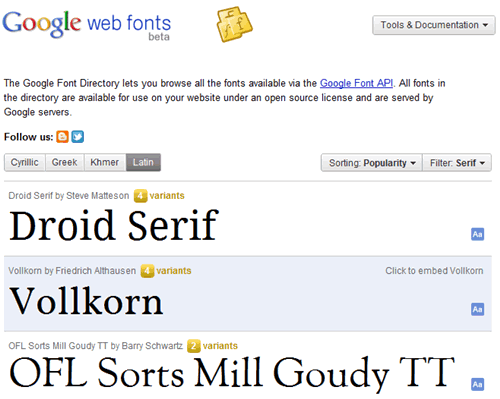
- Google Fonts no longer shows a page-load “impact” meter; check file sizes and test with PageSpeed Insights instead.
FAQ
Do Google Fonts slow down a website?
They add requests and file size. With two families, few weights, swap and self-hosting, the impact is small.
Is self-hosting Google Fonts allowed?
Yes. Google Fonts are open source and free to self-host.
What is FOUT and FOIT?
Flash of unstyled text (FOUT) shows a fallback font first; flash of invisible text (FOIT) hides text until the font loads. font-display: swap chooses FOUT, which is better for readers.
Get our free weekly email: new tech guides and tools, no spam.
New and updated tech guides, a free tool worth bookmarking and one useful pick, once a week. No spam, unsubscribe anytime.
One email a week. Unsubscribe anytime. See our privacy policy.





I’m very happy to read it through . Many lessons I got from your article. Nice for sharing. Allow to share this article. Thanks
Thank you so much for this article, I was seeing constant RENDER BLOCKING JAVASCRIPT error and finally reached your site. I tried your methods and amazingly the had a huge impact on the load time.
I’m very happy to read it through . Many lessons I got from your article. Nice for sharing. Allow to share this article. Thanks
“For example Open Sans has page impact of 15 while Droid Sans will be more at 25!”
Anyone know what units these numbers represent?
They represent font loading times. Choose lower times for faster loading sites.
Great post. Application of the right fonts is necessary in order to keep the content of the website or blog readable. That you stick to the basic looks of the font to ensure its readability, for the ease of the visitors.
It really works! Thank you for sharing this. I am sure that you have helped a lot of people with this write-up. Fonts are really necessary to keep the interest of the public. Make sure that you also some of the basic looks of the font to make sure that it fits your website.
Great post I enjoy this post reading. There are lost of new new thing you describe in this post. thank you for this awesome post with a great things to learn.
very good ideas and tips on this article Will google put in updates on this software?
This post is so great!. Thanks for sharing this.
nice tips but how i can do this on blogger?
I didn’t have this much info about google web fonts and learnt a lot from this post which I owe to you. Thanks buddy
Speed counts, and nobody knows that better than Google. The latest tweak to provide better performance comes in the form of adopting a new compression type that promises to yield files about 15% smaller than using Gzip to compress fonts.
I don’t know about Google always knowing best – but their opinion is generally the only one that matters. I usually always stick to default fonts anyhow.
I never thought that even fonts could affect the load time of a blog. Thanks for updating us on this and giving a solution to load all the Google web fonts faster.
I never thought fonts could load faster, so this is something totally new for me. Thx a lot
I have honestly never thought of this but will go through and make sure they are updated so that I don’t have any more issues! Thanks for the tips!
This was really a good read as got to know many important details. I guess combining multiple codes and loading faster fonts are what matter most in terms of making Google web fonts load faster.
These are the things which are help for you to complete your smart work in web world.