How to View All Posts in Blogger and Bulk Edit Them (2026)
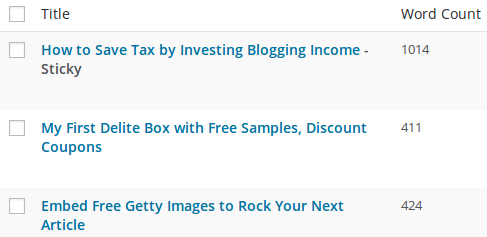
Managing hundreds of posts in Blogger can be slow. In 2006, after we moved QuickOnlineTips to WordPress, we had to fix up our old Blogger posts, and the Edit Posts panel showed only 300 at a time. A URL trick (&selNumPosts=1000) let us see them all on one screen. That old dashboard is gone, but there are still good ways to view all posts in Blogger and manage them in bulk.
Quick answer: In today’s Blogger dashboard, open Posts and scroll: posts load in pages you can move through, and you can filter by Published, Drafts or Scheduled and search by title or label (for example label:tips). Select several posts with the checkboxes to publish, revert to draft, delete or add labels in bulk. To see every post at once, back up your content (Settings > Manage blog > Back up content) or open your blog’s feed.
Table of Contents
Ways to view all posts in Blogger
1. The Posts list
- Sign in at blogger.com and choose your blog.
- Click Posts. Use the tabs or filter for All, Published, Drafts and Scheduled.
- Scroll or move through pages to see older posts.
2. Search and labels
Use the search box above the list to find posts by words in the title or content, or type label:yourlabel to show one label’s posts.
3. Back up your content
Go to Settings > Manage blog > Back up content to download an XML file with every post and comment. It’s also your safety net; remember what happened to JournalSpace bloggers.
4. Your blog’s feed
Open yourblog.blogspot.com/feeds/posts/default?max-results=500 to list many posts in one feed page, handy for a quick overview or exporting titles.
Bulk edit Blogger posts
- In Posts, tick the checkboxes next to the posts you want.
- Use the toolbar to Publish, Revert to draft, Delete or apply Labels.
- Back up your content before deleting, as deleted posts may not be recoverable.
Moving from Blogger to WordPress?
That’s what we did in 2006. Export your content, import it into WordPress, and redirect old URLs so you keep your visitors. Our guide to redirecting Blogger to WordPress walks through it, and our post on Blogger limits explains what Blogger allows.
FAQ
Can I see all Blogger posts on one page?
Not in the dashboard, but the backup file or your blog feed lists them together.
How do I find old posts in Blogger quickly?
Use the search box in Posts, or filter by label.
Does the selNumPosts trick still work?
No, it worked on the old Blogger dashboard only.
Get our free weekly email: new tech guides and tools, no spam.
New and updated tech guides, a free tool worth bookmarking and one useful pick, once a week. No spam, unsubscribe anytime.
One email a week. Unsubscribe anytime. See our privacy policy.