
How to Check If Google Indexed Your Site or Page (2026)
In March 2005 I used Google’s cached page link to see when Googlebot had last visited my Blogspot blog. It showed a snapshot from 28 March, and I worked out that Google came back roughly every 7 days. Google removed the cache link in 2024, but there are better ways to check if Google indexed your site today.
Quick answer: Search Google for site:yourdomain.com to see a rough list of indexed pages. For accurate answers, use Google Search Console: URL Inspection shows whether a specific page is indexed and when it was last crawled, and the Pages report lists every indexed and excluded URL with the reason.
Table of Contents
Method 1: site: search (quick check)
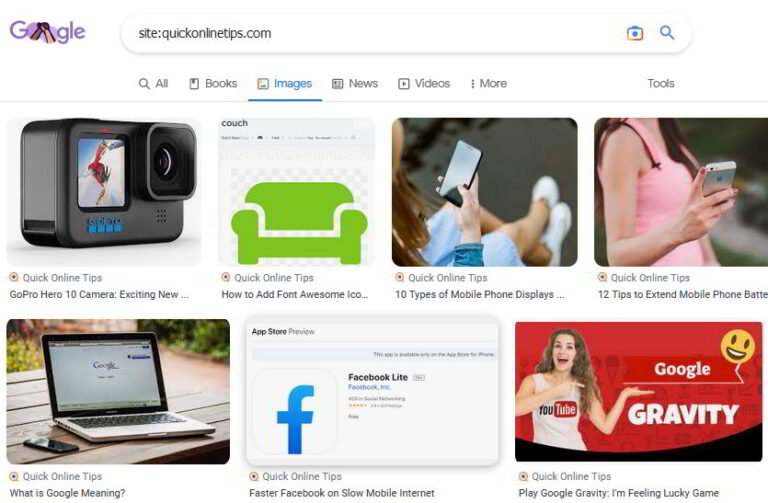
site:example.comshows pages Google has indexed from your domain.site:example.com/blog/post-namechecks a single page.- The result count is only an estimate; use Search Console for exact numbers.
Method 2: URL Inspection in Search Console
- Open Search Console and paste the URL into the top search bar.
- Read the status: “URL is on Google” or “URL is not on Google” with the reason.
- Expand Page indexing to see the last crawl date and the Google-selected canonical.
- Click Test live URL to check a fixed page, then Request indexing if needed.
Method 3: Pages report
Indexing > Pages shows how many URLs are indexed and groups the rest by reason, such as “Crawled – currently not indexed”, “Duplicate” or “Blocked by robots.txt”.
Why pages aren’t indexed
- Noindex tags or robots.txt blocks (see robots.txt blocked URLs).
- Thin or duplicate content (see duplicate content).
- No internal links pointing to the page.
- A very new site Google hasn’t fully crawled yet.
Want faster indexing? Here’s how to get your blog indexed by Google.
FAQ
How often does Google crawl my site?
It depends on how often you publish and how important your site seems; active sites can be crawled daily.
Can I still see Google’s cached page?
No. Google retired the cache link in 2024; use URL Inspection instead.
Why does site: show fewer pages than Search Console?
site: results are estimates and can vary; the Pages report is the reliable count.
Stuck on a gift? Try our free Gift Idea GeneratorIdeas for anyone by age, job, interests and budget, with Amazon.com and Amazon.in linksFind gifts →Get our free weekly email: new tech guides and tools, no spam.
New and updated tech guides, a free tool worth bookmarking and one useful pick, once a week. No spam, unsubscribe anytime.
One email a week. Unsubscribe anytime. See our privacy policy.




Hi there, thanks. I’m pretty sure it is possible to look in your weblog to see when the googlebot visited your site. There are so polite as to leave a message behind. Any hints to this, anyone?