
How to Add Site Search to Chrome (and Make It Your Default Search Engine)
Did you know you can search any website straight from Chrome’s address bar? We once set our own site search as Chrome’s default search engine, so every search typed in the address bar searched QuickOnlineTips. In 2026 Chrome makes this even easier with site search shortcuts: type a short keyword, press Tab, and search YouTube, Wikipedia, Amazon or your own blog directly. Here is how to set it up.
Quick answer: In Chrome, open Settings > Search engine > Manage search engines and site search. Under Site search, click Add, enter a name, a shortcut (like qot) and the site’s search URL with %s where the query goes, such as https://www.quickonlinetips.com/?s=%s. Then type the shortcut in the address bar, press Tab or Space, and type your search.
Table of Contents
How to add a site search in Chrome
- Click the three-dot menu > Settings > Search engine.
- Click Manage search engines and site search.
- Scroll to Site search and click Add.
- Fill in:
- Name: QuickOnlineTips
- Shortcut: qot
- URL with %s in place of query:
https://www.quickonlinetips.com/?s=%s
- Click Add.
Chrome also adds many sites automatically after you search them once. Look under “Inactive shortcuts” and click Activate.
How to use it
Click the address bar, type qot, then press Tab (or Space). The bar shows “Search QuickOnlineTips”. Type your query and press Enter. Chrome also has built-in shortcuts: @bookmarks, @history and @tabs search your own browser data.
How to find a site’s search URL
- Go to the website and search for a test word, such as
chrome. - Copy the address of the results page, for example
https://example.com/search?q=chrome. - Replace the test word with
%s.
Most WordPress sites use /?s=%s. Sites with Google Programmable Search often use a different results page; see how to make Google Custom Search open links in the same window.
Can you make site search your default search engine?
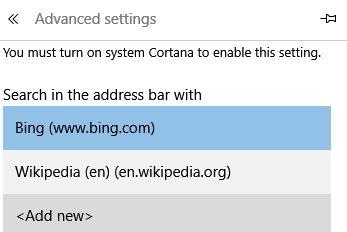
Yes. In Manage search engines, click the three dots next to a search engine you added and choose Make default where Chrome allows it. Every address bar search then goes to that site. For most people, a shortcut is more practical, because you keep Google for general searches. Using Edge? See how to set the default search engine in Microsoft Edge.
Useful site search shortcuts to add
yt:https://www.youtube.com/results?search_query=%sw:https://en.wikipedia.org/w/index.php?search=%smaps:https://www.google.com/maps/search/%sgh:https://github.com/search?q=%s
Combine shortcuts with good bookmarks and you will rarely need to visit a homepage again.
FAQ
Does site search work in Chrome on Android or iPhone?
Custom site search shortcuts are a desktop feature, but you can still search sites with Google using site:example.com your query.
Why does my shortcut not work?
Make sure the URL contains %s and the shortcut is listed under Site search as active.
Can website owners add their site automatically?
Chrome detects many sites with a search box or OpenSearch description, and adds them as inactive shortcuts.
Which site searches have you added to Chrome? Share them in the comments.
Get our free weekly email: new tech guides and tools, no spam.
New and updated tech guides, a free tool worth bookmarking and one useful pick, once a week. No spam, unsubscribe anytime.
One email a week. Unsubscribe anytime. See our privacy policy.



I just want to say I am all new to blogs and absolutely liked you’re blog site. Likely I’m want to bookmark your site . You definitely have really good articles. Regards for revealing your web page.