Google AdSense Auto Ads in 2026: Setup, Formats and New Changes
Want to show AdSense ads without placing every ad unit by hand? AdSense Auto Ads add one piece of code to your site, and Google’s machine learning decides where, when and how many ads to show. When we ran AdSense on this site, Auto Ads saved hours of tweaking ad placements, but only after we tuned the settings. Here’s how to set up AdSense Auto Ads in 2026, which formats to turn on, and the new changes publishers need to know.

Quick answer: In Google AdSense (external site), go to Ads → By site, click the edit (pencil) icon next to your site, turn on Auto ads, choose your ad formats and ad load, and click Apply to site. Your AdSense code must be in the <head> of every page.
Table of Contents
What are AdSense Auto Ads?
Auto Ads are AdSense’s automatic ad placement system. Once enabled, Google scans your pages and inserts ads where they are likely to perform well, while trying to keep pages usable. You still control which formats appear, the overall number of ads, and which pages or page areas are excluded. Auto Ads also work alongside your manual ad units.
How to set up AdSense Auto Ads
- Sign in to AdSense and add the AdSense code (one
<script>tag) between the<head>tags of your site. On WordPress, use Site Kit by Google (external site) or your theme’s header scripts option. - Go to Ads → By site and click the pencil icon next to your site.
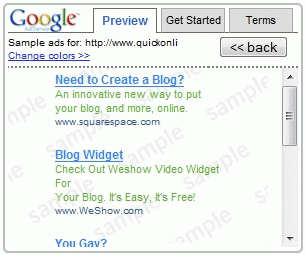
- Switch on Auto ads. The preview shows sample ad placements on your pages.
- Under Ad settings, choose your formats and adjust the ad load slider.
- Click Apply to site. Ads can take up to an hour to start appearing.
Google’s Auto ads help page (external site) has the full setup details.
AdSense Auto Ads formats in 2026

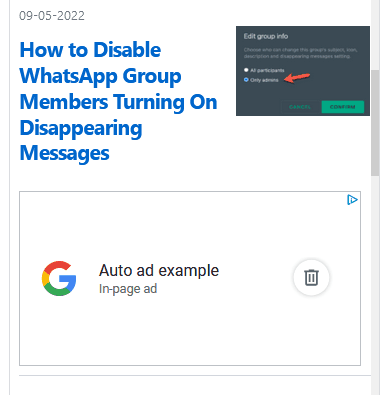
- In-page ads: display ads placed inside your content, between paragraphs and in sidebars.
- Anchor ads: ads that stick to the top or bottom of the screen, mainly on mobile. Since May 2025 you can choose the position.
- Side rail ads: ads that stay fixed on the left or right of wide desktop screens.
- Vignette ads: full-screen ads shown between page views.
- Ad intents: Google turns words and phrases in your content into links or anchors that show related ads, similar to the older AdSense shopping links.
New Auto Ads changes for 2026
- More vignette triggers: from March 2026, vignettes can also appear when a reader scrolls to the end of an article, returns after 30 seconds of inactivity, or uses the browser back button. These come under one setting, Allow additional triggers for vignette ads, which was switched on automatically. Turn it off if you find it too intrusive.
- Related search retired: the Related search format stopped serving on August 6, 2026, and has been removed from the settings.
Control the number of ads
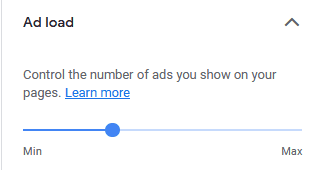
The ad load slider sets how many ads Auto Ads may show. Fewer ads usually means a better reading experience and less banner blindness. More ads can raise short-term revenue but may hurt engagement and Core Web Vitals. Start in the middle, then compare earnings and page RPM over a few weeks before moving it.
Exclude pages and page areas
- Page exclusions: stop Auto Ads on specific URLs, such as your contact, privacy or checkout pages.
- Excluded areas: in the preview, click a spot to block ads there, such as above your header or inside a code box.
- Manual ads: Auto Ads work around manual ad units you place yourself, like ads you insert in the middle of posts.
Pros and cons of AdSense Auto Ads
- Pros: one-time setup, new formats added automatically, placements optimised by Google, works on any site or theme.
- Cons: less control over exact placement, vignette and anchor ads can annoy readers, and ads can cause layout shift if your theme isn’t prepared.
Many publishers use a mix: a few well-placed manual ad units for the best ad placement, plus Auto Ads with a moderate ad load for anchors and side rails.
Track Auto Ads performance
In AdSense, open Reports and break down by Ad format or Ad behaviour to compare Auto Ads with manual units. Watch page RPM, viewability and CTR, and check user engagement in Google Analytics (external site) and page experience in Google Search Console (external site).
Frequently asked questions
Do AdSense Auto Ads increase earnings?
Often, yes, because Google adds placements and formats you might not have tried. But results vary, so compare page RPM before and after, and adjust the ad load.
Can I use Auto Ads and manual ads together?
Yes. Auto Ads detect your manual ad units and place additional ads around them.
Do Auto Ads hurt SEO?
Not directly, but too many ads or intrusive full-screen ads can hurt user experience and page speed. Keep the ad load moderate and check Core Web Vitals.
Stuck on a gift? Try our free Gift Idea GeneratorIdeas for anyone by age, job, interests and budget, with Amazon.com and Amazon.in linksFind gifts →Didn’t find what you were looking for? Tell us in a line.

$4.99Free when you subscribe
Get 100 tech terms explained in plain English
8-page PDF on AI, coding, slang and SEO + one tech email a week.
Don’t want emails? Buy the PDF for $4.99 (opens in a new tab) (external site)
Sent by email. Unsubscribe anytime. See our privacy policy.