
How to Clean a Laptop Screen Safely (LCD, MacBook, Touchscreen)
Fingerprints, dust and smudges on your laptop make photos and videos look dull and text harder to read. But laptop displays are delicate, and the wrong cleaner can strip their coating for good. Here is how to clean a laptop screen safely, whether it is a matte LCD, a glossy touchscreen, an OLED panel or a MacBook, using things you already have at home.
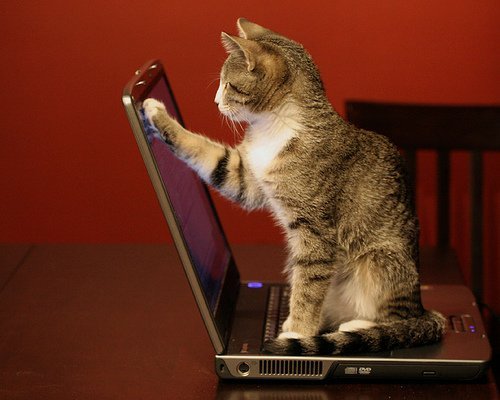
Quick answer: Turn off and unplug the laptop, then wipe the screen gently with a dry microfiber cloth in straight lines. For smudges, lightly dampen the cloth (never the screen) with distilled water, or a 50:50 mix of distilled water and 70% isopropyl alcohol, and wipe again with no pressure. Never use paper towels, glass cleaner with ammonia, or spray directly on the screen.
Table of Contents
What you need
- A clean, soft microfiber cloth (the kind sold for glasses or cameras). Older advice suggested a 100% cotton T-shirt, but microfiber is safer and lint-free.
- Distilled water, which leaves no mineral spots.
- Isopropyl alcohol (70%) for greasy fingerprints, diluted 1:1 with distilled water.
- A small spray bottle, used on the cloth only.
How to clean a laptop screen step by step
- Power off and unplug. A dark screen shows dirt better, and you avoid pressing keys or touch controls.
- Dry dust first. Wipe the screen with a dry microfiber cloth from top to bottom or side to side. For light dust, this is all you need.
- Dampen the cloth, not the screen. Lightly mist the cloth with distilled water or the water and alcohol mix. It should be damp, never dripping.
- Wipe gently. Use light, straight strokes or small circles with no pressure. Pressing hard can damage the pixels underneath.
- Dry and check. Buff with a dry part of the cloth and let the screen air dry for a minute before closing the lid or turning it on.
What not to use on a laptop screen
- Paper towels and tissues, which are made of wood fibres and can scratch.
- Window cleaner, ammonia, bleach or acetone, which can strip the anti-glare and anti-reflective coatings.
- Undiluted alcohol on matte or coated screens, and any spray directly on the display, because liquid can seep into the edges.
- Disinfectant wipes that contain bleach. Most makers allow only 70% isopropyl alcohol wipes, used gently.
- Your fingernail on stuck-on spots. Let a damp cloth soften them instead.
Cleaning different types of screens
MacBook screens
Apple recommends a soft, slightly damp lint-free cloth, and allows 70% isopropyl alcohol wipes on the exterior. MacBooks with nano-texture glass need Apple’s own polishing cloth. Check the cleaning guidance on Apple Support for your model.
Touchscreen and glossy laptops
Glass-covered screens are tougher and handle the water and alcohol mix well. Clean them more often, because fingerprints build up quickly.
OLED and matte screens
These have softer coatings. Stick to dry microfiber or distilled water, and avoid alcohol unless the maker allows it.
Keep your laptop screen clean longer
- Wash your hands before using a touchscreen, and avoid eating over the keyboard.
- Close the lid gently with nothing on the keyboard; keyboard marks on the screen are common.
- Store the laptop in a sleeve to keep out dust.
- Wash your microfiber cloth regularly without fabric softener.
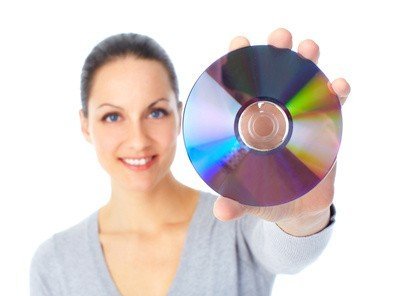
Cleaning the keyboard too? Shake out crumbs, use compressed air, and wipe keys with a cloth lightly dampened with alcohol. Once the screen is clean, make text sharper by turning on ClearType and setting the right refresh rate. Discs need care too: here is how to clean a dirty CD or DVD.
FAQ
Can I use water to clean my laptop screen?
Yes, distilled water on a microfiber cloth is the safest choice. Tap water can leave spots.
Is isopropyl alcohol safe for laptop screens?
Diluted 70% alcohol on a cloth is safe for most glass and many coated screens. Avoid it on screens whose maker says not to use it.
How often should I clean my laptop screen?
Dry dust weekly and do a damp clean when you see smudges, usually every few weeks.
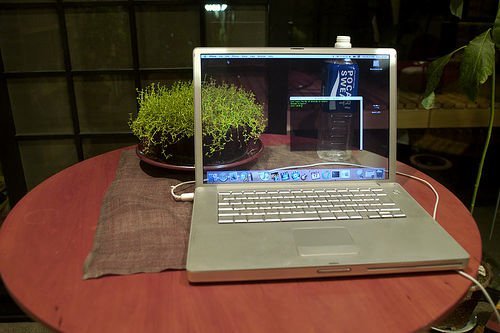
Originally written by guest blogger Srikanth of the Tech Inspiration blog at ekoob.com. Photo by daveblog (CC licence). Updated for 2026 by QuickOnlineTips.
Disclosure: As an Amazon Associate, QuickOnlineTips earns from qualifying purchases.
Get our free weekly email: new tech guides and tools, no spam.
New and updated tech guides, a free tool worth bookmarking and one useful pick, once a week. No spam, unsubscribe anytime.
One email a week. Unsubscribe anytime. See our privacy policy.

The photo is cooler then the article. :)
Nice Info