
How to Find Blog Topic Ideas Your Readers Want (3 Free Google Tools)
All bloggers secretly wish readers would just tell them what to write about. You can get surprisingly close: free Google tools show which blog topic ideas people are already searching for. This guide, first written in 2009 by guest author David Godot, is updated with the Google tools that do the job in 2026.
Quick answer: Use Google Search Console to see the searches that already bring visitors to your site, Google Trends to spot topics that are growing, and Google Ads Keyword Planner to find related keywords. Then write posts that fully answer the questions you find. Google wants useful content, so these tools help both you and your readers.
Table of Contents
Why Google helps you find what readers want
Nothing is better for Google than you producing the content people want to read. Every time you do, its search results get a little better. That’s why Google offers free tools that show what topics are most sought-after in your niche. Here are three of them, with tips for using each.
1. Google Search Console and Analytics: what readers already search for
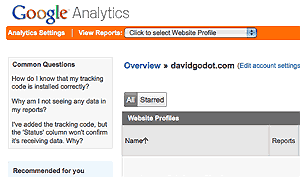
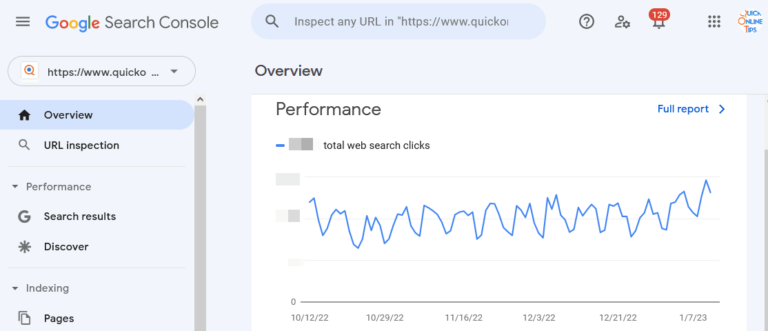
Your own data is the best starting point because it shows what people already like about your site. In 2009, Google Analytics showed the keywords people used to find your site. Today that search data lives in Google Search Console, while Google Analytics shows which pages people read most.
- Open the Performance report in Search Console and look at the queries.
- Pay close attention to searches you have never really written about.
- If the best page someone found didn’t really answer their question, you’ve found a question worth answering.
2. Keyword Planner: blog topic ideas from related searches

The original article recommended Google’s Search-Based Keyword Tool, which suggested keywords based on your site’s content. That tool has been retired. Today, use Google Ads Keyword Planner, which is free with a Google Ads account.
Take the topics you found in Search Console and enter them in Keyword Planner. Google shows related terms people search for, which helps you understand what questions people need answered most, so you can make your new article as useful as possible.
3. Google Trends: catch rising topics early

The original post used Google Insights for Search, which later became part of Google Trends. It works differently from a keyword tool: it shows how interest in a topic changes over time and which related searches are rising. Being the first blogger to answer an important new question can give your blog a big boost in organic traffic and subscribers.
More ways to find blog topic ideas
- Google search features: autocomplete suggestions and “People also ask” boxes show real questions.
- Reader comments and emails: repeated questions are ready-made post topics.
- Update old posts: refresh popular articles that are out of date, or group them into resource pages.
For more tools, see our list of free Google SEO tools and how to do better research with Google tools.
Google is your new best friend
If you follow this process, you’ll attract more traffic naturally because your articles will reflect what searchers need. Google will be happy to send visitors your way, because your posts answer the questions people bring to it. They look good because you look good.
FAQ
What is the best free tool to find blog topic ideas?
Start with Google Search Console for your own site’s searches, then use Google Trends and Keyword Planner to expand the list.
Is Google Keyword Planner free?
Yes, it’s free to use with a Google Ads account, though some detailed search volume data may be shown as ranges.
What happened to Google Insights for Search?
It was merged into Google Trends, which now shows search interest over time and rising related topics.
How often should I look for new topics?
Check Search Console every few weeks and Google Trends whenever you plan new posts.
Originally written by guest author David Godot, founder of ChicagoPsychology.org, a networking site with group blogs and free web marketing tools for psychology professionals. Updated for 2026 by QuickOnlineTips. You can also write a guest article.
Get our free weekly email: new tech guides and tools, no spam.
New and updated tech guides, a free tool worth bookmarking and one useful pick, once a week. No spam, unsubscribe anytime.
One email a week. Unsubscribe anytime. See our privacy policy.




Eye opener tips that can help us create some useful content on our websites with user satisfaction thanks for sharing this
Barbara- this is a great tip, thanks for sharing it.
Hokya- Google Insight allows you to see not only the search results, but also what types of terms people are searching for.
Eye opener tips that can help us create some useful content on our websites with user satisfaction
Using the search-based keyword tool is an excellent way to get great ideas for blog posts!
Another way is to track what is being searched for but not found on your blog – you can then take those terms and craft a full post about them