
How to Make a Short URL Longer (and Expand Short Links Safely)
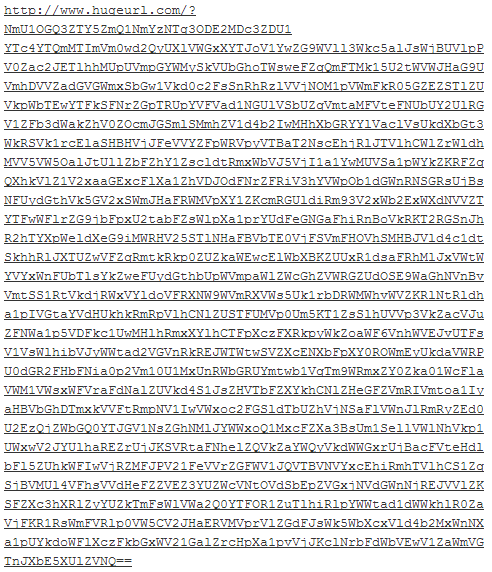
Want to make a short URL longer, or find out where a short link really goes? In 2007 a friend emailed me a ridiculously long link that, when clicked, led straight to QuickOnlineTips. It was made with a joke service called HugeURL, which turned any address into a giant one. Those novelty sites have mostly vanished, but the useful flip side is more important than ever: expanding short URLs so you can see the real destination before you click. Here is how to do both in 2026.
Quick answer: To make a short URL longer, open it to reach the full address and copy that, or use a link-lengthening novelty tool. To safely see where a short link goes without visiting it, paste it into a URL expander such as CheckShortURL, add a plus sign to the end of a Bitly link, or use TinyURL’s preview page.
Table of Contents
How to expand a short URL safely
Short links from Bitly, TinyURL and others hide the real address, which scammers love. Check before you click:
- URL expander tools: paste the link into CheckShortURL to see the final destination and redirect chain.
- Bitly preview: add a + to the end of a bit.ly link to see its destination and click stats on Bitly.
- TinyURL preview: add preview. before the domain, as in preview.tinyurl.com/xxxx, on TinyURL.
- Hover first: on a computer, hover over a link to see the address in the status bar; on a phone, long-press it to preview.
- Redirect checkers: tools like httpstatus.io show every redirect step, which also helps site owners verify 301 redirects.
How to make a URL longer (just for fun)
Joke services that stretch a link into hundreds of characters come and go. If you want a longer link today:
- Add tracking parameters like
?utm_source=newsletter&utm_medium=email, which also tell Google Analytics where visitors came from. - Use the full address instead of the shortened one; many shorteners hide long, descriptive paths.
- Create a branded short link on your own domain if you want something memorable. See how to create short URLs for your domain.
Problems with very long URLs
- Long URLs pasted into comments or forums can break blog templates and narrow layouts.
- Some forms and apps cut off URLs beyond a set length, leading to 404 errors.
- Email programs may split long links across lines, breaking them.
- Browsers and servers have length limits; staying under about 2,000 characters is safe.
Are short links safe?
Most are fine, but phishing messages often use shorteners to disguise fake login pages. We collected some scary short URLs years ago, and the warning still applies. Be extra careful with short links in unexpected texts, emails or DMs. Learn to spot a fake phishing email too.
Short vs long URLs for SEO
For your own site, the best URL is short, readable and descriptive, like /how-to-clean-a-cd/. Keep it stable: never change permalinks without 301 redirects. Our guide to WordPress permalink structure explains why.
Expanding links on your phone
On iPhone, press and hold a link in Messages, Mail or Safari to see a preview card with the full address before the page opens. On Android, long-press the link and choose to copy it, then paste it into an expander site or your notes to read it. Messaging apps such as WhatsApp also show a preview of many links. If the preview shows a login page for your bank or email that you did not expect, do not open it; go to the site directly instead.
FAQ
How do I see where a shortened link goes?
Use a URL expander like CheckShortURL, add + to a Bitly link, or use preview.tinyurl.com for TinyURL links.
Can I turn a short URL back into the original?
Yes. Expanding it reveals the original address, which you can copy and share instead.
What is the maximum length of a URL?
There is no single official limit, but keeping URLs under 2,000 characters works in all major browsers.
Get our free weekly email: new tech guides and tools, no spam.
New and updated tech guides, a free tool worth bookmarking and one useful pick, once a week. No spam, unsubscribe anytime.
One email a week. Unsubscribe anytime. See our privacy policy.



i use http://uris.us
Pardon me if i am being thick but what are the benefits of having a long URL?
Pchere,
You do say that you edit comments for these long URI’s. I would recommend the Chunk URLs plugin to prevent that..
It simply shortens anything beyond the comment area boundaries!
this was funny.. :)
till now my friends used to avoid reading my blog but now when I will post such kind of URL on my orkut profile than I am sure many will be reading… ;)