
Google Gadget Ads in AdSense: What They Were and What Replaced Them
Google gadget ads were an interactive ad format that Google launched in the AdSense network in September 2007. This article explains what they were, how publishers could show them, what happened to them, and which AdSense ad formats you should focus on in 2026.
Quick answer: Gadget ads were small interactive “mini-sites” built as Google Gadgets that ran in image ad slots on AdSense sites. Publishers had to allow image ads to show them. The format is long gone; today AdSense serves responsive display ads and Auto ads instead.
Table of Contents
What Google gadget ads were
Google announced gadget ads on the AdSense blog (external site, opens in new tab) on 19 September 2007. They let advertisers and agencies engage people across Google’s large ad network with a rich, interactive format: instead of a static banner, the ad could hold a game, a video, a feed or another small app. Google even used a gadget ad to promote the AdSense program itself.
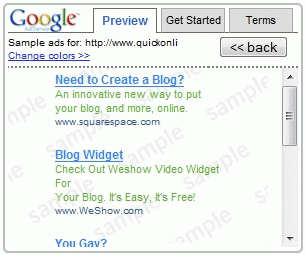
Here is what one of the early Google gadget ads looked like:
How gadget ads worked for publishers
- Image ads required: you had to enable image ads in your AdSense account and use one of the image ad formats.
- Popular sizes: the rectangle, leaderboard and skyscraper were the most common sizes.
- Pricing: advertisers could pay per click (CPC) or per thousand impressions (CPM).
- Competition: gadget ads competed with text and image ads in the same auction, and there was no guarantee they would show on a given site.
Personally, I did not like these ads because they cluttered my web design. Enabling image ads also allowed Flash and video ads at the time. AdSense, however, argued that it was a good idea to enable image ads because more ad types competing for the same space could earn you more.
What happened to Google gadget ads
Gadget ads did not last. Google Gadgets themselves (used on iGoogle and Google Desktop) were retired, Flash disappeared from the web, and Google moved its display advertising to standard HTML5 rich media and responsive formats. There is no gadget ad option in AdSense or Google Ads today. Advertisers who want interactive creatives now build HTML5 display ads, and publishers simply allow display ads to receive them.
AdSense ad formats to use in 2026
The idea behind gadget ads, letting more ad types compete for your space, lives on in today’s formats:
- Auto ads: Google places ads automatically. See our guide to AdSense Auto ads in 2026.
- Responsive display ads: one ad unit that resizes to fit the space; read how AdSense responsive ads work.
- Text and display together: in your ad unit settings you can still choose whether text ads, display ads or both can appear.
- Clean design controls: if new formats clutter your pages, you can switch some off, for example AdSense shopping links and ad intents.
For more ideas, see our complete collection of AdSense tips and tools, and check the official Google AdSense (external site, opens in new tab) site for current policies.
FAQ
When did Google launch gadget ads?
Google announced gadget ads for the AdSense network on 19 September 2007.
Can I still show Google gadget ads on my site?
No. The format no longer exists. AdSense now serves text, display and responsive ads, mainly through Auto ads and display ad units.
Did gadget ads pay more than text ads?
They were priced per click or per thousand impressions and competed in the same auction, so they only showed when they were expected to earn more for that slot.
Should I allow display (image) ads in AdSense?
Usually yes. Allowing both text and display ads means more advertisers compete for your space, which tends to help earnings.
Subscribe to our weekly tech newsletter
New tech guides, free tools and 2-minute fixes, once a week.
🎁 100 Tech Terms ebook comes free with every subscription.
Unsubscribe anytime. See our privacy policy.




Your site is very helpful, thanks.