How to Type a Bullet Point (•) on Windows, Mac and Phone
Writing a quick list in an email, a LinkedIn post or a spreadsheet cell? Here is how to type bullet point symbols on any device: press Alt + 0149 on a Windows numeric keypad, Option + 8 on a Mac, type 2022 then Alt + X in Microsoft Word, or on an iPhone tap 123 and touch and hold the hyphen (-) key. Or simply copy it from here: •

Quick answer: Windows: Alt + 0149 (number pad) or Windows + . > Symbols. Mac: Option + 8. Word: type 2022, then Alt + X. Google Docs bulleted list: Ctrl + Shift + 8 (Cmd + Shift + 8 on Mac). Chromebook: Ctrl + Shift + U, type 2022, press Enter. iPhone: 123 key, touch and hold the hyphen, slide to •. Android: ?123, then =\<, tap •. HTML: •
Table of Contents
Bullet point shortcuts at a glance
| Device or app | How to type • |
|---|---|
| Windows (Alt code) | Alt + 0149 on the number pad |
| Windows (any keyboard) | Windows + . > Symbols tab |
| Mac | Option + 8 |
| Microsoft Word (symbol) | Type 2022, then press Alt + X |
| Word and Google Docs (list) | Type * and a space at the start of a line |
| Google Docs (list) | Ctrl + Shift + 8 (Mac: Cmd + Shift + 8) |
| Chromebook / Linux | Ctrl + Shift + U, 2022, Enter |
| iPhone and iPad | 123 key, hold the hyphen, slide to • |
| Android | ?123 > =\< page, tap • |
| Excel | Alt + 0149 in a cell, or =UNICHAR(8226) |
| HTML | • or • |
How to type bullet point on Windows 11 and 10
Method 1: Alt + 0149 (keyboards with a number pad)
- Turn on Num Lock.
- Hold down the Alt key.
- Type 0149 on the numeric keypad. The number row above the letters won’t work.
- Let go of Alt and • appears.
Type all four digits, including the leading zero. Many people also use the shorter Alt + 7, which gives • in many Windows apps, but Alt + 0149 is the more dependable code because it works the same way in Notepad, Word, Excel, browsers and design apps.
Method 2: Emoji and symbols panel (laptops without a number pad)
- Press Windows + . (period) to open the panel.
- Select the Symbols tab (the Ω icon).
- Browse the symbol groups, find • and click it.
Recently used symbols appear first, so the bullet is one click away the next time.
Method 3: Character Map
Search the Start menu for Character Map, tick Advanced view, search for “bullet”, then click Select and Copy and paste • with Ctrl + V.
How to type a bullet point on a Mac
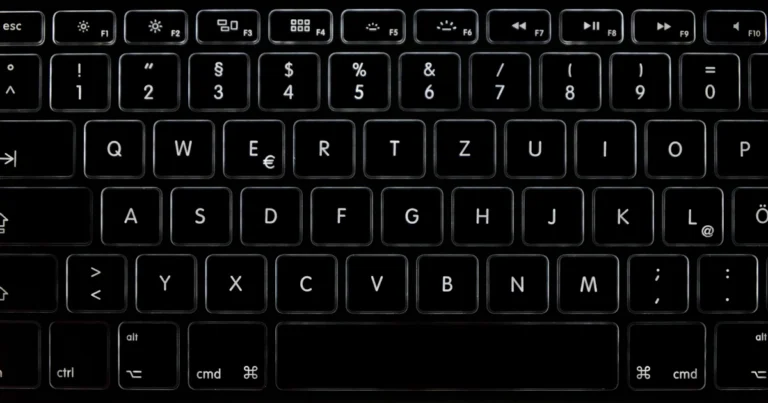
Press Option + 8. It works in almost every Mac app with a US keyboard layout: Pages, Notes, Mail, Messages, Safari, Chrome and Photoshop. On a US keyboard the 8 key also carries the asterisk (*), the plain-text stand-in for a bullet, which makes the shortcut easy to remember.
For other dot styles (◦, ▪, ‣), press Control + Command + Space to open the Character Viewer and search for “bullet”.
How to type bullet points in Word, Google Docs and Excel
There are two different jobs here: typing a single • character inside a line of text, and starting a proper bulleted list where each new line gets a bullet automatically. Documents usually want the second one.
Microsoft Word and Outlook
- Bulleted list: type an asterisk (*) and a space at the start of a line. Word turns it into a bulleted list as you type. Press Enter twice to end the list. You can also click the Bullets button in the Paragraph group of the Home tab.
- Single bullet symbol: type 2022 and press Alt + X to turn the Unicode code into •, or use Alt + 0149.
- From the menu: go to Insert > Symbol > More Symbols, choose the General Punctuation subset, pick • and click Insert.
Google Docs
- Bulleted list: press Ctrl + Shift + 8 on Windows or Chromebook, or Cmd + Shift + 8 on a Mac, as listed in Google’s Google Docs keyboard shortcuts (external site, opens in new tab). Typing * and a space at the start of a line also starts a list.
- Single bullet symbol: click Insert > Special characters, type bullet in the search box and click •.
Excel and Google Sheets
Spreadsheets have no bullet button, so type the symbol yourself. Click into a cell and press Alt + 0149 (Option + 8 on a Mac), then a space and your text. The formula =UNICHAR(8226) also returns •. To put several bulleted lines in one cell on Windows, press Alt + Enter to start a new line inside the cell before typing the next bullet.
How to type a bullet point on iPhone and iPad
- Open any app you can type in, such as Messages or Notes.
- Tap the 123 key to switch to numbers and symbols.
- Touch and hold the hyphen (-) key. A small row of dashes and dots pops up.
- Slide your finger to • and let go.
This works on the US and UK English keyboards; other language keyboards may hide the bullet elsewhere.
If you type bullets often, add a shortcut: go to Settings > General > Keyboard > Text Replacement, tap +, paste • as the Phrase and enter a shortcut such as blt.
How to type a bullet point on Android
On most Android keyboards, including Gboard, tap ?123, then tap =\< to open the second symbols page, and tap •. If your keyboard puts it somewhere else, copy • from this page and paste it.
How to type a bullet point on a Chromebook
- Press Ctrl + Shift + U. An underlined u appears.
- Type 2022, the Unicode code for •.
- Press Space or Enter.
The same Unicode trick types any symbol, as in our guide to typing the degree symbol.
Bullet points on social media, chat apps and websites
LinkedIn, Facebook, Instagram, X and WhatsApp posts have no list button, so type • with the shortcuts above (or paste it) at the start of each line, followed by a space. It is the easiest way to make a long post easier to scan.
On Reddit, Discord and other apps that use Markdown, start a line with an asterisk or hyphen and a space to get a real bulleted list.
In HTML, write • or • for a single bullet character; for a list, use a normal unordered list and the browser adds the bullets. Our HTML Entities Encoder and Decoder converts symbols to codes and back, and the Copy and Paste Symbols tool has bullets, check marks, arrows and many more symbols ready to click.
For more keyboard tricks, see how to type the copyright symbol, the trademark symbol, an em dash, a check mark and the hashtag key.
FAQ
What is the Alt code for a bullet point?
Alt + 0149. Hold Alt and type 0149 on the numeric keypad with Num Lock on. Alt + 7 also works in many apps.
How do I type a bullet point without a number pad?
On a Windows laptop, press Windows + . (period), open the Symbols tab and pick •. In Word, type 2022 and press Alt + X. Or copy • from this page.
What is the bullet point shortcut on a Mac?
Option + 8. In Google Docs on a Mac, Cmd + Shift + 8 starts a bulleted list.
How do I type a bullet point on my phone?
On iPhone, tap 123, touch and hold the hyphen key and slide to •. On Android, tap ?123, then =\<, and tap •.
What is the Unicode for the bullet symbol?
U+2022, named BULLET. In HTML it is • or •.
Photo by Sung Jin Cho on Unsplash
Subscribe to our weekly tech newsletter
New tech guides, free tools and 2-minute fixes, once a week.
🎁 100 Tech Terms ebook comes free with every subscription.
Unsubscribe anytime. See our privacy policy.