
How to Remove FarmVille Notifications and Facebook Game Requests (2026)
Want to remove FarmVille notifications, game invites and app posts from your Facebook feed? When we first wrote this guide in 2010, FarmVille updates flooded every Facebook wall. Facebook’s FarmVille closed on 31 December 2020, but Facebook game requests and notifications haven’t gone away: Candy Crush, 8 Ball Pool, Words With Friends and many Instant Games still send them. Here’s how to stop them all in 2026.
Quick answer: To stop Facebook game notifications, tap the three dots on any game notification and choose Turn off notifications. To stop game requests from friends, go to Settings & privacy > Settings > Blocking and add the friend under Block app invites or the game under Block apps. To remove a game completely, open Settings > Apps and websites and remove it.
Table of Contents
What happened to FarmVille on Facebook?
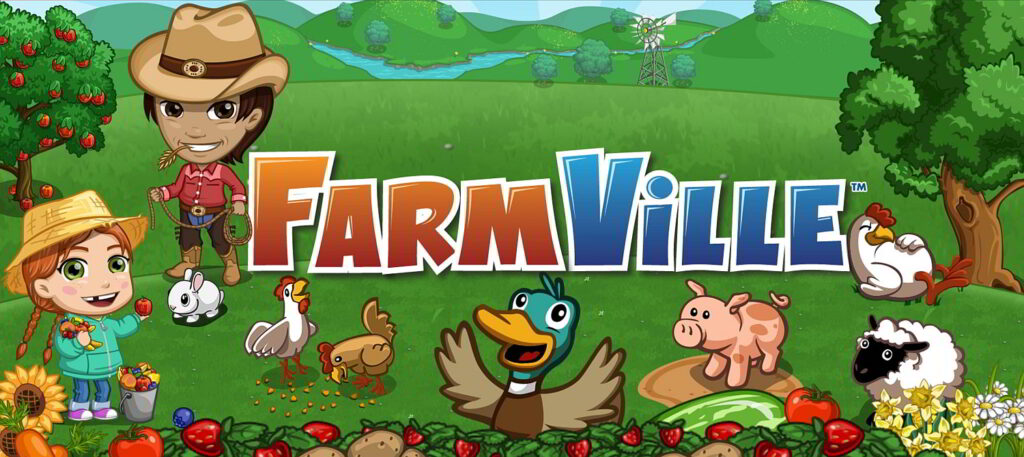
FarmVille was built on Adobe Flash. When Flash reached end of life, Zynga shut down the original FarmVille on Facebook on 31 December 2020. FarmVille 2 later moved off Facebook too. Zynga’s current farming game, FarmVille 3, is a mobile app on Android and iPhone, so it no longer floods Facebook walls. You can read about the original game in our post on playing FarmVille on Facebook.
The steps below work for any Facebook game or app that sends you notifications, invites or posts.
How to turn off Facebook game notifications
- Open the Notifications bell on Facebook (app or website).
- Find a notification from the game.
- Tap the three dots (…) next to it.
- Choose Turn off notifications like this or Turn off notifications from this game.
To review all notification types at once, go to Settings & privacy > Settings > Notifications and switch off push, email and SMS alerts for the categories you don’t want.
How to block Facebook game requests and invites
If one friend keeps sending game invites:
- Go to Settings & privacy > Settings.
- Open Blocking (use the search box in Settings if you can’t see it).
- Under Block app invites, type your friend’s name and select them.
Future app and game invites from that friend are ignored automatically, but you stay friends and still see their normal posts. To stop one game entirely, add its name under Block apps on the same page. A blocked app can’t contact you or get your Facebook information.
How to hide game posts from your news feed
- Click the three dots on a game post in your feed.
- Choose Hide post, or Hide all from [game] if Facebook offers it.
- To see fewer gaming posts in general, open Feeds or Feed preferences and snooze or unfollow pages and groups that post them.
How to remove a game from your Facebook account
Old games you logged into with Facebook can still have access to your profile. Clean them out:
- Go to Settings & privacy > Settings > Apps and websites.
- Review the Active list of apps and games.
- Select the ones you no longer use and click Remove.
- Tick the option to delete posts, photos and videos the app published on your timeline, if you want them gone too.
If you never want apps to use your Facebook login, you can also turn off Apps, websites and games on that page. Facebook’s Help Center has the latest wording for each menu, as Facebook renames settings from time to time.
How to delete old FarmVille posts from your timeline
Use Activity log (Settings & privacy > Activity log), filter by Your posts or Apps and websites, select the old game posts and choose Trash or Archive. This is much faster than removing posts one by one as we did in 2010.
Stop game emails
Game emails usually come from the game company, not Facebook. Use the Unsubscribe link at the bottom of the email, or remove the app as shown above so it no longer has your email address. For more privacy steps, see our quick tips to secure Facebook.
Frequently asked questions
Can I still play FarmVille on Facebook?
No. The original FarmVille closed on Facebook at the end of 2020. FarmVille 3 is available as a mobile app instead.
Does blocking app invites unfriend someone?
No. Blocking app invites only ignores their game requests. You stay friends and still see their posts.
Will the game know I removed it?
No notification is sent. The app simply loses access to your Facebook account from that point.
Why do I still get game notifications after hiding posts?
Hiding posts only affects your feed. Turn off notifications from the game or block the app to stop alerts.




This is no longer valid with the new (and constantly upgraded) Facebook profiles. Anyone have any current info on how to stop all the auto-tagging whenever a friend claims something from your posts?
These games are one of the reason why FB is so popular..
the updates sometime creates panic but, farm-ville lover like me just loves it coz , using it i get lots of free stuff for my farm..
its nice feeling when your farm looks good…
I just recently started playing farmville and people that go to my profile wall are complaining that the farmville is filling it up. I don’t want to remove it completely. I just want it to come up in my game feed not on the profile wall. Does anyone know how to fix this?
how do i remove all my farmville gifts on my profile without blocking farmville
I have people that I asked to be farmville friends and they dont play farm ville . so I have a long list of people I’m waiting for them to accept and they dont even play how do i get them off that waiting for accetance list but keep then as a friend without deleting them all together need hlp to many non frmville frinds i cant put them back in the box not very computer friendly person help.
How to remove the friend and my activity Log its new to farm ville
Thanks for this. As i have received so many farmiville invitation from my freinds and most of the time is wasted in this. Now i completely disable these notifications. Thanks to you