
Rupee Font Download? How to Type the ₹ Symbol Easily (2026)
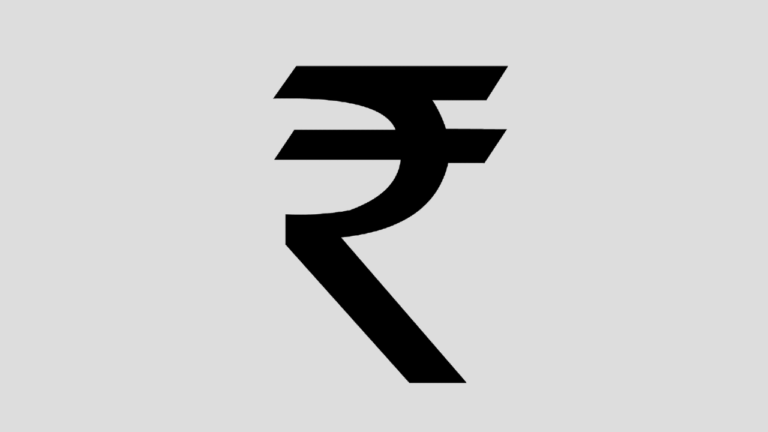
Looking for a rupee font download so you can type the ₹ symbol in Word or Excel? In 2010, when India got its new currency symbol, you needed a special rupee font (Foradian) and the trick of pressing the ` key. In 2026 you usually don’t need any rupee font at all: Windows, macOS, Android and iPhone all include the ₹ sign, and you can type it with a simple keyboard shortcut.

Quick answer: You don’t need a rupee font download any more. On Windows, add the English (India) keyboard and press Ctrl + Alt + 4 (or AltGr + 4) to type ₹. In Word, type 20B9 and press Alt + X. On any Windows PC you can also hold Alt and type 8377 on the number pad. On a Mac or phone, use the emoji/character picker or the rupee key on an Indian keyboard.
Table of Contents
Do you still need a rupee font download?
The Indian rupee sign ₹ was added to Unicode (code point U+20B9) in 2010. Since then, Microsoft added it to the standard Windows fonts such as Arial, Calibri, Segoe UI and Times New Roman, and Apple and Google added it to their system fonts too. That means:
- A ₹ typed on your PC shows correctly on other computers, phones and websites.
- You can change fonts freely; the symbol doesn’t disappear.
- Old “rupee fonts” like Rupee Foradian only drew ₹ in place of the ` key. If the other person didn’t have that font, they saw a ` instead. Avoid them for documents you share.
Only very old systems such as Windows XP lack the symbol. If you are stuck on one, a Unicode-aware font such as Google Noto Sans is a safer choice than the old Foradian font.
How to type the rupee symbol ₹ on Windows 10 and 11
Method 1: English (India) keyboard shortcut
- Open Settings > Time & language > Language & region.
- Click Add a language, choose English (India) and install it.
- Switch to it from the taskbar language button (or press Windows + Space).
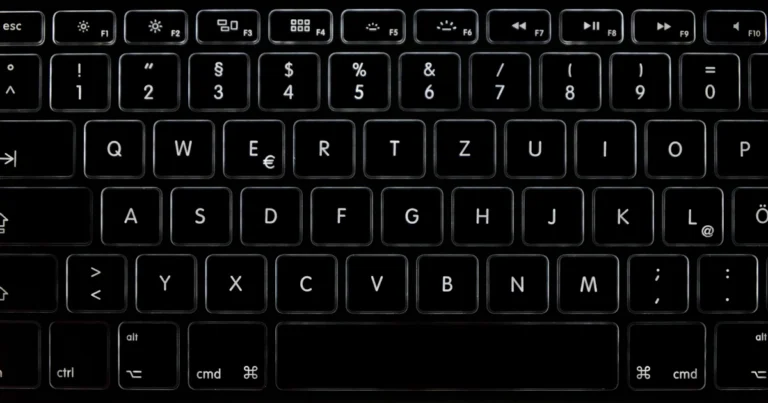
- Press Ctrl + Alt + 4 or AltGr + 4 to type ₹.
This works in every app, including Word, Excel, Outlook, Notepad and your browser.
Method 2: Alt code 8377
Hold Alt and type 8377 on the numeric keypad, then release Alt. This works in Word and many other apps, but not on laptops without a number pad.
Method 3: Unicode trick in Microsoft Word
Type 20B9 and immediately press Alt + X. Word converts the code into ₹. This also works in WordPad and Outlook.
Method 4: Emoji and symbols panel
Press Windows + . (full stop), open the Symbols tab, choose the currency section and click ₹.
How to type ₹ in Excel
For a single symbol, use any method above. For prices, it’s better to format the cells: select them, press Ctrl + 1, choose Currency and pick ₹ English (India) as the symbol. Excel then adds ₹ and Indian-style digit grouping (1,00,000) automatically.
How to type the rupee sign on Mac, Android and iPhone
- Mac: press Control + Command + Space, search for “rupee” and click ₹. You can also add the Unicode Hex Input source and type Option + 20B9.
- Android: on Gboard, tap ?123 and long-press the currency key to pick ₹. With the English (India) layout, ₹ is the default currency key.
- iPhone and iPad: tap 123, long-press the currency symbol and choose ₹, or add the English (India) keyboard in Settings.
How to show ₹ on websites and blogs
In WordPress and other web pages you can paste ₹ directly, because pages use UTF-8. In HTML code, use the entity ₹. We explain more in how to add the rupee symbol in blog posts, and the story of the symbol is in the new Indian rupee symbol.
What about the old Rupee Foradian font?
Our original 2010 guide showed how to download the Rupee Foradian font installer, install the .ttf file and press the ` key in Word to print ₹. That font was a stopgap made before computers supported the real symbol. It is no longer needed, and documents made with it can show the wrong character on other devices. If you have old files that used it, replace the ` characters with a real ₹ using Find and Replace.
Frequently asked questions
Is there an official rupee font download?
No. The ₹ symbol is part of Unicode and is built into modern fonts, so there’s nothing official to download.
What is the shortcut key for the rupee symbol?
With the English (India) keyboard, Ctrl + Alt + 4. In Word, type 20B9 then Alt + X. With a number pad, Alt + 8377.
Why does ₹ show as a box or question mark?
The font or device doesn’t support U+20B9. Switch to a modern font such as Arial, Calibri or Noto Sans, or update the operating system.
What is the Unicode for the rupee symbol?
U+20B9. In HTML, use ₹.
Get our free weekly email: new tech guides and tools, no spam.
New and updated tech guides, a free tool worth bookmarking and one useful pick, once a week. No spam, unsubscribe anytime.
One email a week. Unsubscribe anytime. See our privacy policy.



That’s really great. This has solved many problems for me. too good we can use our currency symbol easily now!
Hi can any body tell me how to make use of the font in .PPT, I dont see it in the fonts drop down
Its looks so nice when compared to old symbol.
Easy to download and install. Thank you.
did we get it in tally
How this work in adobe photoshop?
i am trying lot of times but i con’t download this Rs font please if possible send me thru email. it help me lot. thanks
open MS Word and try it again, I am sure you can do it
How this work in adobe photoshop?
its really great. globlisation of india currency
Hmmm..I like the fonts…btw I have question @Fonts..once the font file is copied to their respective folders would I able to make use of them in Paint? Thanks