Twitter Password Security: Stop Fake Reset Requests on X (2026)
Do you know how to increase Twitter password security? A while ago I kept getting password reset emails from Twitter that I had never requested. Anyone who knows your username can trigger them, and if that person also got into your email, they could reset the password and take over the account. Twitter is now X, but the risk is the same. Here is how to tighten Twitter password security in 2026.
Quick answer: On X, open Settings and privacy > Security and account access > Security. Turn on Password reset protect so a reset needs your email or phone, turn on two-factor authentication with an authenticator app or security key, then review connected apps and logged-in sessions and remove anything you don’t recognise.
Table of Contents
Why you get password reset emails you didn’t request
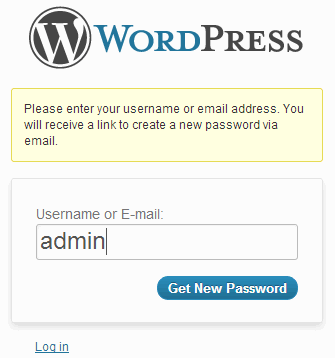
X’s “Forgot password” form asks only for a username, email or phone. Anyone can type your handle and X emails you a reset link. The email on its own is harmless: the link only works for someone who can read your inbox. But it is a warning sign that someone is targeting your account, and it shows why your email account must be secure too.
- Don’t click reset links you didn’t ask for. Delete the email.
- Check the sender: real emails come from x.com. Phishing copies ask you to “confirm” your password on a fake page.
- Secure your email with a strong password and 2FA, because whoever controls your inbox can reset almost any account.
How to improve Twitter password security on X
1. Turn on password reset protection
In Settings and privacy > Security and account access > Security, enable Password reset protect. X will then ask for your account’s email or phone number before sending a reset, which stops strangers from triggering resets with only your username. When I first linked a mobile phone to our account back in 2012, the same idea cut the fake requests.
2. Add two-factor authentication
On the same Security screen choose Two-factor authentication. The authenticator app and security key options are available to all users; text-message codes are limited to X Premium subscribers. Save the backup code somewhere safe.
3. Use a strong, unique password
Use a password manager to create a long password you don’t use anywhere else. Change it straight away if you used it on a site that was breached.
4. Review apps and sessions
- Apps and sessions > Connected apps: revoke tools you no longer use, especially old follower trackers.
- Sessions: log out of devices you don’t recognise.
- Account access history: check recent logins and locations.
5. Keep your phone and email up to date
A verified email and phone make recovery much easier if you are locked out.
For more X settings, see how to protect your privacy on Twitter and grow quality Twitter followers.
If your X account was hacked
- Try a password reset straight away.
- If the email was changed, look for the “email changed” message from X; it has a link to secure the account.
- Use X’s Help Center form for hacked or compromised accounts if you still can’t get in.
- Once back in, delete unwanted posts, revoke apps and turn on 2FA.
FAQ
Can someone hack my Twitter just by sending a reset email?
No. They also need access to your email or phone. That is why securing your inbox matters as much as your X password.
Is SMS two-factor safe?
It is better than nothing, but SIM-swap attacks can intercept texts. An authenticator app or security key is safer.
How do I stop the reset emails completely?
Turn on Password reset protect. Requests without your email or phone are then blocked before an email is sent.
Follow us on X for more tips.
Get our free weekly email: new tech guides and tools, no spam.
New and updated tech guides, a free tool worth bookmarking and one useful pick, once a week. No spam, unsubscribe anytime.
One email a week. Unsubscribe anytime. See our privacy policy.