7 Best Zero-Based Budget Apps (Free and Paid)
A zero based budget app helps you give every dollar of your income a job before the month starts, so income minus everything you plan to spend, save or pay off equals zero. The best picks right now are YNAB for the most complete method, EveryDollar for a simple free start, Goodbudget for envelope-style budgeting with a partner, and Actual Budget or Aspire Budget if you want a free, private option. Below are seven apps, each checked on its official site, with the free vs paid catch for each.

Quick answer: For most people, YNAB is the most complete zero-based budgeting app (34-day free trial, then paid). EveryDollar has a free version with manual entry. Goodbudget is free for 10 regular envelopes and works well for couples. Actual Budget is free and open source, Aspire Budget is a free Google Sheets budget, Monarch suits people who want a flexible budget that can also run zero-based, and Buckets is a one-time purchase that keeps your data on your own computer.
Table of Contents
What is zero-based budgeting?
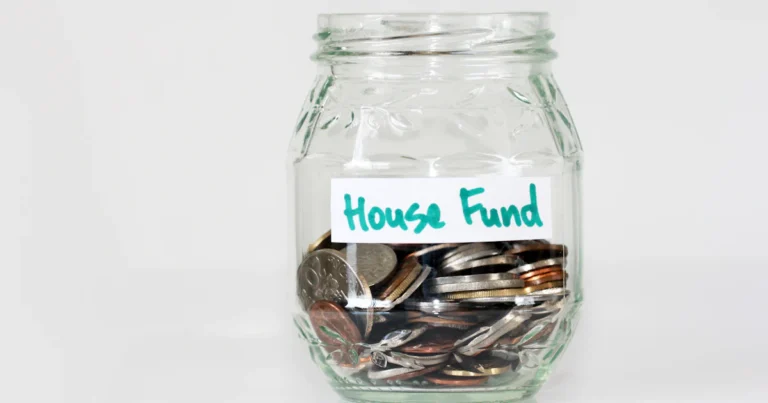
Zero-based budgeting means you plan every dollar you expect to earn this month. Rent, groceries, debt payments, savings and fun money all get an amount, and you keep assigning until the money left to budget is zero. Zero does not mean an empty bank account: savings and an emergency fund are line items too. The idea is that no dollar is left without a purpose.
The envelope method is the same idea with cash envelopes: each envelope (category) gets money, and when an envelope is empty you either stop spending or move money from another envelope. Most apps below use the word “envelope” or “category” for this.
Zero based budget app comparison
| App | Best for | Free plan | Platforms |
|---|---|---|---|
| YNAB | The full method, couples and families | No (34-day trial) | Web, iPhone, iPad, Android, Apple Watch |
| EveryDollar | A simple free start | Yes (manual entry) | Web, iPhone, Android (apps US only) |
| Goodbudget | Envelope budgeting with a partner | Yes (10 regular envelopes) | Web, iPhone, Android |
| Monarch | Switching between flexible and strict budgets | No | Web, iPhone, Android |
| Actual Budget | Free, private, open source | Yes (free app) | Windows, Mac, Linux, web (hosted or self-hosted) |
| Aspire Budget | Spreadsheet fans | Yes (core is free) | Google Sheets |
| Buckets | One-time price, data on your computer | Untimed free trial | Windows, Mac, Linux, iPhone, Android |
The 7 best zero-based budgeting apps
1. YNAB (You Need A Budget)
YNAB (external site, opens in new tab) is the best-known zero-based budgeting app. Its method asks “What’s it for?” for every dollar you receive, and you plan what your money should do before you spend it.
- Who it’s for: people who want a strict, complete system and are willing to learn it; couples and families (one subscription can be shared with up to six people).
- Bank connection: direct import for select US, Canadian, UK and EU banks; other regions can import files.
- Platforms: web, iPhone, iPad, Android and Apple Watch.
- Free vs paid: no free plan. A 34-day free trial (no card needed when you sign up on the YNAB site), then $14.99 a month or $109 a year. College students can get a free 365-day trial with proof of enrollment.
2. EveryDollar
EveryDollar (external site, opens in new tab) from Ramsey Solutions is built entirely around the zero-based budget: you plan where every dollar goes before the month begins, so income minus expenses equals zero. It is the easiest app here to start with.
- Who it’s for: beginners who want a simple monthly plan, and fans of Ramsey Solutions’ money advice.
- Free version: free for as long as you want, with a monthly budget, unlimited categories, sinking funds and manual transaction entry.
- Premium: adds bank connection that streams in transactions, paycheck-based spending plans, custom reports, CSV export, a debt payoff tracker and coaching. It costs $79.99 a year or $17.99 a month, with a 14-day free trial for new users.
- Platforms: web at everydollar.com plus iPhone/iPad and Android apps. The mobile apps are only for users in the United States; others can use the web version.
3. Goodbudget
Goodbudget (external site, opens in new tab) is a virtual version of cash envelope budgeting. You fill envelopes for each category at the start of the month and spend from them, which makes it a natural fit for zero-based budgeting. Budgets sync between devices, so two people can share one.
- Who it’s for: couples and households who want to budget together; people who like the envelope system.
- Free plan: 10 regular envelopes and 10 more envelopes, 1 account, 2 devices and 1 year of history. You enter transactions yourself.
- Premium: unlimited envelopes and accounts, 5 devices, 7 years of history, email support and automatic bank sync (US banks only). It costs $10 a month or $80 a year.
- Platforms: web, Android and iPhone.
4. Monarch
Monarch (external site, opens in new tab) is a budgeting app with two budget styles. Its default “flex” budget is not zero-based, but you can switch to category budgeting in budget settings, give every category an amount and watch the “left to budget” figure. Monarch’s own help pages say you can follow a zero-based or envelope style as long as income equals expenses plus savings.
- Who it’s for: people who want to switch between a relaxed flex budget (fixed, flexible and non-monthly groups) and a strict category budget.
- Free vs paid: no free plan on the pricing page. It costs $14.99 a month or $99.99 a year.
- Platforms: web, App Store and Google Play.
5. Actual Budget
Actual Budget (external site, opens in new tab) is a free, open-source (MIT license) envelope budgeting app. All your money is assigned to categories, much like YNAB, but the base app and its updates are free. It is local-first: your data lives on your device, with an optional sync server so changes move between devices.
- Who it’s for: people who want YNAB-style budgeting without a subscription, and are comfortable with a little setup.
- How to run it: downloadable apps for Windows, Mac and Linux, a one-click hosted option through PikaPods, or self-hosting with Docker. The web version can be installed as an app for offline use.
- Bank sync: built-in support through GoCardless (EU and UK) and SimpleFIN (US and Canada), plus QIF, OFX, QFX, CAMT.053 and CSV imports. Bank sync needs a sync server.
- The catch: the app is free, but hosting and some bank sync services can cost money depending on your setup, and the mobile experience is still catching up with desktop.
6. Aspire Budget
Aspire Budget (external site, opens in new tab) is a free budgeting spreadsheet for Google Sheets that uses zero-based envelope budgeting. Its own rule is “give every available dollar a job”, and the budget lives in your own Google Drive.
- Who it’s for: spreadsheet lovers who want full control and no bank connection.
- Free vs paid: the spreadsheet and add-on are free. An optional Aspire Turbo upgrade costs $5 a month and adds CSV import, auto-categorization and Aspire Mobile, among other features.
- Platforms: Google Sheets (you need a Google account).
7. Buckets
Buckets (external site, opens in new tab) is a private family budgeting app that uses envelope budgeting (or your own style). Your finances are stored on your own computer rather than on the company’s servers.
- Who it’s for: people who dislike subscriptions and want their data kept locally.
- Free vs paid: an untimed free trial, then a one-time $64 purchase with no monthly fee. One license covers all computers in your home, including family members’.
- Bank data: free options to record private macros, import files or connect through SimpleFIN Bridge.
- Platforms: Windows, macOS and Linux desktop apps, plus iPhone and Android apps.
How to pick a zero based budget app
- Want the most complete system? Try YNAB during its free trial.
- Want free and simple? Start with the free EveryDollar or Goodbudget plan and type in transactions yourself.
- Budgeting with a partner? Goodbudget and YNAB both share one budget across people and devices.
- Privacy first or no subscription? Actual Budget (free) or Buckets (one-time price).
- Love spreadsheets? Aspire Budget in Google Sheets.
Whichever app you choose, cut costs you don’t use before you build the budget: here is how to cancel subscriptions on iPhone. For more tools, see the best iPhone apps to save money and the best Android apps to save money.
How to set up a zero-based budget in any app
- Add up the money you expect to receive this month (take-home pay, not gross).
- List fixed bills first: rent or mortgage, utilities, insurance, minimum debt payments.
- Add variable needs such as groceries, fuel and phone.
- Assign money to savings goals and any extra debt payments.
- Give what’s left to wants (dining out, hobbies) until “left to budget” reaches zero.
- Track spending during the month and move money between categories when plans change.
FAQ
What is the best free zero-based budget app?
EveryDollar and Goodbudget both have free plans with manual entry. Actual Budget is free and open source, and Aspire Budget is a free Google Sheets budget. YNAB has no free plan, only a 34-day trial (365 days for college students).
Which app is known for zero-based budgeting?
YNAB and EveryDollar are the two apps most closely tied to zero-based budgeting. EveryDollar describes its budget as income minus expenses equals zero, and YNAB’s method has you plan what every dollar is for before you spend it.
Is zero-based budgeting good for beginners?
Yes, many beginners find it clear because every dollar has a label. Start with broad categories and a free plan, then add detail as the habit sticks.
Do zero-based budget apps connect to my bank?
Some do. YNAB and the paid tiers of EveryDollar and Goodbudget can import bank transactions (Goodbudget only for US banks). Actual Budget and Buckets can connect through SimpleFIN, while Aspire Budget works without a bank connection.
This article explains apps and features and is not financial advice. Prices are as listed on each app’s official site in October 2026 and can change.
Subscribe to our weekly tech newsletter
🎁 Free 100 Tech Terms ebook when you subscribe. Unsubscribe anytime. Privacy