9 Best Free AI Tools for Students (Study, Notes, Writing)
The best free AI tools for students in 2026 can explain a hard topic step by step, turn your class notes into flashcards and quizzes, check your grammar and transcribe a lecture, all without paying. Below are 9 AI tools for students that have a genuine free plan, what each one is good at, and the catch you hit on the free tier. Every plan detail was checked on the tool’s official site in October 2026.

Quick answer: For studying and explanations, start with ChatGPT (it has a free Study mode) or Gemini. For turning your own notes and PDFs into flashcards and quizzes, use Gemini Notebook (formerly NotebookLM). For writing, pair Grammarly’s free grammar checks with QuillBot’s free paraphraser and summarizer. For lectures, Otter transcribes up to 300 minutes a month free. US college students can also get Google AI Pro free for a year if they sign up by December 31, 2026.
Table of Contents
AI tools for students at a glance
| Tool | Best for | Free plan | Platforms |
|---|---|---|---|
| ChatGPT | Explanations, Study mode, writing help | Yes | Web, mobile and desktop apps |
| Google Gemini | Research, Deep Research, student offer | Yes | Web, mobile apps |
| Gemini Notebook | Studying from your own notes and PDFs | Yes | Web, mobile app |
| Microsoft Copilot | Quick answers, summaries, Edge pages | Yes | Web, Windows, macOS, iOS, Android |
| Claude | Long readings, writing feedback | Yes | Web, desktop, mobile |
| Perplexity | Research with cited sources | Yes | Web, mobile apps |
| Grammarly | Grammar and spelling checks | Yes | Web, browser extension, Windows, Mac |
| QuillBot | Paraphrasing and summarizing | Yes | Web |
| Otter | Lecture transcripts and notes | Yes | Web, iOS, Android, desktop, Chrome |
The 9 best free AI tools for students
1. ChatGPT: best all-round study helper
ChatGPT is still the first AI tool most students try, and its free plan costs nothing with no time limit once you create an account. The feature that matters most for school is Study mode, which OpenAI lists on the free plan: instead of just handing you an answer, it guides you step by step and gives you practice questions so you actually remember the material.
- What it does: explains topics in plain language, summarizes readings, answers questions about a document or photo you upload, searches the web for current information and helps you plan and draft essays and presentations.
- Who it’s for: any student who wants a patient tutor for homework questions and revision.
- Free vs paid catch: the free plan has usage limits that OpenAI doesn’t publish as exact numbers; paid plans give higher limits, faster performance and more tools.
Want better results? Copy a ready-made study prompt from our list of best ChatGPT prompts for everyday tasks.
2. Google Gemini: best for research (and a free year for US college students)
Google Gemini has a free plan for anyone with a Google Account. Google’s plan page lists Deep Research (a longer, multi-step research report on a question), image generation and editing, Canvas for drafting documents and code, and Gemini Live for talking through a topic out loud, all on the free tier.
- What it does: answers questions, builds research reports with Deep Research, helps you draft and proofread in Canvas, and works with your Google account.
- Who it’s for: students who already live in Google Docs and Gmail, and anyone writing a research paper.
- Free vs paid catch: the free plan uses Google’s lighter Flash-Lite model; the stronger models need a paid Google AI plan.
- Student offer: eligible US college students aged 18+ can get one year of Google AI Pro free (redeem by December 31, 2026). Students in over 140 other markets get a free year of Google AI Plus instead. You need a valid payment method at sign-up, and the plan renews at the normal price after the year unless you cancel, so set a reminder.
3. Gemini Notebook (formerly NotebookLM): best for studying your own notes
Gemini Notebook is Google’s AI research notebook. It was called NotebookLM until Google renamed it in July 2026; old links and notebooks still work. Instead of answering from the whole internet, it works from the sources you add, such as lecture slides, PDFs and class notes, which makes it one of the most useful AI tools for students preparing for exams.
- What it does: answers questions using only your sources, and can turn them into study material such as reports, flashcards, quizzes and audio overviews.
- Who it’s for: students with a pile of readings or notes to revise before a test.
- Free vs paid catch: the free plan allows up to 100 notebooks with 50 sources each, with daily usage limits that Google says may change; Google AI plans raise those limits.
Step-by-step setup is in our guide on how to use NotebookLM (now Gemini Notebook).
4. Microsoft Copilot: best free AI on Windows and Edge
Microsoft Copilot is free and works without signing in, though signing in with a personal Microsoft account adds chat history, image creation, longer conversations and voice chats. It’s built into Windows and the Edge browser, so it’s often the quickest AI to reach on a school or home PC.
- What it does: helps you write, brainstorm and summarize, answers questions with live web results, and in Edge can summarize the web page you’re reading.
- Who it’s for: Windows users and anyone who researches in Edge.
- Free vs paid catch: without signing in you get the basics only, Copilot inside Microsoft 365 apps such as Word is a separate product, and features and availability vary by region.
New to it? Follow our guide on how to use Copilot free on Windows, web and phone.
5. Claude: best for long readings and writing feedback
Claude, made by Anthropic, has a free plan on the web, desktop and mobile. It’s good at reading long material carefully and giving clear feedback on a draft, which helps when you want to understand an essay’s weak spots rather than have it rewritten.
- What it does: chats about your files, searches the web, creates files and runs code, remembers context across conversations, and lets you organize work into up to 5 Projects on the free plan.
- Who it’s for: humanities and social science students, and anyone who wants detailed feedback on writing.
- Free vs paid catch: the free plan includes the Sonnet and Haiku models but not Opus or the Research feature, and it has usage limits.
6. Perplexity: best for research with sources
Perplexity is an AI answer engine that shows citations with every answer, so you can click through and check the original source before you quote it. That habit alone makes it a safer starting point for research than a chatbot that doesn’t show where its facts come from.
- What it does: answers questions with linked sources, keeps your search history and lets you upload files.
- Who it’s for: students starting a research paper who need sources to read and cite.
- Free vs paid catch: basic searches are close to unlimited, but the more advanced Pro Searches, file uploads and advanced models are limited on the free plan. Verified students and educators can get Education Pro at a discount ($10 a month, verified through SheerID), which adds a Learn Mode.
7. Grammarly: best free grammar checker
Grammarly catches spelling and grammar mistakes as you type in your browser, documents and email, which is the easiest way to clean up an essay before you hand it in.
- What it does: fixes spelling and grammar, shows the tone of your writing, and gives you 100 AI prompts a month on the free plan for things like rewriting a sentence.
- Who it’s for: every student who writes essays, lab reports or emails to professors.
- Free vs paid catch: adjusting tone, plagiarism checks, AI-text detection and citation consistency are Pro features.
8. QuillBot: best for paraphrasing and summarizing
QuillBot is a set of writing tools; the paraphraser and summarizer are the ones students use most. Use them to understand a dense paragraph or tighten your own wording, not to disguise someone else’s work.
- What it does: rewrites text in different styles, summarizes long passages, and includes a free AI detector.
- Who it’s for: students who want to simplify readings or improve the flow of their own writing.
- Free vs paid catch: on the free plan the paraphraser handles 125 words at a time with two modes (Standard and Fluency), the summarizer takes up to 1,200 words, and the AI detector allows 10 scans a day of up to 1,200 words. Premium raises or removes these limits.
9. Otter: best for lecture notes
Otter records and transcribes speech, then writes an AI summary, so you can listen in class and search the transcript later instead of scribbling everything down.
- What it does: transcribes lectures, study-group calls and recordings, and summarizes them.
- Who it’s for: students in lecture-heavy courses, and anyone who finds it hard to listen and write notes at the same time.
- Free vs paid catch: the free Basic plan gives 300 transcription minutes a month, up to 30 minutes per conversation, and only 3 imported recordings in total. Students with a .edu email get 20% off the Pro plan. Always ask your instructor before recording a class.
How to use AI tools for students without getting in trouble
- Check your school’s rules first. AI policies differ by school and even by course. Read the syllabus or ask your instructor what is allowed, and say when you used AI if they ask.
- Use AI to learn, not to submit. Explanations, practice quizzes, flashcards and feedback on your own draft are usually safer uses than asking AI to write the assignment.
- Check every fact and source. AI tools can get things wrong. Open the original source before you quote it, and cite the source, not the chatbot.
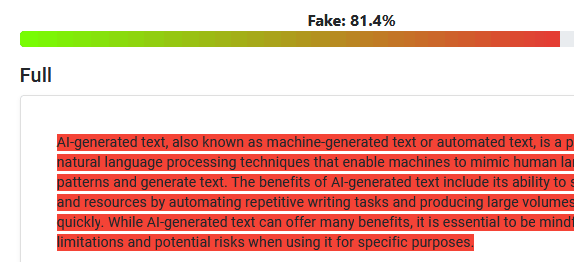
- Don’t rely on AI detectors. Detectors give probabilities, not proof, and can flag human writing. See how accurate they really are in our test of free AI detector tools.
- Keep private information out. Don’t paste passwords, ID numbers or other people’s personal details into an AI chat.
FAQ
What is the best free AI tool for students?
For most students, ChatGPT’s free plan is the best all-rounder because it includes Study mode, file uploads and web search. If you mainly revise from your own notes, Gemini Notebook is better, because it answers only from the sources you add and turns them into flashcards and quizzes.
Which AI tools are free for students?
All 9 AI tools for students in this list have a free plan: ChatGPT, Google Gemini, Gemini Notebook, Microsoft Copilot, Claude, Perplexity, Grammarly, QuillBot and Otter. Each has usage limits on the free tier, listed above.
Which AI tools offer a student discount?
Google gives eligible US college students a free year of Google AI Pro (and students in many other countries a free year of Google AI Plus) if they redeem by December 31, 2026. Perplexity offers Education Pro to verified students, and Otter gives 20% off Pro to students with a .edu email.
Are AI tools useful for students?
Yes, when you use them to understand material: explaining a concept in simpler words, quizzing you before a test, summarizing a long reading or checking your grammar. They are less useful, and can break school rules, when they replace your own work.
Can teachers tell if you used AI?
Sometimes, but not reliably. AI detectors can miss AI text and wrongly flag human writing, so many teachers also look at drafts, writing style and how well you can explain your work. The safest approach is to follow your course’s AI policy.
Stuck on a gift? Try our free Gift Idea GeneratorIdeas for anyone by age, job, interests and budget, with Amazon.com and Amazon.in linksFind gifts →Get our free weekly email: new tech guides and tools, no spam.
New and updated tech guides, a free tool worth bookmarking and one useful pick, once a week. No spam, unsubscribe anytime.
One email a week. Unsubscribe anytime. See our privacy policy.