
Encrypted Google Search: What Happened and How to Search Privately (2026)
Back in 2011 we recommended encrypted Google search at encrypted.google.com, a separate SSL version of Google that scrambled your queries so your ISP or anyone on the same Wi-Fi couldn’t read them. That special address is gone today, because regular Google Search now uses HTTPS encryption for everyone. Here’s what changed, what encryption does and doesn’t hide, and how to search more privately in 2026.

Quick answer: You no longer need a special encrypted Google address. Google.com loads over HTTPS by default, so the words you search are encrypted between your browser and Google. The old encrypted.google.com page was retired in 2018. Encryption hides your searches from your network, not from Google itself, so for more privacy turn off or auto-delete Web & App Activity, use a private window, or switch to a privacy search engine like DuckDuckGo, Startpage or Brave Search.
Table of Contents
What was encrypted Google search?
Google launched an encrypted search option in 2010 and soon moved it to encrypted.google.com. At the time, google.com used plain HTTP, so anyone between you and Google (your ISP, your employer’s network, or a snoop on public Wi-Fi) could see exactly what you typed. The encrypted version used SSL, the padlock protocol now called TLS, to scramble that traffic.
When we tried it in 2011 it worked only for web search. Image and Maps results opened outside the encrypted session, and the service didn’t stop Google from logging your searches in your account history.
What happened to encrypted.google.com?
Google gradually made HTTPS the default on its main site, starting with signed-in users in October 2011 and later extending it to all searches. Once every Google search was encrypted, the separate address had no purpose. Google retired the encrypted.google.com page in 2018 and now sends visitors to the regular Google homepage.
How to check that your Google search is encrypted
- Look at the address bar: the URL should begin with
https://. - Modern browsers show a padlock or “tune” icon next to the address. Click it to see that the connection is secure and view the certificate.
- If your browser warns that a connection to Google is not secure, don’t continue. It may mean a network is intercepting traffic.
What HTTPS encryption does and doesn’t hide
It hides
- Your search terms and the results page from your ISP, Wi-Fi owner and anyone else on the network.
- The full query from most websites you click through to. Google doesn’t pass your search words in the referrer, which is why site owners see “not provided” in analytics.
It doesn’t hide
- Your searches from Google. If you’re signed in, they can be saved to your account’s Web & App Activity.
- The fact that you visited google.com. Your network can still see which sites you connect to.
- Anything a keylogger or other malware on your own device records before the data is encrypted.
How to search more privately in 2026
- Control your Google history. Open Google My Activity (external site) to delete past searches, pause Web & App Activity or set it to auto-delete after a few months.
- Use a private window. Incognito or private browsing stops searches being saved on your device, though Google and your network still see the connection.
- Try a privacy search engine. DuckDuckGo (external site) doesn’t build a search profile on you, Startpage (external site) shows Google-sourced results without tracking, and Brave Search (external site) runs its own independent index.
- Use encrypted DNS. Turning on secure DNS (DNS over HTTPS) in Chrome, Edge or Firefox settings hides the names of sites you look up from your network.
- Add a VPN on public Wi-Fi. A trustworthy VPN hides which sites you visit from the local network and masks your IP address.
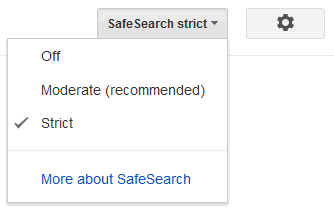
For more ways to protect your privacy, see how to hide your IP address for free, stop targeted ads on Google and Facebook, and lock SafeSearch to protect kids online.
FAQ
Is Google search encrypted?
Yes. Google Search loads over HTTPS by default, so your queries are encrypted in transit between your browser and Google.
Does encrypted.google.com still work?
No. Google retired it in 2018 and the address now leads to the regular Google homepage, which is already encrypted.
Can my ISP see what I search on Google?
Not the search words. Your ISP can see that you connected to Google, but HTTPS hides the queries and results pages.
Does incognito mode hide my searches from Google?
No. Incognito stops history being stored on your device, but Google still receives the searches. Use a privacy search engine if you don’t want Google to see them.
Stuck on a gift? Try our free Gift Idea GeneratorIdeas for anyone by age, job, interests and budget, with Amazon.com and Amazon.in linksFind gifts →Get our free weekly email: new tech guides and tools, no spam.
New and updated tech guides, a free tool worth bookmarking and one useful pick, once a week. No spam, unsubscribe anytime.
One email a week. Unsubscribe anytime. See our privacy policy.


Please remove encrytpted version from my google home page as I can not accese my gmail google maps and homepage backround picture, if this cant be done Im going to have to switch to another browser
encrypted search?
seems useless to me!
I tried making google SSL as my homepage but was not satisfied over it.