
Download Google Chrome Beta Browser for New Features
I am sure you use the Chrome browser, but you can download the Google Chrome Beta browser and get to try new features before they release to the Chrome users at large. There are several new features coming in Chrome which can be accessed only if you download the Chrome Beta version.
While many features make it to Chromebook users faster, usual Chrome users can try them out by installing the Chrome beta.
Download Chrome Beta
First you need to check you are not already running the beta version. Go to the dropdown menu at the top right corner in Chrome and choose ‘About Google Chrome’. This is the latest auto-updated version I get.
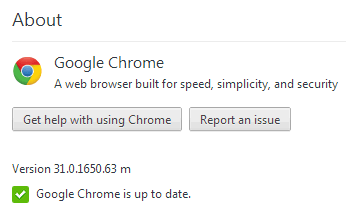
As you can see the beta version is not installed. Then I visit the Chrome Beta website and install Chrome Beta.
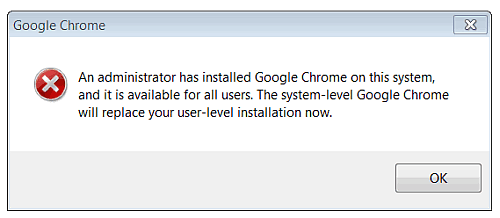
In a few seconds the installation is done. Note that this alert pops up and you confirm that you allow overwriting to the new beta version.
Then the new version starts up and you can confirm in the same way that it has been upgraded.
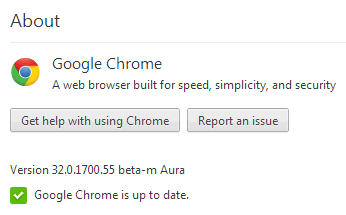
Note the beta in the version number. This will keep on updating automatically to the latest version (if available) every time you start the browser.
Why Beta Software?
So why don’t people usually install beta software? Note that beta software is not the final release and is still undergoing finishing for optimizing new features, fixing potential security holes, fixing bugs, testing across a range of computer configurations, etc.
So while beta software allows you to test new features and know in advance what new developments are coming, much before the general public, yet it is expected to have bugs, security issues and might not be well functional across different platforms. So if you are not keen to test with risks involved, do NOT download the beta version.
But then it is great to see the new features and send feedback to improve them. Want to try Chrome beta? I will give you an insight into what new features I found soon.
Get our free weekly email: new tech guides and tools, no spam.
New and updated tech guides, a free tool worth bookmarking and one useful pick, once a week. No spam, unsubscribe anytime.
One email a week. Unsubscribe anytime. See our privacy policy.




I think more then 70 % people using chrome like me. Its a great browser for surf internet.
thanks
I love chrome. That is eye friendly, light and best browser for internet surfing.
Thanks for beta version.
Hi Chandra,
Your article is really helpful, thanks for writing. I am looking forward to read more articles in future. Keep writing!!! cheers.
new feature of chrome is awesome
So I get pannies from my blog only 10$ a month just because of those pages
it is an upgraded google chrome but it is similar to the older one some new function are also add in this browser
I don’t use beta builds in order to give feedback, but that’s because I’m not a great software tester. I don’t know what to look for or what to stress test.
I think the new Chrome is beautiful though, and for mobile devices it’s a godsend, as it compresses data, and saves you prevcious mobile bandwidth. Note that you have to switch that setting on so please don’t assume it’s compressing your data.
One important thing about Google is that it laves no stone unturned for the success of its products & services.