
How to Download Bing Wallpapers Daily (Windows 11 Guide 2026)
Want the stunning photos from the Bing homepage as your desktop background? You can download Bing wallpapers for free, either one at a time from Bing.com or automatically every day with the official Bing Wallpaper app or Windows Spotlight. Back in 2013 Microsoft even released a pack of the year’s most popular Bing images, and here’s how to get Bing wallpapers on Windows 11, Mac and phones in 2026.

Quick answer: Install the free Bing Wallpaper app from Microsoft to change your Windows desktop to the Bing image of the day automatically. Or, on Windows 11, open Settings → Personalization → Background and choose Windows Spotlight. No software needed.
Table of Contents
Download Bing wallpapers automatically with the Bing Wallpaper app
The Bing Wallpaper app is Microsoft’s official tool for Windows 10 and Windows 11. It sets the daily Bing homepage photo as your desktop background and lets you browse previous images.
- Go to the Bing Wallpaper download page and click Download.
- Run the installer. It may offer to set Bing as your default search engine and MSN as your homepage. Uncheck those boxes if you don’t want them.
- Your wallpaper changes right away. A small Bing icon appears in the system tray.
- Click the tray icon to see where the photo was taken, skip to the next or previous image, or turn off daily changes.
The app updates once a day and uses very little memory, so it won’t slow your PC down.
This video shows the Bing Wallpaper app setting a new wallpaper on a PC:
Use Windows Spotlight for daily Bing images
Windows 11 has a built-in option that uses the same kind of photos, with no extra app:
- Right-click the desktop and choose Personalize, or open Settings → Personalization → Background.
- Under Personalize your background, select Windows Spotlight.
- A camera icon appears on the desktop. Use it to learn about the photo or switch to the next one.
- For the lock screen, go to Settings → Personalization → Lock screen and choose Windows Spotlight too.
Spotlight images change regularly but not always daily. If you want exactly the Bing image of the day, use the Bing Wallpaper app.
Download Bing wallpapers manually
To save a single Bing image in full resolution:
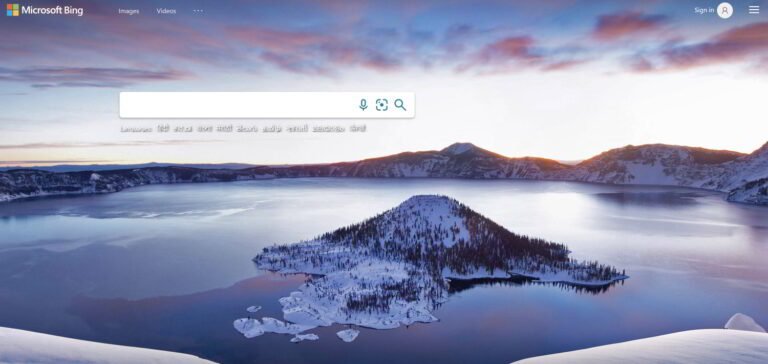
- Go to Bing.com on a desktop browser.
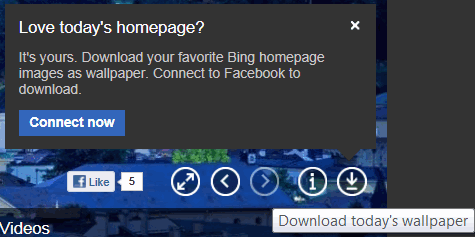
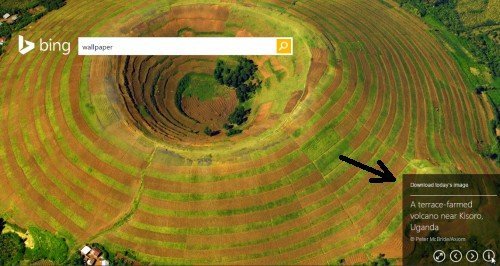
- Click the image info or the download icon near the bottom of the page (the layout changes from time to time) to save the picture.
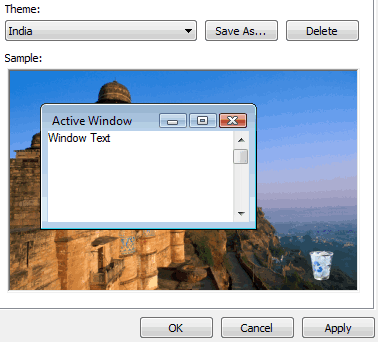
- Set it as your wallpaper: right-click the saved image and choose Set as desktop background.
We’ve also written a separate guide on how to download Bing homepage wallpapers daily.
Bing wallpapers on Mac, Android and iPhone
- Mac: there’s no official Mac app. Save images from Bing.com and set them in System Settings → Wallpaper.
- Android: the Microsoft Launcher can change your home screen wallpaper to the daily Bing image.
- iPhone: save the image from the Microsoft Bing app or Bing.com, then set it in Settings → Wallpaper.
What happened to the 2013 Bing wallpaper pack?
In December 2013, Bing released a free wallpaper and screensaver pack with the 10 most popular Bing homepage images of the year, chosen by user interaction. It came as an .exe from the Microsoft Download Center, and the old Bing Desktop app later did a similar job. Both have been retired. Today the Bing Wallpaper app gives you every daily image instead, including past favourites.
Frequently asked questions
Are Bing wallpapers free?
Yes, Bing wallpapers are free for personal use as desktop and phone backgrounds. The photos are licensed by Microsoft, so don’t reuse them commercially or on websites.
Is the Bing Wallpaper app safe?
Yes, it’s an official Microsoft app. Just uncheck the search engine and homepage options during setup if you don’t want to change your browser settings.
How do I uninstall Bing Wallpaper?
Go to Settings → Apps → Installed apps, find Bing Wallpaper and click Uninstall. Your current wallpaper stays until you change it.
Get our free weekly email: new tech guides and tools, no spam.
New and updated tech guides, a free tool worth bookmarking and one useful pick, once a week. No spam, unsubscribe anytime.
One email a week. Unsubscribe anytime. See our privacy policy.


I like this pic. Its sky blue color is my fevoute. I like sea.
No doubt Bing is one of the top search engine after Google. Thanks for beautiful wallpaper.
its beautiful wallpaper. bing has a fresh look to attract more people to use it with this nice look.
It looks like Bing team selects stunning high-quality wallpapers. I use their search engine sometimes, and every time i visit their engine, they surprise me with different fascinating HD pics. Gonna check that out.
I love the beach view..
That is very awesome
Bing Desktop is a nice software.Wallpapers automatically changes daily as soon I connect to internet.
I do not use Bing for search but sure it is a good search engine and I like daily wallpapers on it.