How to Export and Print Your LastPass Passwords List (2026 Guide)
Want to export or print LastPass passwords as a paper copy of your password list for an offline backup? LastPass doesn’t have a “Print” button, but you can export your whole vault as a spreadsheet (CSV) file in under a minute and print it from there. Here’s how to do it safely in 2026, from the browser extension or the web vault, and what to do with the file afterwards.

Quick answer: In the LastPass browser extension, go to Account → Fix a problem yourself → Export vault items → Export data for use anywhere, enter your master password, and a CSV file downloads. Open it in Excel or LibreOffice to print, then delete the file permanently.
Table of Contents
Method 1: Export LastPass passwords from the browser extension
This is LastPass’s recommended method and the quickest.
- Click the LastPass icon in your browser toolbar and log in with your email and master password (plus multi-factor authentication if you use it).
- Open the Account tab.
- Choose Fix a problem yourself → Export vault items → Export data for use anywhere.
- Re-enter your master password when asked, then click Continue.
A file named something like lastpass_export.csv downloads to your Downloads folder. In Safari, the data opens in a new tab instead; right-click and choose Save Page As.
Method 2: Export from the LastPass web vault
- Log in to your vault at lastpass.com.
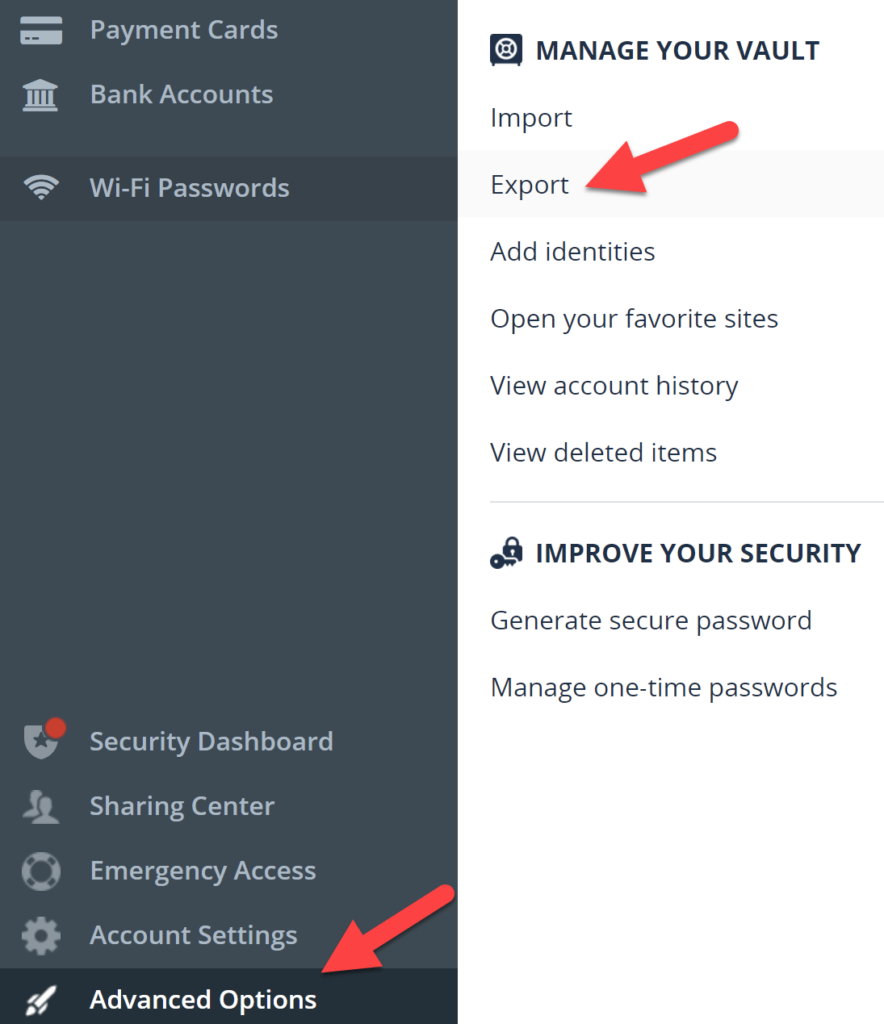
- In the left menu, go to Advanced Options → Export.
- LastPass may email you to confirm the export request. Click the link in the email, then return to Advanced Options → Export.
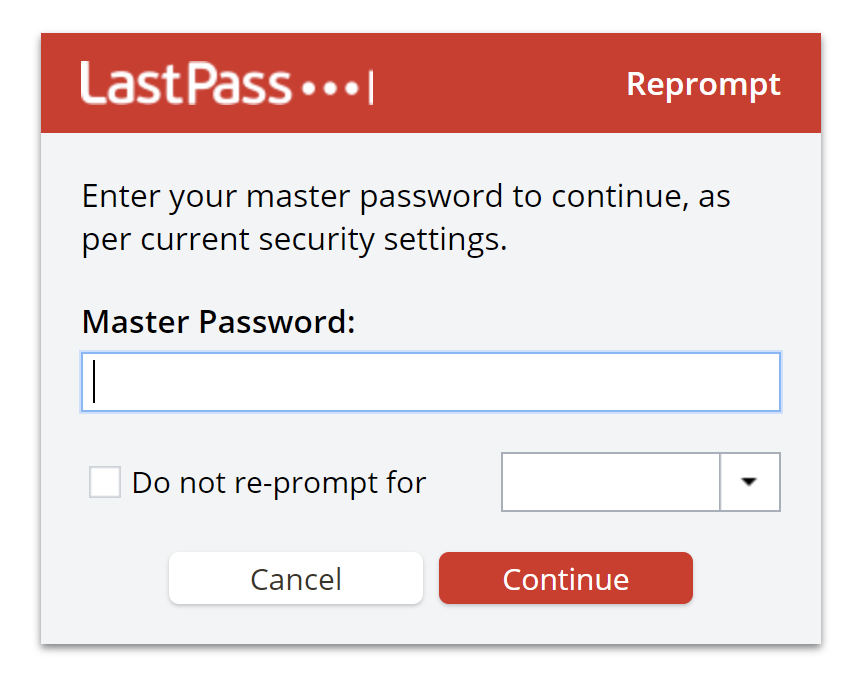
- Enter your master password to confirm it’s you, and the CSV downloads.
What’s in the export file (and what isn’t)
The CSV has one row per saved item, with columns for the website URL, username, password, notes, name and folder (grouping). Some things are not exported:
- File attachments
- One-time passcodes (2FA/TOTP codes)
- Custom item types and custom fields
If you use LastPass through work, your company admin may have turned exporting off entirely with a “Prohibit export” policy.
How to print LastPass passwords as a list
- Open the CSV in Excel or the free LibreOffice Calc on your own computer. Avoid uploading it to online tools or cloud spreadsheets.
- Delete the columns you don’t need (like “extra” or “fav”) and widen the password column so nothing is cut off.
- Switch to landscape and choose Fit all columns on one page in the print settings.
- Print, and check the printout is readable. Some passwords mix up similar characters like l, I and 1.
Delete the file immediately
The export is not encrypted. Anyone who gets the file can read every password in it. As soon as you’ve printed or imported it:
- Delete the CSV, then empty your Recycle Bin or Trash.
- Make sure it hasn’t been copied to OneDrive, Google Drive, Dropbox or iCloud by automatic folder sync.
- Keep the printout somewhere locked, like a home safe or bank locker, never in a wallet or desk drawer.
If you want a digital backup instead of paper, store the CSV only inside an encrypted container (such as a VeraCrypt volume or an encrypted USB drive).
Switching away from LastPass?
The same CSV can be imported into almost any other password manager, including Bitwarden, 1Password, Proton Pass, Google Password Manager and Apple Passwords. Each has an “Import from LastPass” or “Import CSV” option in its settings. If your passwords are saved in the browser instead, here is how to export passwords from Chrome.
Many users moved after the 2022 LastPass breach, when attackers stole copies of customers’ encrypted vaults. Security researchers have since linked cryptocurrency thefts through 2025 to vaults cracked from that breach, mostly ones protected by weak master passwords. If you’ve had a LastPass account since 2022, whatever you decide:
- Change the passwords for your email, bank, UPI and other important accounts.
- Move any crypto wallet seed phrases you stored in LastPass to a new wallet.
- Use a long, unique master password and turn on multi-factor authentication.
Frequently asked questions
Can I print directly from LastPass?
No. LastPass has no print option, so export to CSV first and print from a spreadsheet app.
Can I export LastPass passwords from the mobile app?
The export options are built for the browser extension and web vault, so the easiest and most reliable way is to use a desktop or laptop browser with the steps above.
Is it safe to keep a printed password list?
It can be, if it’s stored securely. Burglars rarely target paper password lists, but online attackers constantly hunt for password files. Keep it locked away, and update or shred it when you change passwords.