9 Best Free Google SEO Tools to Grow Website Traffic (2026)
You don’t need expensive software to improve your rankings. Google offers free SEO tools that show exactly how Google sees your site: what people search to find you, which pages have problems, how fast they load and what’s trending. We use these free Google SEO tools every week on this site. Here are the ones that matter in 2026, what each does, and which old tools Google has retired.
Quick answer: Start with Google Search Console (rankings, indexing and errors), Google Analytics 4 (visitor behaviour) and PageSpeed Insights (speed and Core Web Vitals). Add Rich Results Test, Google Trends and Keyword Planner for structured data and keyword research.
Table of Contents
Best free Google SEO tools
1. Google Search Console
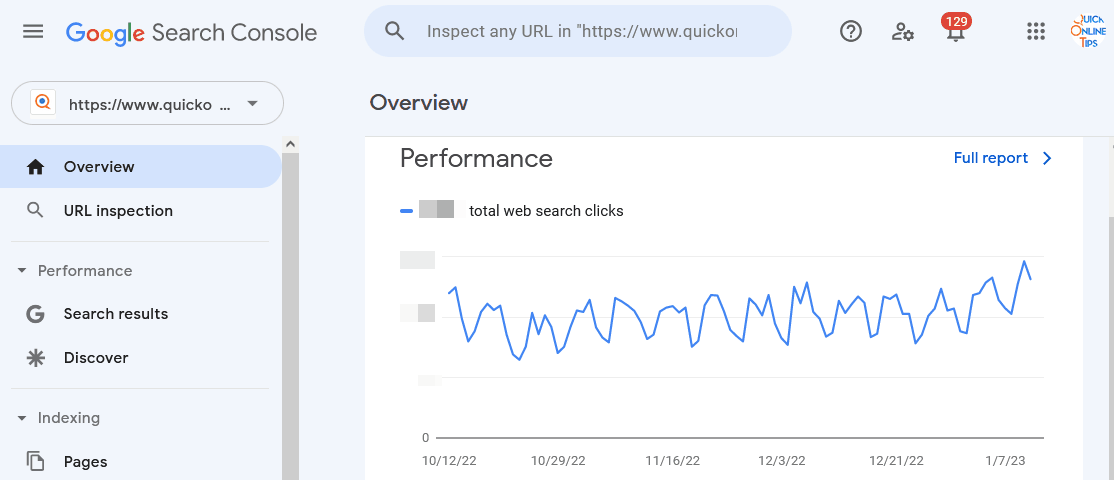
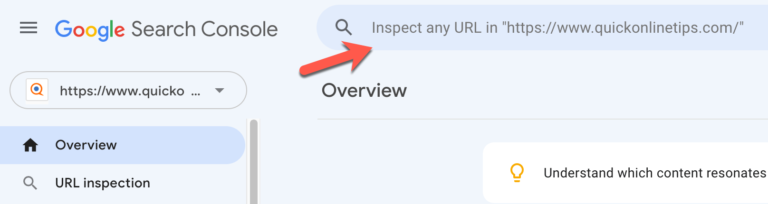
Google Search Console is the most important free SEO tool for any site. It shows the search queries that bring visitors, your clicks, impressions and average position, which pages are indexed or excluded and why, Core Web Vitals, manual actions and security issues. Use URL Inspection to see how Google bots crawl a page and to request indexing, and submit your XML sitemap so Google finds new and updated content. Our guide on the fastest way to index new pages in Google walks through each step.
2. Google Analytics 4
Google Analytics 4 shows who visits, where they come from, which pages they read and how engaged they are. Link it to Search Console to see organic search queries alongside engagement, and find pages that get traffic but lose readers quickly.
3. PageSpeed Insights

PageSpeed Insights tests any page on mobile and desktop and shows real-user Core Web Vitals (LCP, INP and CLS) plus lab data from Lighthouse, with specific fixes. For deeper testing, run Lighthouse in Chrome DevTools. See our tips to increase site speed.
4. Rich Results Test

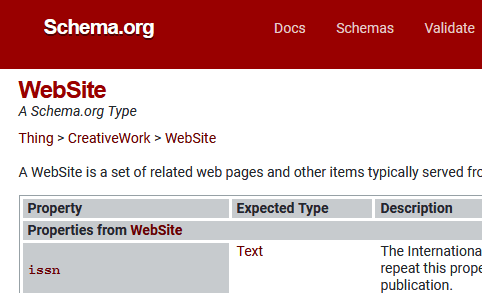
The Rich Results Test checks your structured data (schema markup) and shows which rich results, like FAQs, reviews, recipes or products, your page can get. Use the Schema Markup Validator to check any schema.org markup. Good markup also helps Google show your site name in Google search.
5. robots.txt report in Search Console

Google retired its old robots.txt Tester in December 2023. Its replacement is the robots.txt report in Search Console (Settings → robots.txt), which shows the robots.txt files Google found, when it last crawled them, and any errors. A mistake in robots.txt can block important pages, so check it after every change, and see how a bad robots.txt blocked our URLs.
6. Google Disavow Tool

The Disavow links tool tells Google to ignore spammy backlinks you can’t remove. Google says most sites never need it, since it ignores most spam links automatically. Use it only if you have a manual action for unnatural links or you bought links in the past.
7. Google Trends
Google Trends shows how search interest in a topic changes over time and by region, and which related queries are rising. Use it to time seasonal content and pick between keywords.
8. Google Keyword Planner
Google Keyword Planner gives keyword ideas and search volume ranges. It’s free with a Google Ads account, and you don’t have to run ads, although exact volumes are only shown to active advertisers.
9. Google Business Profile
For local businesses, a free Google Business Profile puts you on Google Maps and local search results, with reviews, opening hours and photos.
Retired Google SEO tools
- robots.txt Tester: replaced by the robots.txt report (2023).
- Mobile-Friendly Test: retired in December 2023. Use Lighthouse instead.
- Universal Analytics: replaced by Google Analytics 4 (2023–2024).
- Search results
&num=100parameter: Google stopped supporting it in September 2025.
Free SEO tools beyond Google
Pair Google’s tools with Ahrefs Webmaster Tools (here’s how to get a free Ahrefs account) and Bing Webmaster Tools, which also feeds Bing and Copilot search. Avoid risky shortcuts like group buy SEO tools.
Frequently asked questions
Is Google Search Console free?
Yes. Search Console is completely free for any site you can verify ownership of.
Which free Google SEO tool should I use first?
Google Search Console. It shows real search data from Google and flags indexing problems that can stop pages from ranking at all.
Can I do SEO with only free tools?
Yes, for most blogs and small sites. Free Google SEO tools cover rankings, indexing, speed and keyword ideas. Paid tools mainly add competitor and backlink research.
Get our free weekly email: new tech guides and tools, no spam.
New and updated tech guides, a free tool worth bookmarking and one useful pick, once a week. No spam, unsubscribe anytime.
One email a week. Unsubscribe anytime. See our privacy policy.