
Microsoft Office on iPad Free: What You Can Do Without Paying (2026)
Can you use Microsoft Office on iPad free? When Microsoft first released Word, Excel and PowerPoint for iPad in March 2014, the apps were free to view documents, but editing needed an Office 365 subscription. The rules have changed since. Here’s how it works in 2026 and when you’ll need to pay.
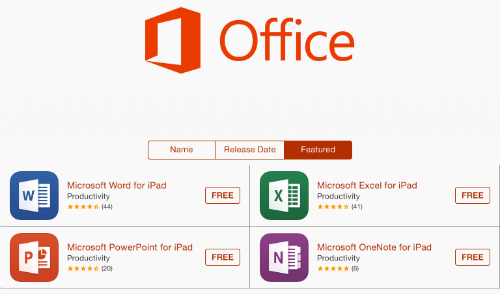
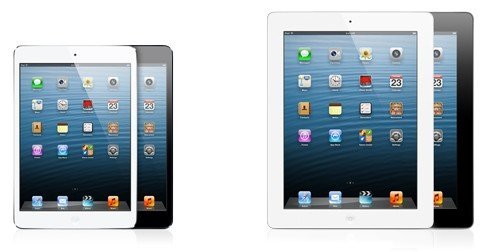
Quick answer: Word, Excel and PowerPoint are free to download on iPad from the App Store. On iPads with screens 10.1 inches or smaller (such as iPad mini), you can create and edit documents free with a Microsoft account. On larger iPads, including current standard iPads, iPad Air and iPad Pro, viewing is free but creating and editing need a Microsoft 365 subscription.
Table of Contents
How to get Microsoft Office on iPad free
- Open the App Store and search for Word, Excel, PowerPoint or OneNote, or the all-in-one Microsoft 365 app.
- Download the apps you need.
- Sign in with a free Microsoft account (or your work or school account).
- Open files from OneDrive, iCloud Drive, email or the Files app.
Microsoft Office on iPad free vs Microsoft 365
- Free on all iPads: open and view Word, Excel and PowerPoint files with full formatting.
- Free on small iPads (10.1″ or less): basic creating and editing.
- Needs Microsoft 365 on larger iPads: creating and editing documents.
- Premium features like advanced formatting, some Copilot AI tools and larger OneDrive storage need a subscription on any device.
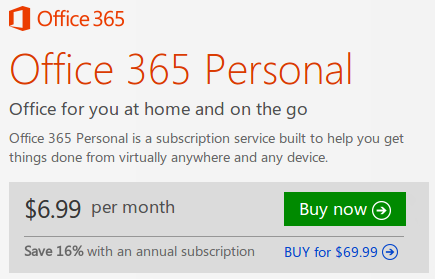
Microsoft 365 Personal and Family plans cover your iPad, PC, Mac and phone, so one subscription works across devices.
Free alternatives for editing on iPad
- Office on the web: open office.com in Safari to edit Word, Excel and PowerPoint free with a Microsoft account.
- Apple Pages, Numbers and Keynote: free, and they can open and export Office formats.
- Google Docs, Sheets and Slides: free apps that edit Office files.
Back in 2014
When the apps launched, each was over 200 MB, a lot for a 16 GB iPad, and Office 365 Home cost INR 420 a month or INR 4,200 a year in India for 5 PCs or Macs plus 5 tablets. We noted the shift from one-time Office CDs to yearly subscriptions, which is now how most people buy Office.
FAQ
Is Microsoft Word free on iPad?
Viewing is free on every iPad. Editing is free only on iPads with screens 10.1 inches or smaller; larger iPads need Microsoft 365.
Can I edit Word documents on iPad without paying?
Yes, use Office on the web in Safari, or Apple Pages or Google Docs.
Does Microsoft 365 work on iPad and PC with one subscription?
Yes. Personal and Family plans include Office apps on Windows, Mac, iPad, iPhone and Android.
Get our free weekly email: new tech guides and tools, no spam.
New and updated tech guides, a free tool worth bookmarking and one useful pick, once a week. No spam, unsubscribe anytime.
One email a week. Unsubscribe anytime. See our privacy policy.

Well this is a great news and without this application my iPad was looking like an empty box. Hope that Adobe will do something like this for Flash player as well.
I am using Microsoft office on my computer from last two years it’s the best software for office work. I will now try it on my tablet also.
Love Microsoft Office. It’s a staple. Glad its available on other platforms now. Thanks for sharing.
Microsoft did this because they lost their market share. We hope to have free stuff from them several years from now.
Broo..im using iPhone 4S ..and tried installing MS office..
no problem with installation but the working is not good bro..
can u pls suggest me the better way to use it on my iPhone 4S
i ll be waiting for ur suggestion
wow amazing i want to use it , but it’s first time i am using this App in my cell phone.
but i hop i can enjoy with this
Hi,
I am here by searching “free download Microsoft office for iPad” via Google. I must say nice update. I am totally surprised when I get this because I think it’s not possible to get it free. Thanks for sharing this resource. :)
Regards!!!
Bhavesh Patel
Hi,
very nice update indeed! I have iPad but i was unaware about Microsoft office free downloading. due to this post i download MS office for free. thank you for sharing.
Well this is a great news and without this app my iPad was looking like an empty box. Hope that Adobe do something like this for Flash player as well.
Meaning, you have to pay if you want to edit, else it is free to use if you just want to view a document