10 Best AI Writing Tools in 2026 (Free Plans Compared)
The best AI writing tools in 2026 can draft an email, rewrite a clumsy paragraph, fix your grammar or help you plan a whole article, and all 10 tools below let you start for free. Some are full AI assistants that write from scratch (ChatGPT, Claude, Gemini, Copilot); others are editors that polish what you wrote (Grammarly, QuillBot, Wordtune, ProWritingAid, LanguageTool, Rytr). For each one we checked the official pricing or help page in October 2026 for what the free plan really includes, what it is best at, and what happens to the text you type.
Quick answer: For writing from a blank page, start with a free AI assistant: ChatGPT for all-round drafting, Claude for long documents and natural-sounding edits, Gemini if you live in Gmail and Google Docs, or Copilot on Windows. To polish your own writing, add Grammarly (grammar plus 100 AI prompts a month), QuillBot (paraphrasing) or Wordtune (10 rewrites a day). Fiction and long-form writers should try ProWritingAid, multilingual writers LanguageTool, and marketers who want quick short copy Rytr. Every free plan has limits, listed in the table below.
Table of Contents
Best AI writing tools at a glance
| Tool | Best for | Free plan | Main free limit |
|---|---|---|---|
| ChatGPT | All-round drafting and ideas | Yes | Limited messages and uploads |
| Claude | Long documents, editing in your voice | Yes | Usage limit resets every 5 hours, plus a weekly limit |
| Google Gemini | Gmail and Google Docs users, research | Yes | Standard limits, 32k-token context |
| Microsoft Copilot | Windows and Edge users | Yes | Copilot inside Word needs a Microsoft 365 plan |
| Grammarly | Grammar, tone, clean emails | Yes | 100 AI prompts a month |
| QuillBot | Paraphrasing and summarising | Yes | 125 words per paraphrase, 2 modes |
| Wordtune | Rewriting sentences | Yes | 10 rewrites a day, 3 summaries a month |
| ProWritingAid | Fiction and long-form editing | Yes | 500 words at a time, 10 rephrases a day |
| LanguageTool | Grammar in 20+ languages | Yes | 10,000 characters per check |
| Rytr | Short marketing copy | Yes | 10,000 characters a month |
How to choose the best AI writing tool for you
Most people need one of two kinds of tool, and many end up using one of each:
- An AI assistant that writes for you. You describe what you need (“a polite email asking for a refund”, “an outline for a blog post on budgeting”) and it writes a full draft. Pick ChatGPT, Claude, Gemini or Copilot.
- An AI editor that improves what you wrote. It sits in your browser or document, fixes mistakes and offers better ways to say a sentence. Pick Grammarly, QuillBot, Wordtune, ProWritingAid or LanguageTool.
Then match the tool to your main job:
- Work email and reports: ChatGPT or Copilot to draft, Grammarly to polish.
- Blog posts and articles: Claude or ChatGPT for outlines and first drafts, then edit in your own words.
- School essays: use AI to brainstorm and check grammar, not to write the essay. QuillBot and Grammarly are popular with students, but check your school’s AI rules first.
- Novels and stories: ProWritingAid for editing reports on long manuscripts.
- Writing in a second language: LanguageTool, Grammarly or Wordtune.
- Product descriptions and social posts: Rytr or any AI assistant.
The 10 best AI writing tools in 2026
1. ChatGPT: best all-round AI writing assistant
ChatGPT from OpenAI is the tool most people try first, and for good reason: it can write almost anything from a short prompt and then rework it as many times as you like. Its free plan includes canvas (a side-by-side editor for longer documents), projects, web search, voice and study mode.
- Best at: first drafts of emails, posts, outlines, cover letters and summaries; brainstorming titles and angles; changing tone and length.
- Who it’s for: anyone who wants one tool that does a bit of everything.
- Free vs paid catch: the free plan gives limited access to GPT-5.5 Instant, with limited messages, uploads, memory and deep research, and responses can slow down at busy times. The more capable Thinking models are paid-only. OpenAI notes its low-cost Go plan may include ads.
- Your text: OpenAI’s plan page says content on Free, Go, Plus and Pro is used to train its models unless you opt out in the data controls. Business and Enterprise plans are not used for training.
Get better results with our best ChatGPT prompts for everyday tasks, and if you are thinking of upgrading, read ChatGPT Plus vs Free first.
2. Claude: best for long documents and natural-sounding writing
Claude from Anthropic is a favourite with writers because its drafts tend to read less like a template, and it handles long pasted documents well. The free plan works on web, desktop and mobile and includes web search, file creation, memory, up to 5 projects, and Artifacts and Docs for building a document alongside the chat.
- Best at: editing a long draft while keeping your voice, restructuring reports, writing in a specific style from examples you paste in.
- Who it’s for: bloggers, students working on long papers, and professionals who write reports.
- Free vs paid catch: free users get the Sonnet and Haiku models (not Opus), and usage is limited over a 5-hour window and a weekly window, with no fixed message count. Long chats and big files use the allowance faster. Pro costs $20 a month billed monthly, or $17 a month billed yearly.
- Your text: chats may be used to improve Claude if the Model Improvement setting is on. You can switch it off in Claude’s privacy settings, and incognito chats are not used for training.
3. Google Gemini: best if you write in Gmail and Google Docs
Google Gemini is free with any Google Account. Google’s help page lists Canvas (for drafting and editing documents), Deep Research (a multi-step research report), image generation and slide generation on the free tier.
- Best at: researching a topic before you write, drafting in Canvas, and fitting into the Google apps you already use.
- Who it’s for: students and workers who live in Gmail, Docs and Drive.
- Free vs paid catch: free use has “standard limits” that refresh every 5 hours until a weekly limit, and a 32k-token context window (roughly how much text it can keep in mind at once). Google says Deep Research and other heavy features may be unavailable for free users at busy times. Google AI Plus, Pro and Ultra raise the limits and context window.
- Your text: with Keep Activity on, Google uses saved chats to improve its services, including training AI models, and human reviewers read a sample. Turn off Keep Activity in Gemini Apps Activity, and follow Google’s advice not to enter confidential information.
4. Microsoft Copilot: best free AI writer on Windows
Microsoft Copilot is free in the browser, as a desktop and mobile app, and in the Edge browser. Microsoft lists writing and brainstorming help, summarising and web answers among its free features.
- Best at: quick drafts and rewrites on a Windows PC, and summarising a web page in Edge before you write about it.
- Who it’s for: Windows and Edge users who want AI help without installing anything.
- Free vs paid catch: you can use it without signing in, but a free Microsoft account adds chat history, longer conversations and voice. Copilot inside Word and Outlook needs a Microsoft 365 Personal, Family or Premium plan, and on shared Family plans the in-app features are for the subscription owner only.
- Your text: signed-in users can turn off training on their conversations in Copilot’s privacy settings.
New to it? Our guide on how to use Copilot for free walks through the web, Windows and phone apps.
5. Grammarly: best for grammar, tone and polished emails
Grammarly checks your writing as you type in the browser, email and documents, and now adds generative AI on top of its grammar checks.
- Best at: catching spelling and grammar mistakes everywhere you write, and showing how your tone comes across.
- Who it’s for: anyone who sends a lot of email, and non-native English writers.
- Free vs paid catch: the free plan includes spelling and grammar checks, tone detection and 100 AI prompts a month. Tone adjustment, full-sentence rewrites, fluency suggestions, plagiarism checks and AI-text detection are Pro features, and Pro raises the AI limit to 2,000 prompts per member a month.
- Your text: Grammarly says it does not sell your content. It may use de-identified samples of user content to improve its products unless you opt out of product improvement and training.
6. QuillBot: best for paraphrasing and summarising
QuillBot is best known for its Paraphraser, which rewrites a passage in different words, plus a Summarizer, grammar checker and AI detector.
- Best at: rewording a paragraph that sounds awkward, simplifying dense text and shortening long articles into key points.
- Who it’s for: students and writers who need to restate ideas in their own words (always cite your sources).
- Free vs paid catch: QuillBot’s help centre lists these free limits: 125 words per paraphrase with only the Standard and Fluency modes, summaries of up to 1,200 words, and AI detection on up to 1,200 words with 10 scans a day. The plagiarism checker is Premium-only.
- Your text: QuillBot says it does not sell your content and you keep ownership of your writing.
7. Wordtune: best for rewriting one sentence at a time
Wordtune offers several alternative versions of a sentence you highlight, so you can pick the one that sounds most like you, shorter, or more formal.
- Best at: fixing individual sentences without rewriting your whole piece.
- Who it’s for: people who already write well but get stuck on phrasing.
- Free vs paid catch: the free Basic plan gives 10 rewrites and AI suggestions a day and 3 AI summaries a month, with unlimited spelling and grammar checks. Advanced costs $6.99 a month (30 rewrites a day) and Unlimited $9.99 a month, both with a 3-day free trial.
8. ProWritingAid: best for fiction and long-form editing
ProWritingAid is a style editor built for longer writing, with detailed reports on things like repetition, pacing and sentence length, plus AI rephrasing.
- Best at: self-editing novel chapters, non-fiction books and long articles.
- Who it’s for: authors and anyone editing a long manuscript.
- Free vs paid catch: the free account checks 500 words at a time, with 2 reports, 10 Rephrases and 3 Sparks (its AI writing feature) a day. Premium is $30 a month billed monthly, $120 a year, or $399 for a lifetime licence.
9. LanguageTool: best for writing in several languages
LanguageTool checks grammar, spelling and punctuation in more than twenty languages, which makes it a strong pick if you switch between English and another language.
- Best at: grammar and style checks in languages beyond English.
- Who it’s for: multilingual writers, students abroad and translators.
- Free vs paid catch: the free version checks up to 10,000 characters at a time; Premium raises that to 100,000 characters and adds unlimited rephrasing and a personal style guide. Tech press reported in March 2026 that LanguageTool’s browser extension became Premium-only, so free users should start with the online editor.
10. Rytr: best for short marketing copy
Rytr is a template-based AI writer: you choose a use case, add a few details, and it produces short copy.
- Best at: product descriptions, short emails, ad lines and social captions.
- Who it’s for: small business owners and marketers who need quick short text.
- Free vs paid catch: the free plan is free forever with 10,000 characters a month (roughly 1,500 words), 40+ writing use cases and 30+ languages. Paid plans start with Lite at $9 a month.
Is your text private? What to check before you paste
Free AI writing tools often use what you type to improve their products. Before you paste anything personal or confidential:
- Turn off training where you can: ChatGPT’s data controls, Claude’s Model Improvement setting, Gemini’s Keep Activity, Copilot’s privacy settings and Grammarly’s product improvement setting all let you opt out.
- Keep sensitive details out: no passwords, ID numbers, medical records, client contracts or anything covered by an NDA.
- Use a work account for work: business plans from OpenAI and others say they don’t train on your data, and your employer may already pay for one.
- Read the privacy page of any tool not covered above before you sign up.
Tips to get better writing from AI
- Give context: say who the reader is, the goal, the length and the tone (“a 150-word friendly email to a customer whose order is late”).
- Paste an example of writing you like and ask the tool to match its style.
- Ask for options: three headlines or two versions of an intro, then pick and combine.
- Edit the draft yourself. Add your own experience, examples and opinions. That is what makes writing useful and is what search engines reward; see our look at AI generated content and Google.
- Check every fact, name, date and number. AI tools can state wrong details with confidence.
Want to know how AI-written text gets spotted? Our guide to free AI detector tools explains how they work and how accurate they are. And if ChatGPT’s free limit keeps stopping you, try one of these free ChatGPT alternatives.
FAQ
What are the best AI writing tools in 2026?
For writing from scratch, ChatGPT, Claude, Google Gemini and Microsoft Copilot are the best AI writing tools, and all four are free to start. For improving your own writing, Grammarly, QuillBot, Wordtune, ProWritingAid and LanguageTool are the strongest picks. Rytr suits short marketing copy.
What is the best free AI writing tool?
For most people, ChatGPT’s free plan is the most versatile, while Claude’s free plan is a strong choice for long documents and natural-sounding edits. If you mainly want to fix grammar, Grammarly’s free plan is the easiest to use everywhere you type.
What is the best AI writing tool for students?
Students often use Grammarly or QuillBot to check grammar and reword passages, and Gemini or ChatGPT to brainstorm and explain topics. Check your school’s rules on AI first, cite your sources, and never hand in AI-written work as your own.
What is the best AI writing tool for novels and fiction?
ProWritingAid is built for long manuscripts and has a free plan. Claude and ChatGPT can help you brainstorm plots and characters. Sudowrite is made for fiction writers but has no free plan, only a free trial of its paid plans.
Can AI writing tools be detected?
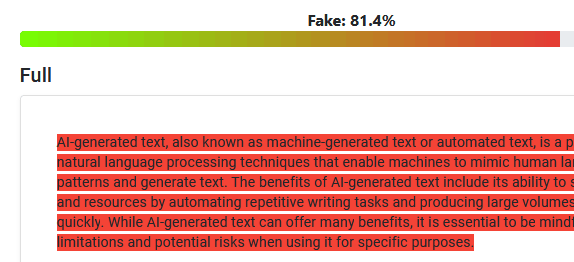
Sometimes. AI detectors look for patterns typical of AI text, but none is fully reliable, and they can wrongly flag human writing. The safest approach is to use AI for ideas and editing, and write the final version in your own words.
Are AI writing tools safe to use?
They are generally safe for everyday writing if you keep personal and confidential details out, turn off model training where the tool allows it, and check every fact before you publish or send.
Get our free weekly email: new tech guides and tools, no spam.
New and updated tech guides, a free tool worth bookmarking and one useful pick, once a week. No spam, unsubscribe anytime.
One email a week. Unsubscribe anytime. See our privacy policy.