7 Email Tips for Saving Money (Gmail and Outlook, 2026)
Your inbox can do more than collect newsletters: used cleverly, it becomes a money-saving tool. These email tips for saving money come from guest author Ann Smarty, a well-known search and social media blogger, who shared three creative tricks in 2010: filter store offers, get deals sent to your phone and subscribe to deal sites that have no email option. We’ve updated them for Gmail and Outlook in 2026 and added a few more.

Quick answer: Create a Gmail filter or Outlook rule that labels store offers so they don’t clutter your inbox, turn on deal notifications only for the stores you love, use Google Alerts with the site: operator to get email updates from deal sites, set price-drop alerts in Google Shopping or price trackers, and unsubscribe from lists that tempt you to overspend.
Table of Contents
7 email tips for saving money
1. Filter store offers into one label
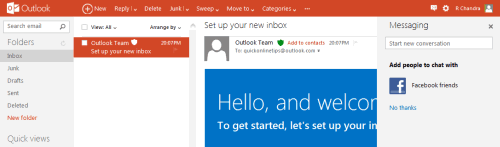
In Gmail, open a promotional email, click the three-dot menu and choose Filter messages like this. Apply a label such as “Deals” and choose Skip the Inbox if you only want to check offers when shopping. In Outlook, create a rule that moves emails from chosen senders into a “Deals” folder.
2. Use the Promotions tab wisely
Gmail’s Promotions tab already sorts many offers. Search it when you’re about to buy, for example category:promotions from:amazon. See how to set up Gmail tabs and inbox categories.
3. Get alerts only for stores you love
In 2010 Ann forwarded offers to her phone by SMS. Today, turn on app notifications or email alerts just for the one or two stores you buy from often, and silence the rest.
4. Subscribe to sites without an email option
Ann’s favourite trick still works: create a Google Alert using site: plus the deal site’s domain and a keyword (for example site:example.com free samples). Google emails you when new matching pages appear.
5. Set price-drop alerts
Google Shopping lets you track prices for a product and get an email when it drops. Price-tracking services for Amazon and other stores do the same.
6. Use a separate email for shopping
A dedicated address keeps your main inbox clean and makes all offers easy to find when you need them.
7. Unsubscribe from temptation
“Flash sale” emails are designed to make you spend. If a store’s emails lead to impulse buys, unsubscribe and only visit when you actually need something.
Watch out for scams
- Fake “you’ve won” or too-good-to-be-true deal emails often lead to phishing pages.
- Check the sender address and go to the store’s website directly instead of clicking links.
- Protect your account with Gmail 2-step verification.
FAQ
How do I stop deal emails cluttering my inbox?
Create a filter or rule that labels or moves them to a folder, or unsubscribe from lists you don’t use.
Does Google Alerts still work?
Yes. You can create alerts for any search query, including site: searches, and choose how often to get emails.
Are coupon and deal sites safe?
Well-known ones usually are, but avoid sites asking for payment details or personal information to “unlock” deals.
Originally written by guest author Ann Smarty, a search and social media blogger and founder of the guest blogging community MyBlogGuest. Updated for 2026 by QuickOnlineTips.
Get our free weekly email: new tech guides and tools, no spam.
New and updated tech guides, a free tool worth bookmarking and one useful pick, once a week. No spam, unsubscribe anytime.
One email a week. Unsubscribe anytime. See our privacy policy.