How to Set the Correct Site Name in Google Search (WebSite Schema)
Want the correct site name in Google search? Is Google showing the wrong name above your search results, like your domain name, an old brand, or a random phrase from your page? Google picks a site name for every website, and you can tell it which name to use with a few lines of WebSite structured data on your homepage. Here’s how to set the correct site name in Google search in 2026, with code, WordPress plugin settings, and fixes for when Google ignores your choice.
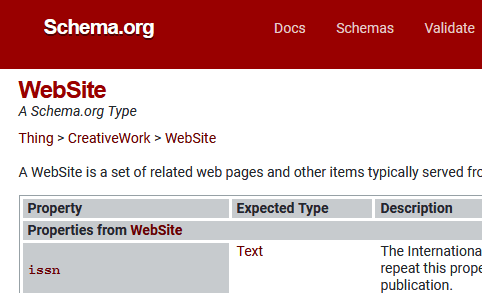
Quick answer: Add WebSite schema with name, optional alternateName and your homepage url to the home page of your domain, keep your title tag, H1 and og:site_name consistent with that name, then request indexing of the homepage in Google Search Console.
Table of Contents
How Google chooses the site name in Google search
According to Google’s site names documentation, Google looks at several sources on your homepage: WebSite structured data, the <title> element, headings like <h1>, og:site_name, and how other sites refer to you. Structured data is the strongest hint you can give, but Google can still choose a different name if your signals conflict.
Add WebSite structured data for your site name
Add this JSON-LD code to the <head> of your homepage only:
<script type="application/ld+json">
{
  "@context": "https://schema.org",
  "@type": "WebSite",
  "name": "QuickOnlineTips",
  "alternateName": ["QOT", "Quick Online Tips"],
  "url": "https://www.quickonlinetips.com/"
}
</script>- name (required): your preferred site name. Keep it short, unique and recognisable, not a generic phrase or slogan.
- alternateName (optional): backups such as an acronym or shorter version, in order of preference.
- url (required): the canonical homepage of your domain or subdomain.
Test it with the Rich Results Test or Schema Markup Validator.
Set the site name in WordPress
- WordPress: go to Settings → General and set Site Title to your brand name.
- Rank Math: open Rank Math → Titles & Meta → Local SEO and fill in Website Name and Alternate Website Name. Rank Math adds the WebSite schema automatically.
- Yoast SEO: go to Yoast SEO → Settings → Site basics and set the Website name and Alternate website name.
Use only one SEO plugin so you don’t output duplicate WebSite schema with different names.
Important: domains, subdomains and subdirectories
Google supports site names only at the domain (example.com, including www) and subdomain (blog.example.com) level, not for subdirectories like example.com/blog/. If WordPress runs in a subfolder, as ours does in /archives/, make sure the WebSite markup with the root url appears on the root homepage of the domain. Also see how canonical URLs help Google understand which homepage URL is the main one.
Google still shows the wrong site name?
- Make signals consistent: use the same name in the homepage title, H1,
og:site_nameand schema. - Check duplicate homepages: http, https, www and non-www versions should redirect to one canonical homepage.
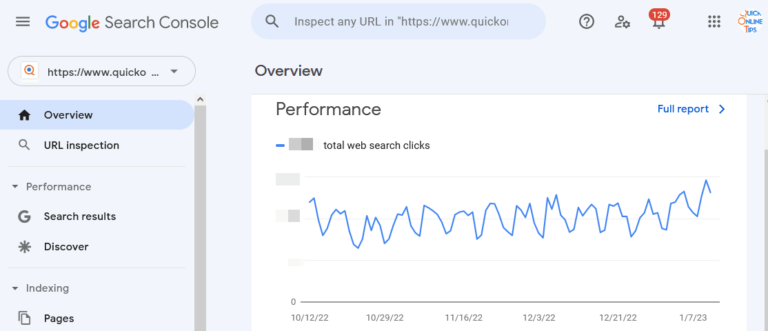
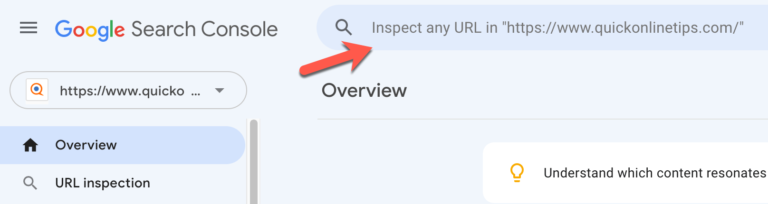
- Request indexing: in Google Search Console, inspect the homepage URL and click Request indexing. Changes can take a few days to several weeks.
- Add an alternateName in case Google decides your main name isn’t suitable, for example because it’s too generic.
- Check your favicon too, as it appears next to the site name. Google requires a square favicon of at least 48×48 pixels.
Site names work alongside other structured data. See our list of free Google SEO tools to test and monitor your markup.
Frequently asked questions
Where does the site name appear in Google?
Above the page title in search results, next to your favicon and URL, on both mobile and desktop.
Do I need WebSite schema on every page?
No. Google only needs it on the homepage of your domain or subdomain.
How long does it take for Google to update my site name?
Usually a few days to a few weeks after Google recrawls your homepage. Requesting indexing in Search Console can speed it up. See how to get new pages indexed in Google.
Get our free weekly email: new tech guides and tools, no spam.
New and updated tech guides, a free tool worth bookmarking and one useful pick, once a week. No spam, unsubscribe anytime.
One email a week. Unsubscribe anytime. See our privacy policy.